
DFG Agents Only
Enter your access code to view this page.
Incorrect PIN — try again.
Duse Financial Group · Agents Only
Enter your access code to view this page.
 Americo
Eagle Select · Term · IUL (same e-app layout) · 25 steps · 2 e-sign scripts
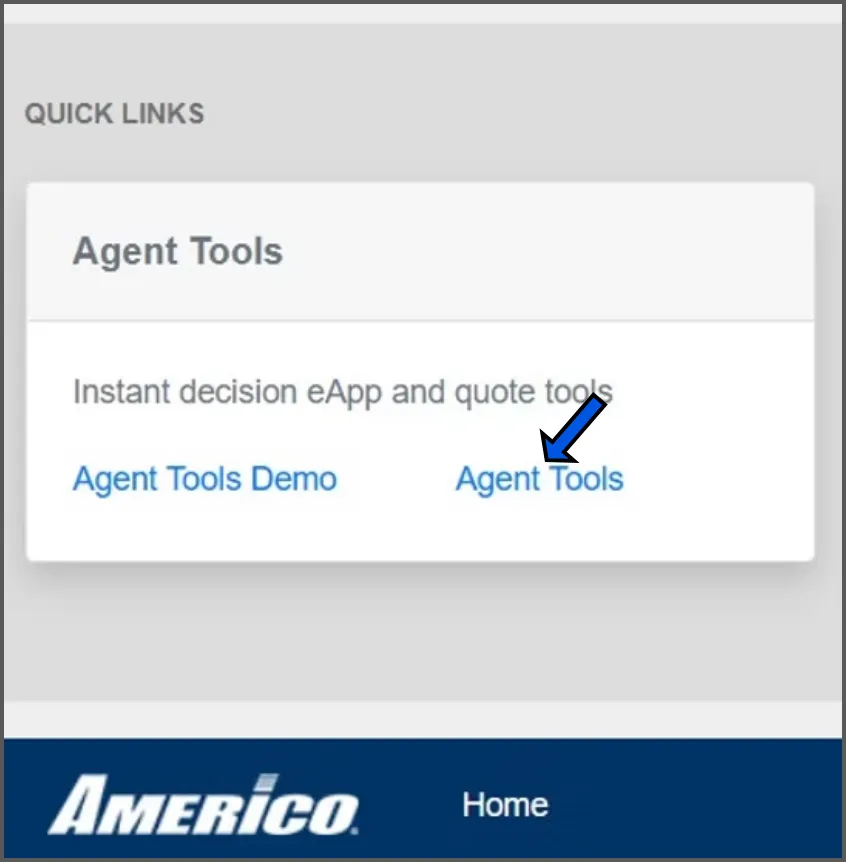
From the Agent Portal Dashboard, scroll all the way down to the bottom left and click on AGENT TOOLS.
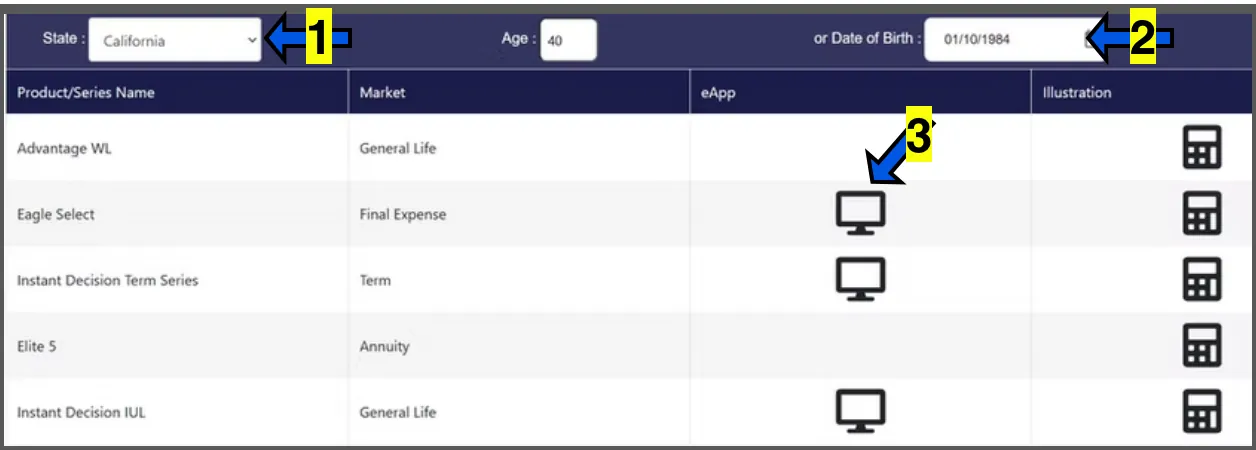
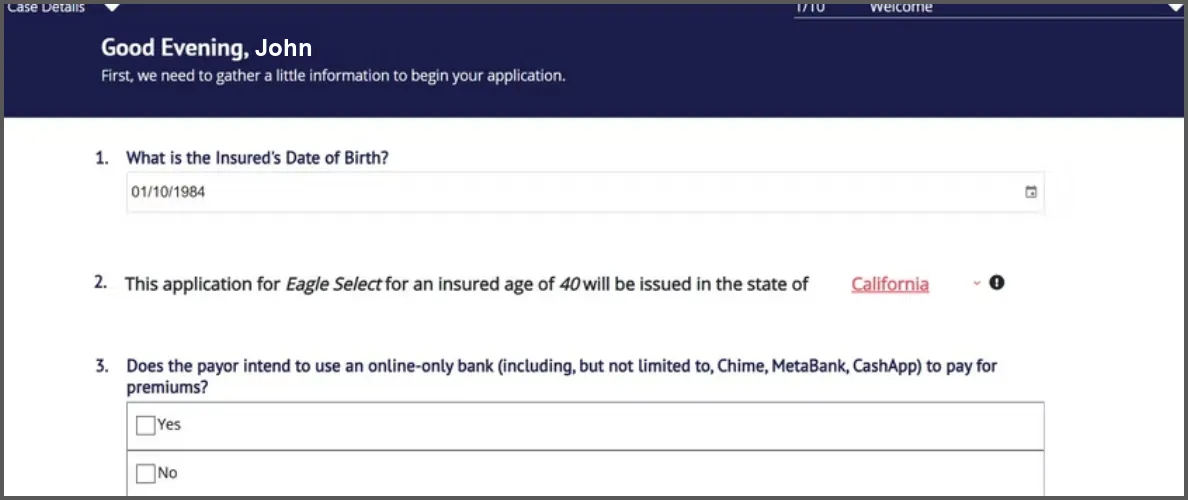
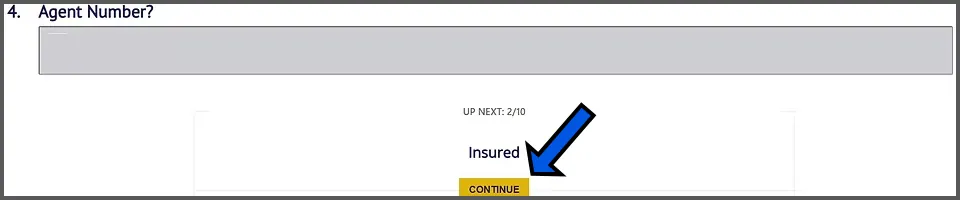
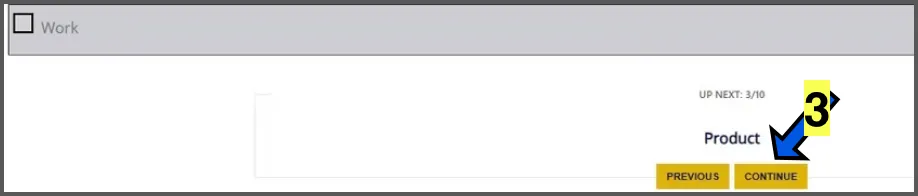
Confirm all information is correct, then click on the yellow CONTINUE button.
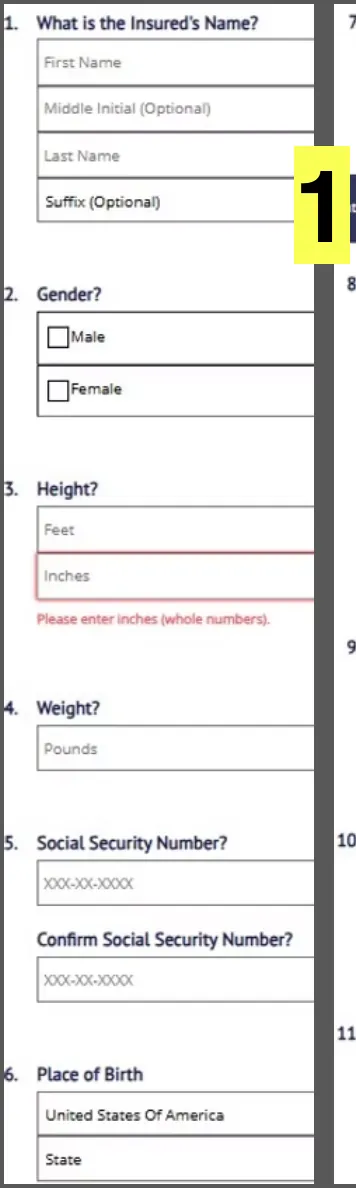
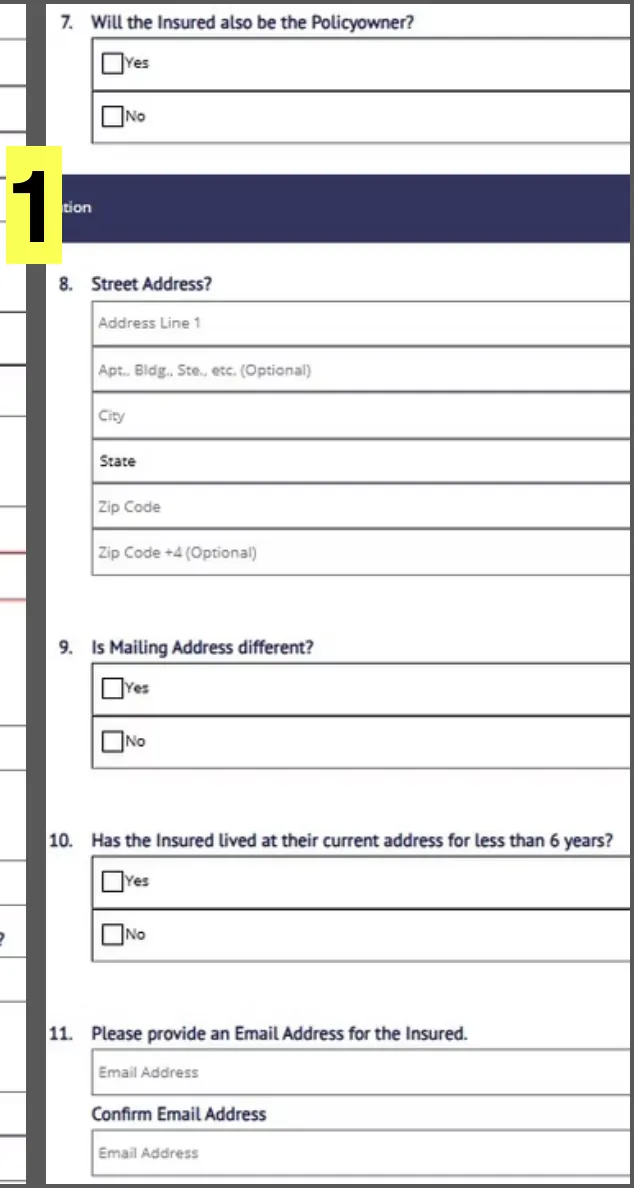
Number 7: Policy Owner. It's recommended that the insured is the owner of the policy. However, there are times that someone may want coverage on a family member. For example, a son may want to get a policy on his mother to cover her funeral expenses.
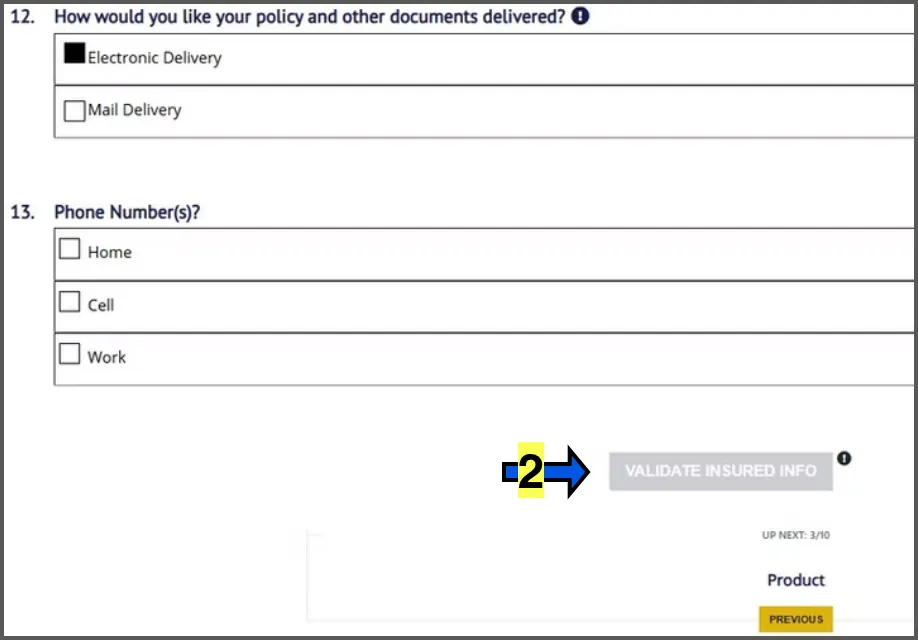
Number 12: Choose if the client would like a digital version of their policy emailed or a physical copy sent in the mail.
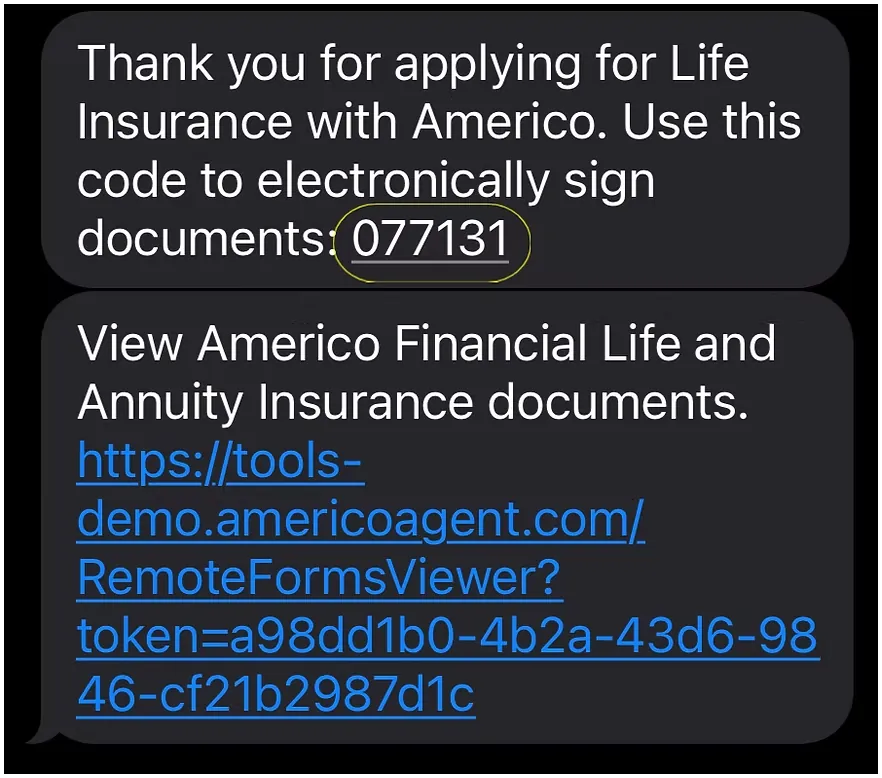
Number 13: It's recommended that you enter a Cell phone number so that you can send the e-signature code via text.
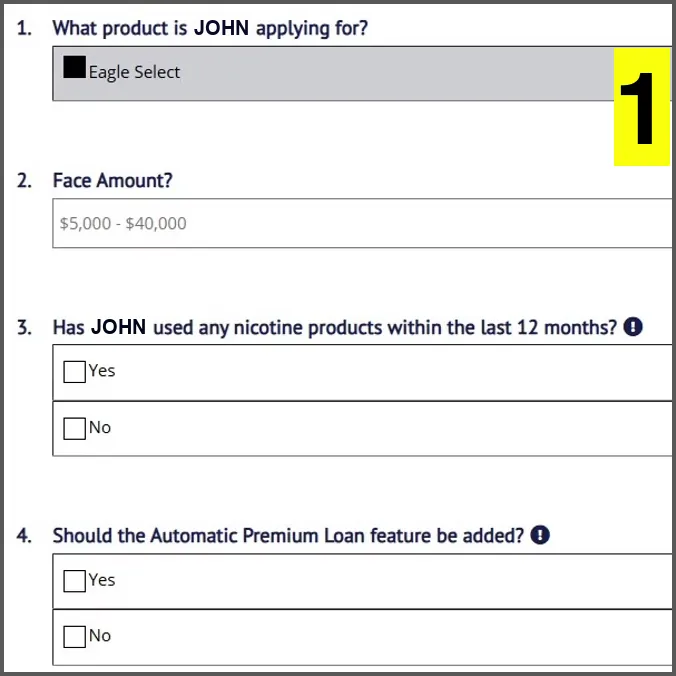
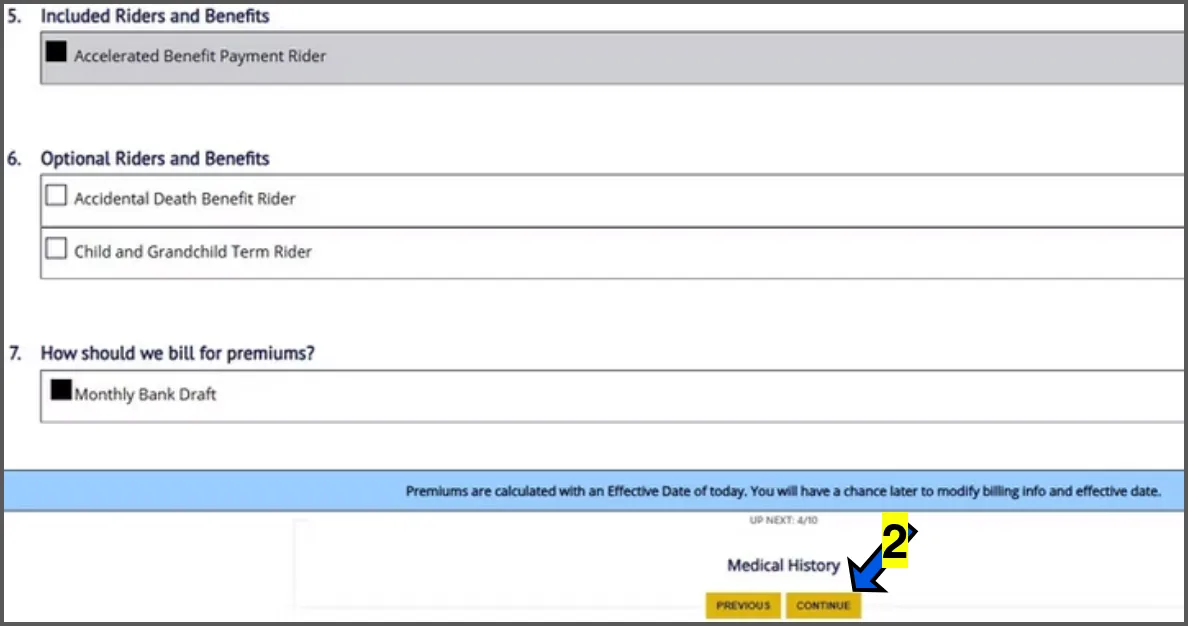
Number 4: Automatic Premium Loan. This allows the insurer to automatically withdraw funds from the policy's cash value to pay an overdue premium if the policyholder fails to make a payment on time, essentially preventing the policy from lapsing and maintaining coverage without the policyholder needing to take action; this loan is then added to the policy's outstanding loan balance with interest charges applied. If the insured passes away without repaying the loan, their beneficiary will receive the coverage amount minus any outstanding loan amounts.
Number 5: Accelerated Benefit Payment Rider. This rider is automatically included at no additional cost. The terminal illness rider allows the insured to access all or a portion of their death benefit early if diagnosed with a terminal illness with a life expectancy of 12 months or less.
Number 6: OPTIONAL RIDERS Accidental Death Benefit Rider. Every policy already includes death due to an accident. However, the accidental death benefit rider doubles the coverage amount in case of an accidental death. For example, if a client has $20,000 in base coverage and they pass away of natural causes, their beneficiary will receive $20,000. If they pass due to an accidental death, the beneficiary will receive $40,000.
Number 6 Continued:
"Child and Grandchild Term Rider" allows the insured to add term coverage for their minor children under 18 years of age. Coverage for children expires when they turn 25 years of age. When the child turns 25, they can convert to their own whole life policy without proving they are in good health.
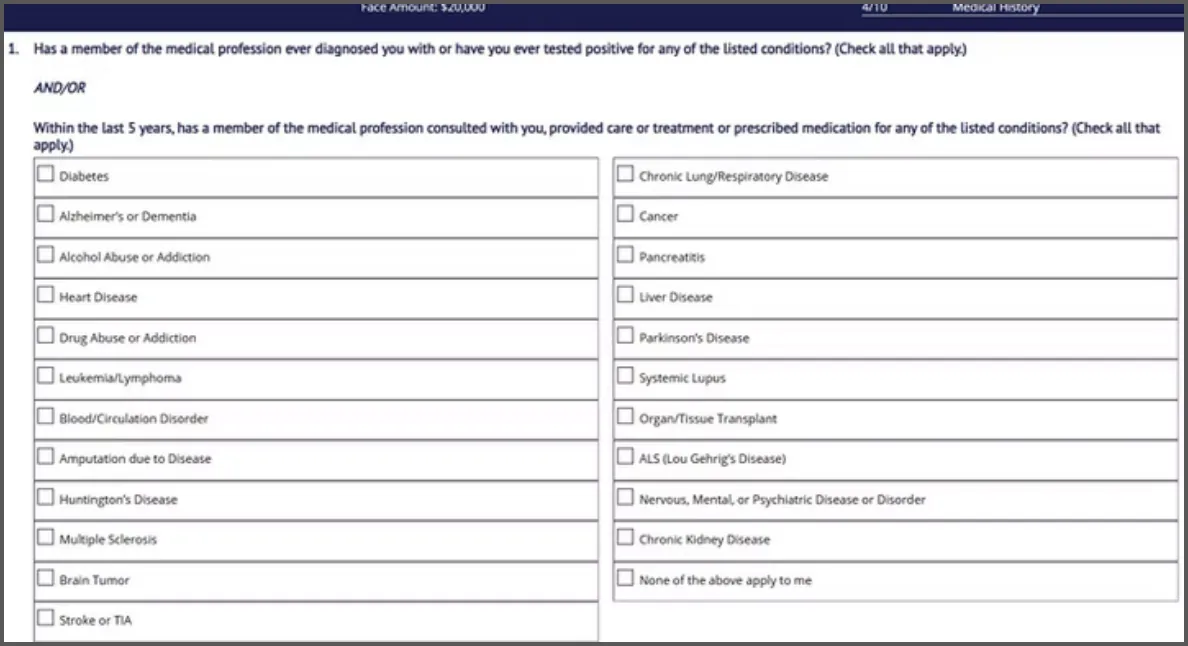
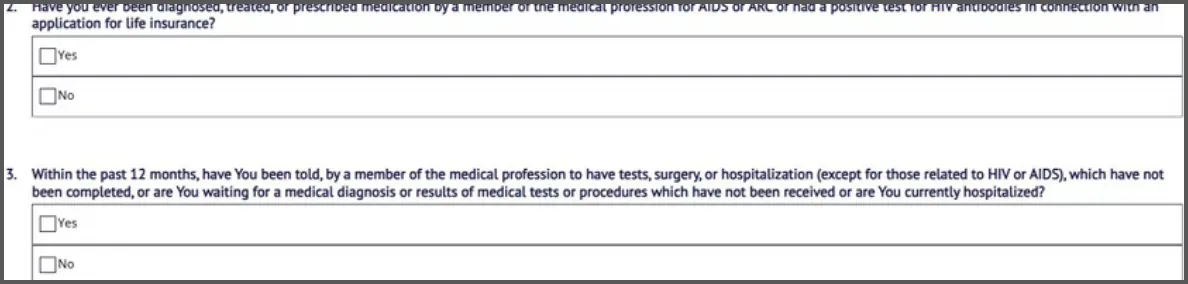
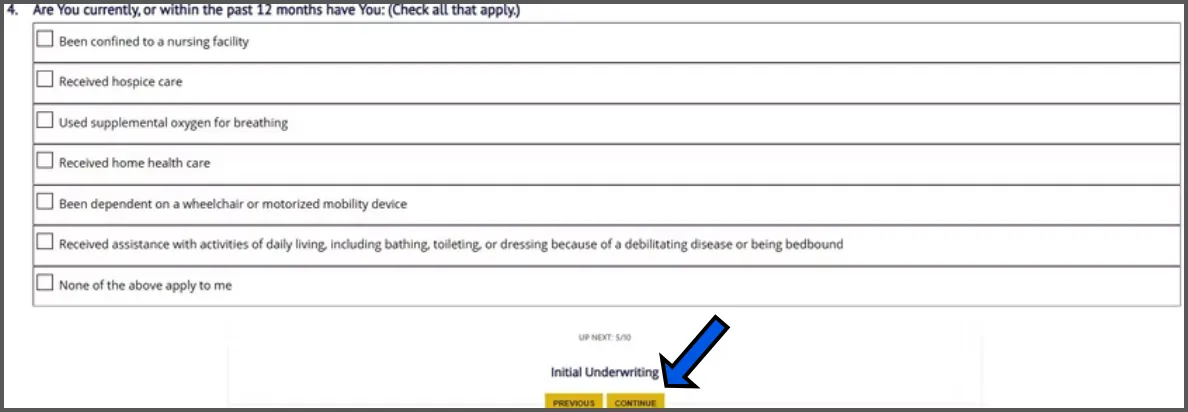
Enter health information and then click the yellow CONTINUE button.
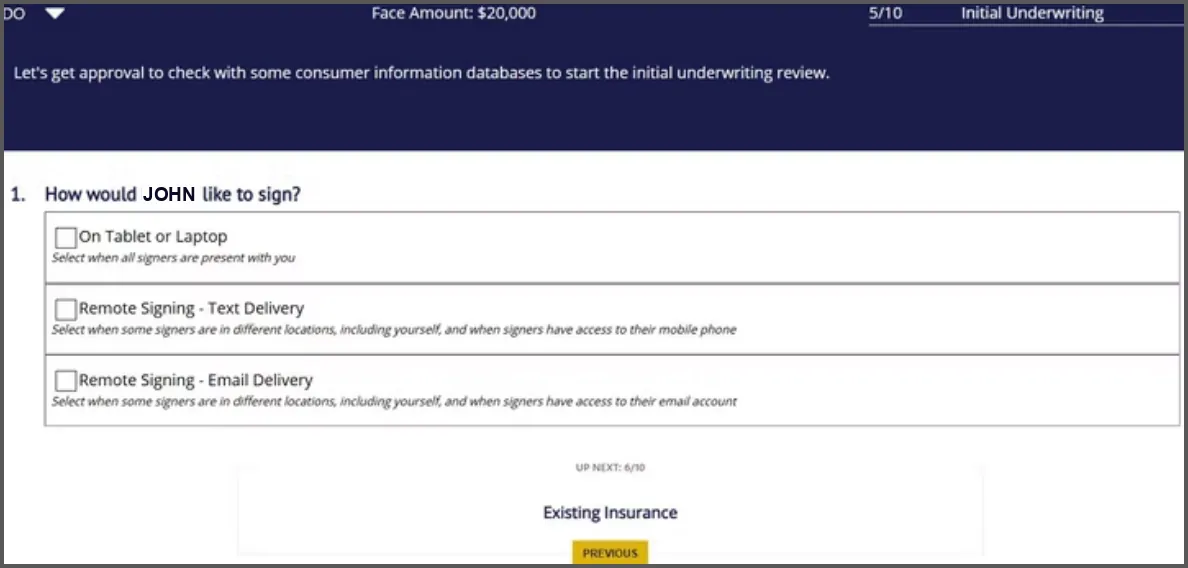
Choose the signature method: on tablet or laptop if you are in person, text or email for telesales. Text is recommended.
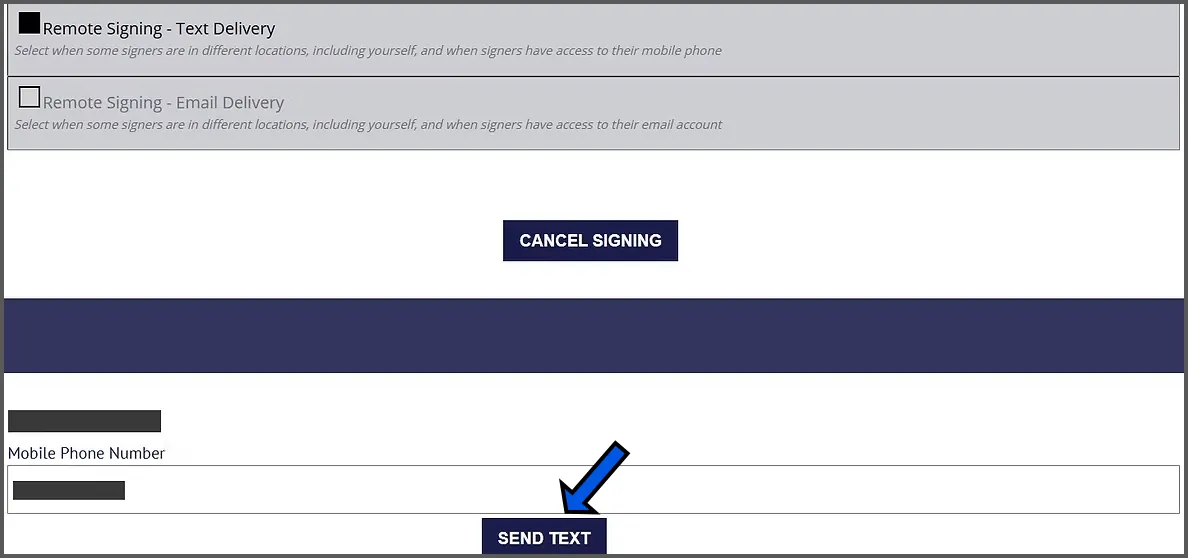
Click on SEND TEXT
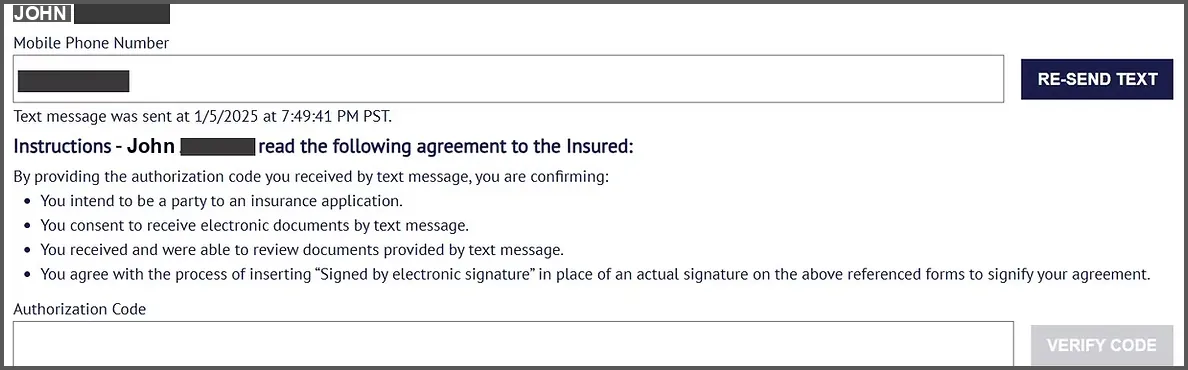
You will see a box at the bottom that says AUTHORIZATION CODE.
At this point, follow the E-SIGNATURE GUIDE below to guide the applicant through the E-Signature Process.
Read the blue script lines to the client word for word. The screenshots are what the client sees on their phone.
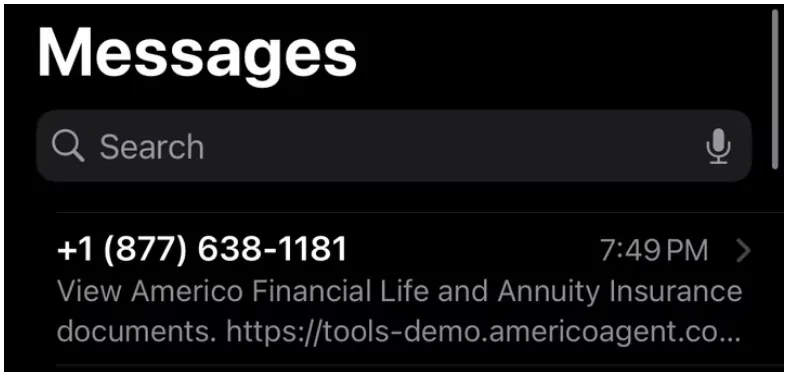
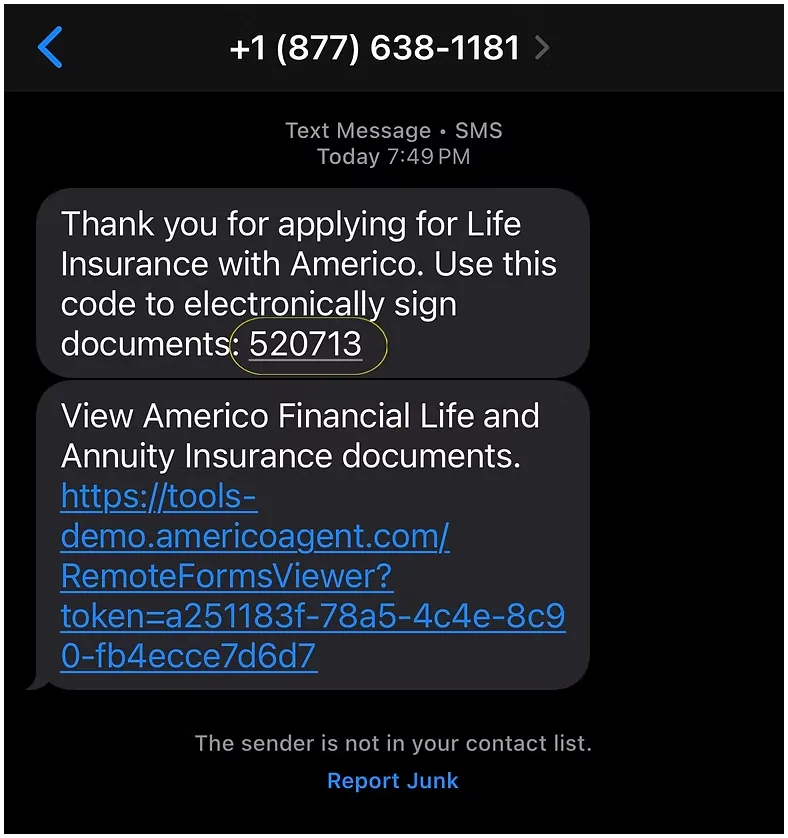
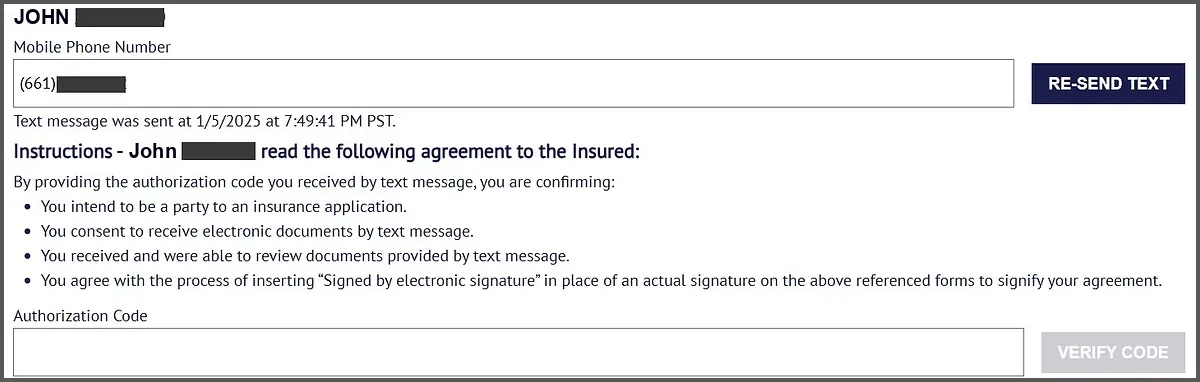


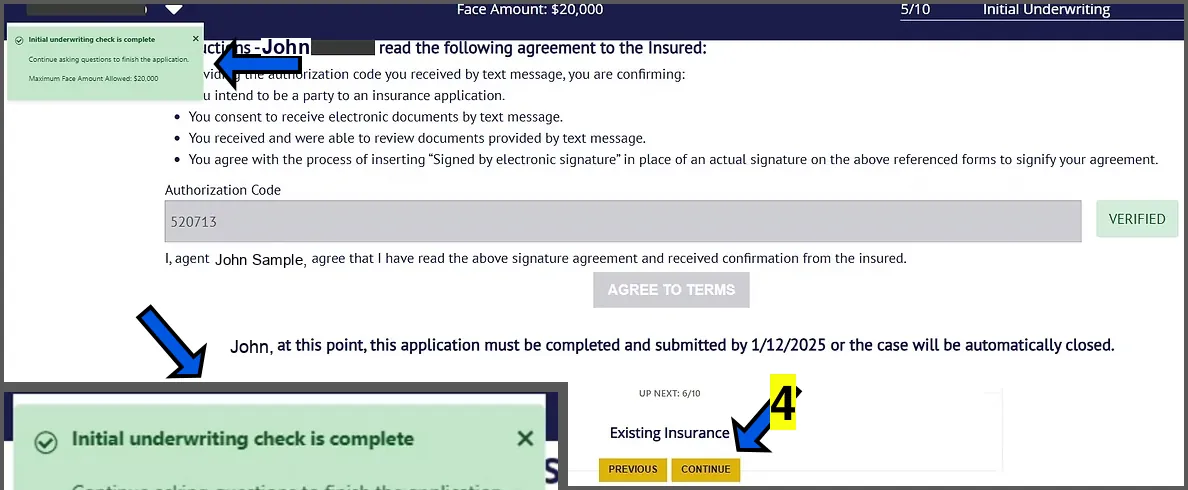
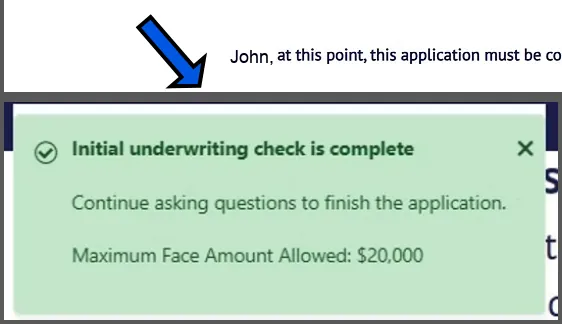
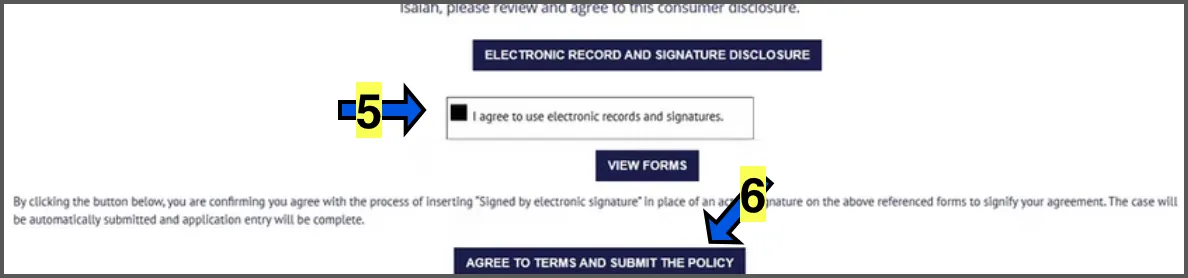
Once you click on "Agree to terms", the electronic medical check will begin running in the background. You can proceed while it runs. If the medical check is clear, you will see a green square populate on the top left that says INITIAL UNDERWRITING CHECK IS COMPLETE. This means the applicant should be approved as long as the answers in the health questions don't reveal a declinable issue. If the medical check finds something declinable, the application will stop automatically.
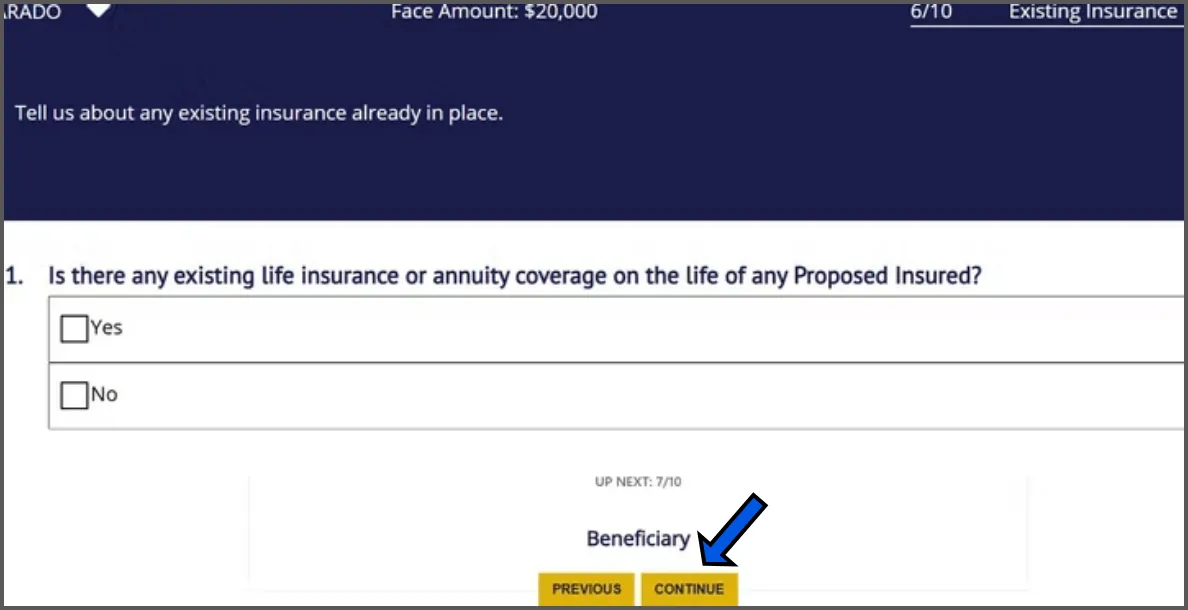
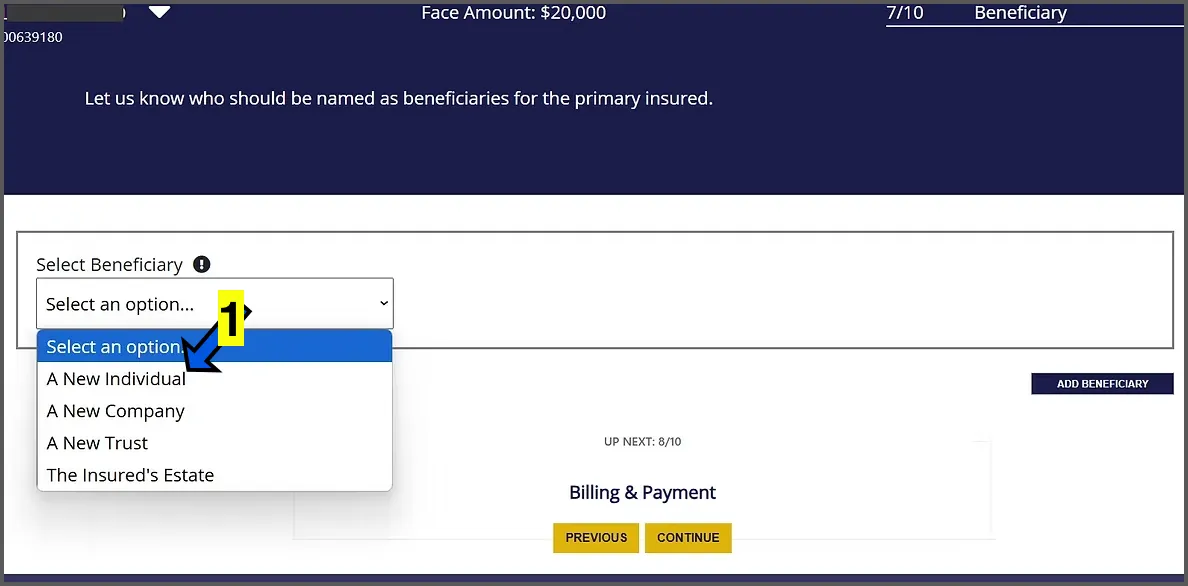
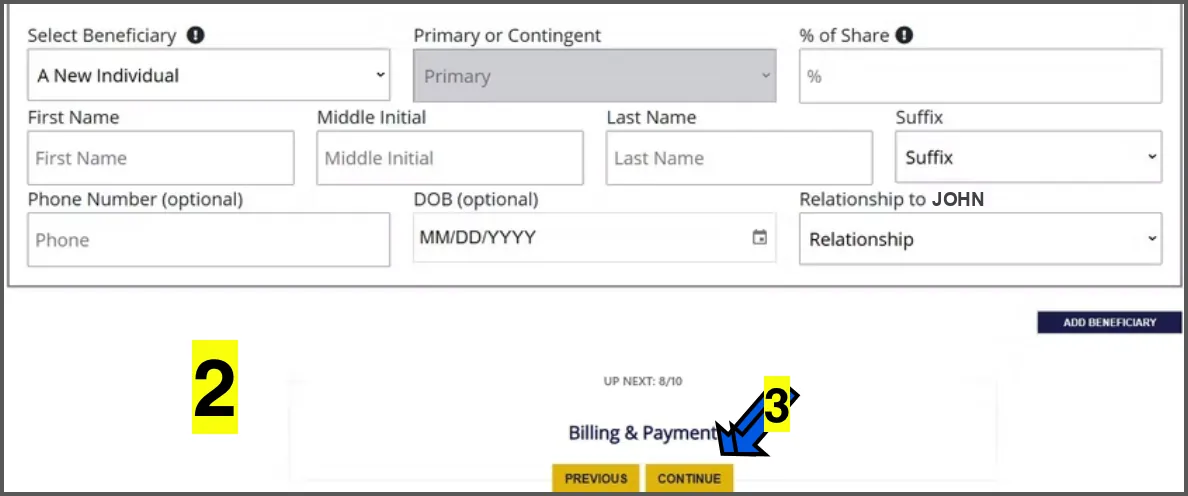
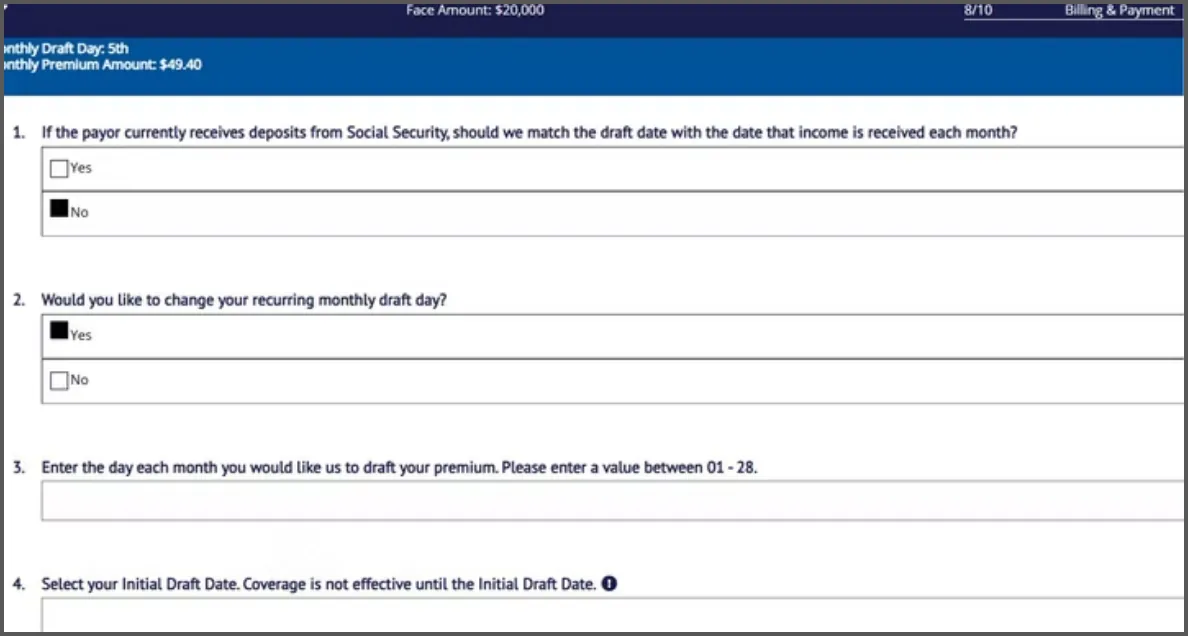
On BILLING AND PAYMENT SECTION, Question 1 regarding Social Security, some options may allow the client to draft the recurring premium on the day of the month that their social security check is deposited. For example, 1st or 3rd, or every second Wednesday of the month. Only select this if it makes sense to do so.
Questions 2-4, you can choose a recurring draft day for future payments and a post dated start date for the policy if the client does not wish to draft immediately upon approval.
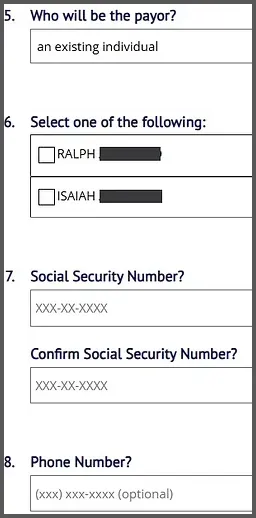
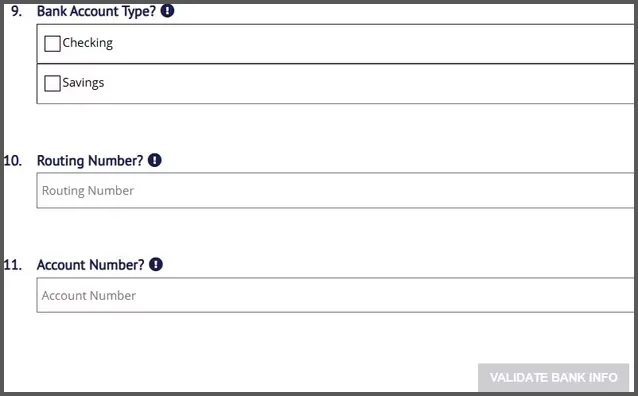
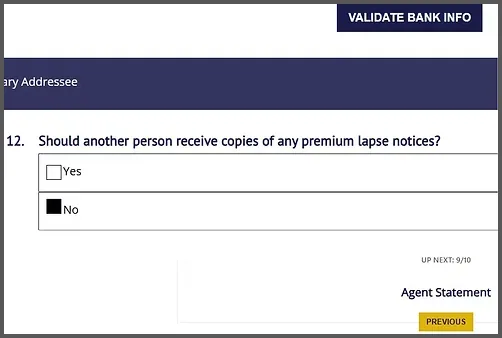
Enter the rest of the general payment information and then click the VALIDATE BANK INFO button.
Answer question regarding lapse notices. This is if the client would want anyone else notified that the policy is in danger of lapsing or cancelling.
Click the yellow CONTINUE button.

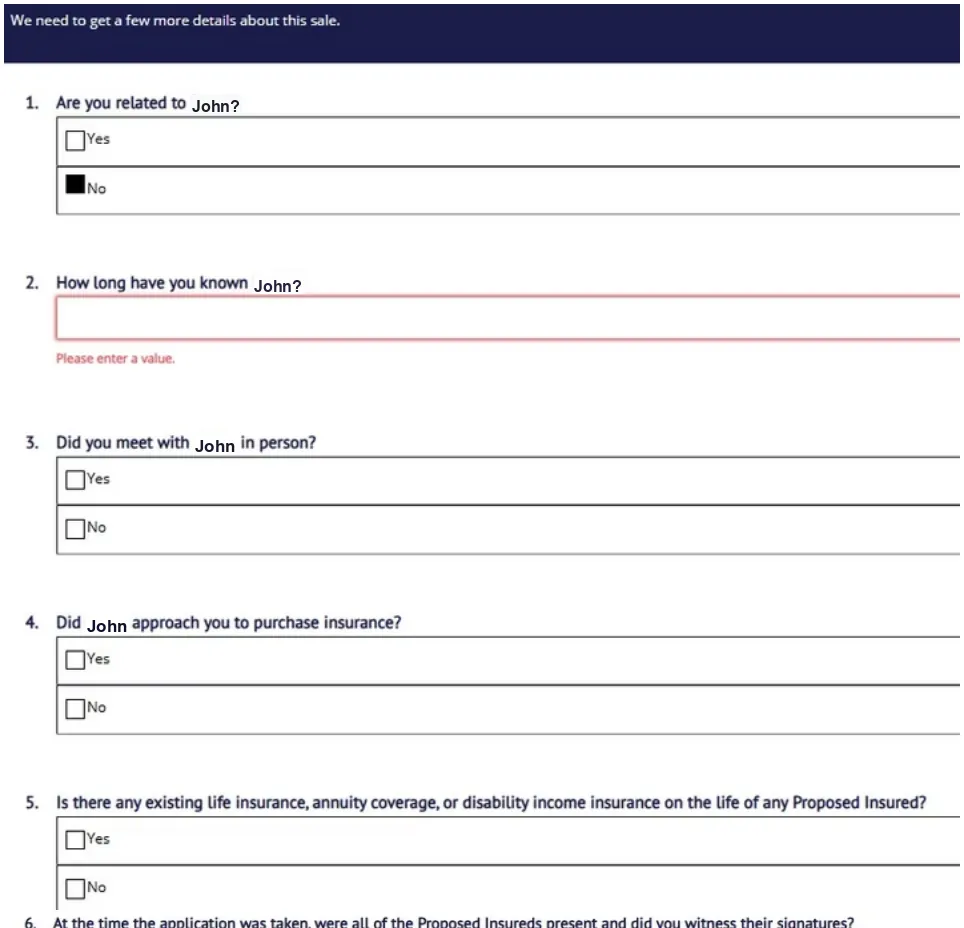
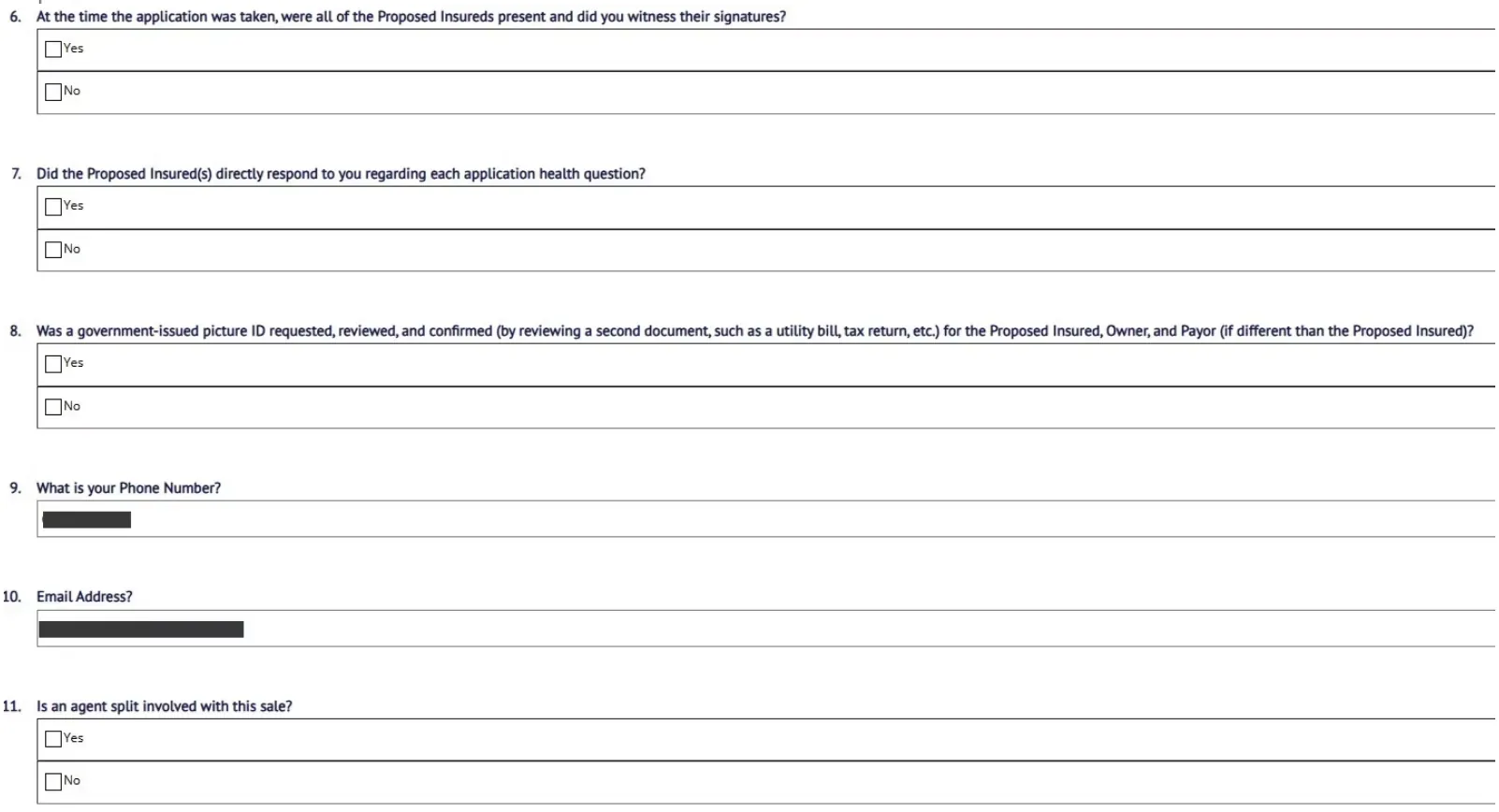
Complete the agent statement.
Question 3 regarding meeting in person: This can only be answered "Yes" if met physically in person. Zoom or Phone answer NO.
Question 4 regarding being approached for insurance: If "Yes", put the reason such as "To cover final expenses" or "Income Replacement".
Question 6 & 8 Regarding witnessing signatures and reviewing ID document, answer NO if done remote or over the phone.
Question 11 regarding agent split, put YES if you and another agent are splitting commissions on this application. Percentage split must equal 100% combined. For example 75/25, 50/50, 60/40.

Click CONTINUE
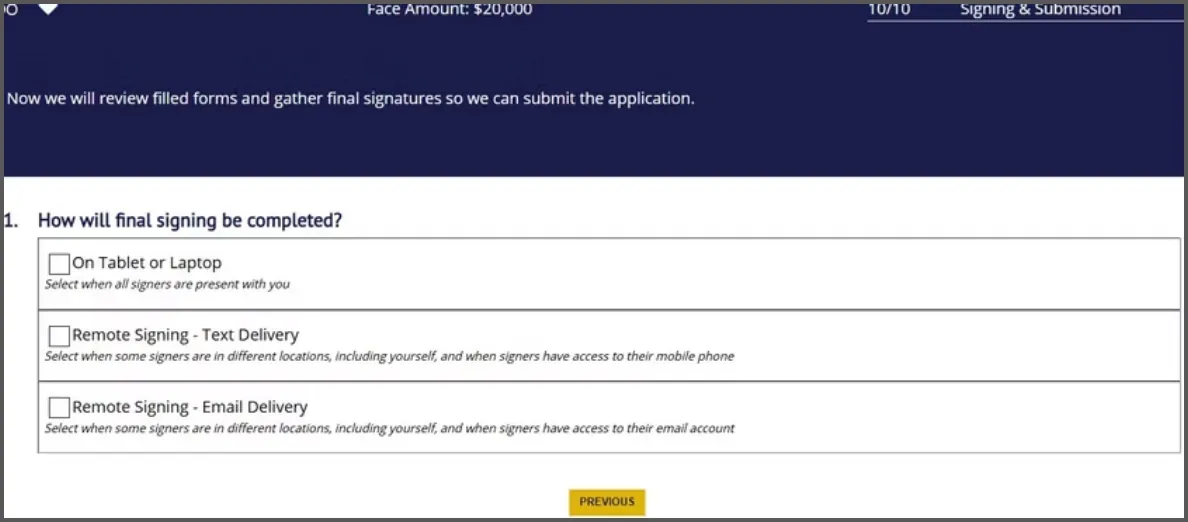
Choose the signature method: on tablet or laptop if you are in person, text or email for telesales. Text is recommended.
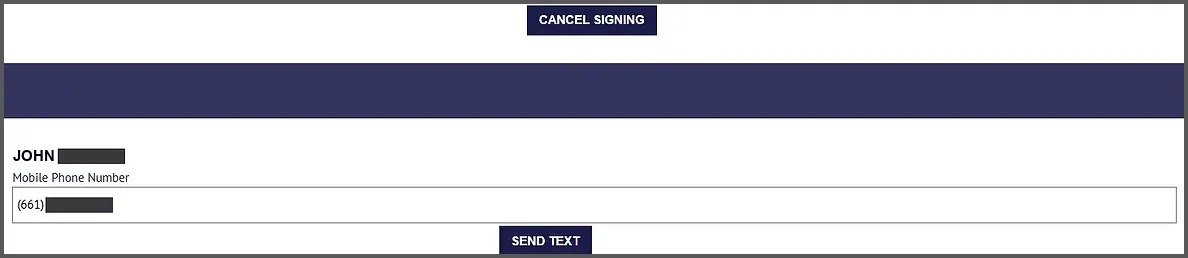
Click on SEND TEXT

You will see a box on the bottom that says AUTHORIZATION CODE and a button on the right that says VERIFY CODE.
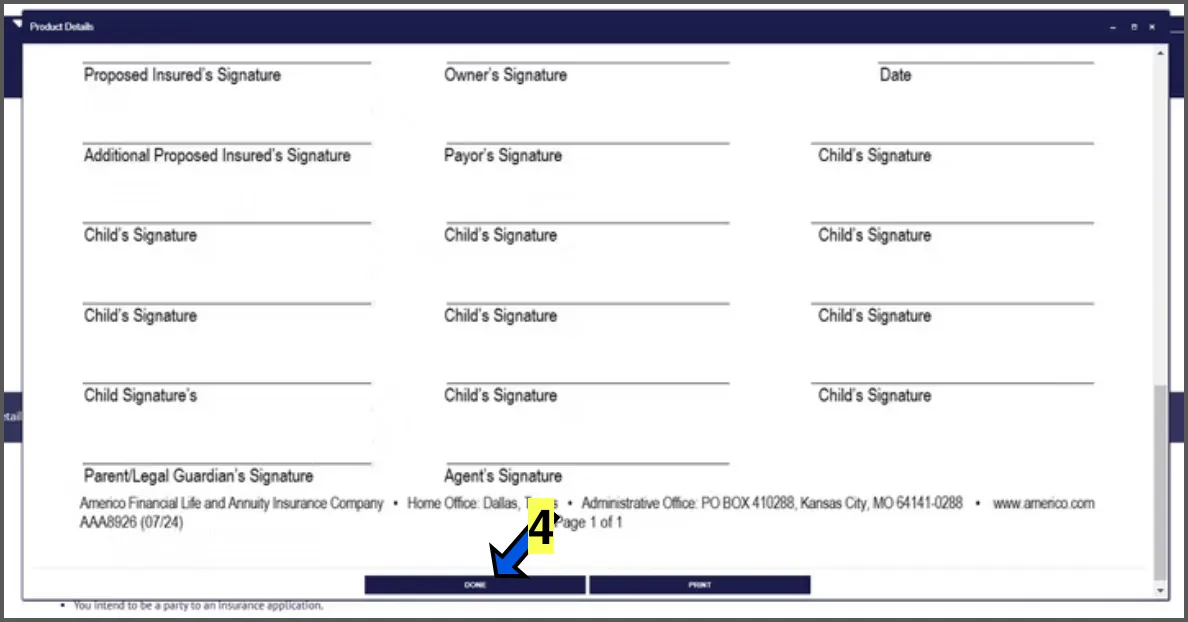
At this point, follow the E-SIGNATURE GUIDE below to guide the applicant through the E-Signature Process.
Read the blue script lines to the client word for word. The screenshots are what the client sees on their phone.



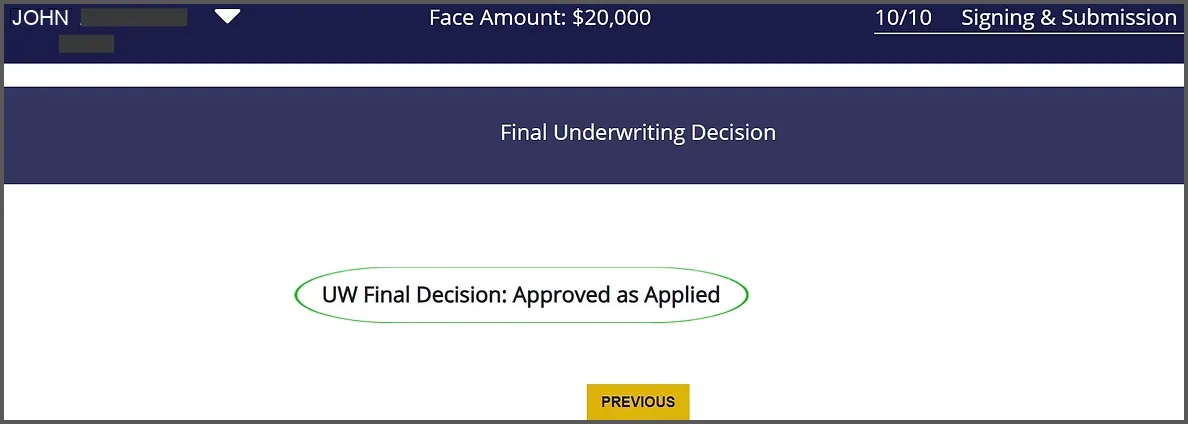
You may now see a message that says PROCESSING YOUR SUBMISSION.
Shortly after submitting the application, you should see a final decision regarding approval or non-approval.
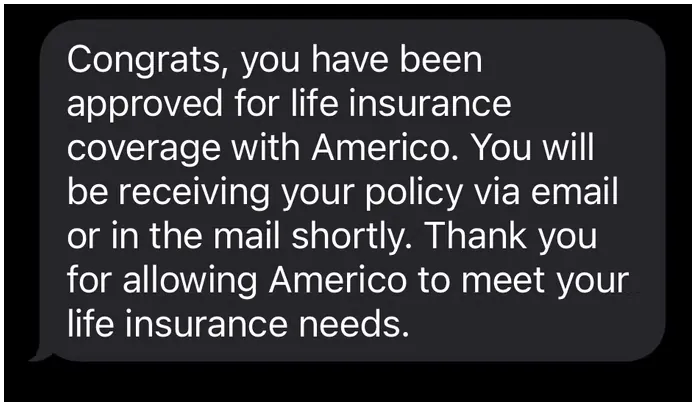
Client may also receive an approval text.