DFG Agents Only
Enter your access code to view this page.
Incorrect PIN — try again.
Duse Financial Group · Agents Only
Enter your access code to view this page.
 Liberty Bankers
Final Expense (Preferred / Standard / Modified) · 21 steps · 1 e-sign script
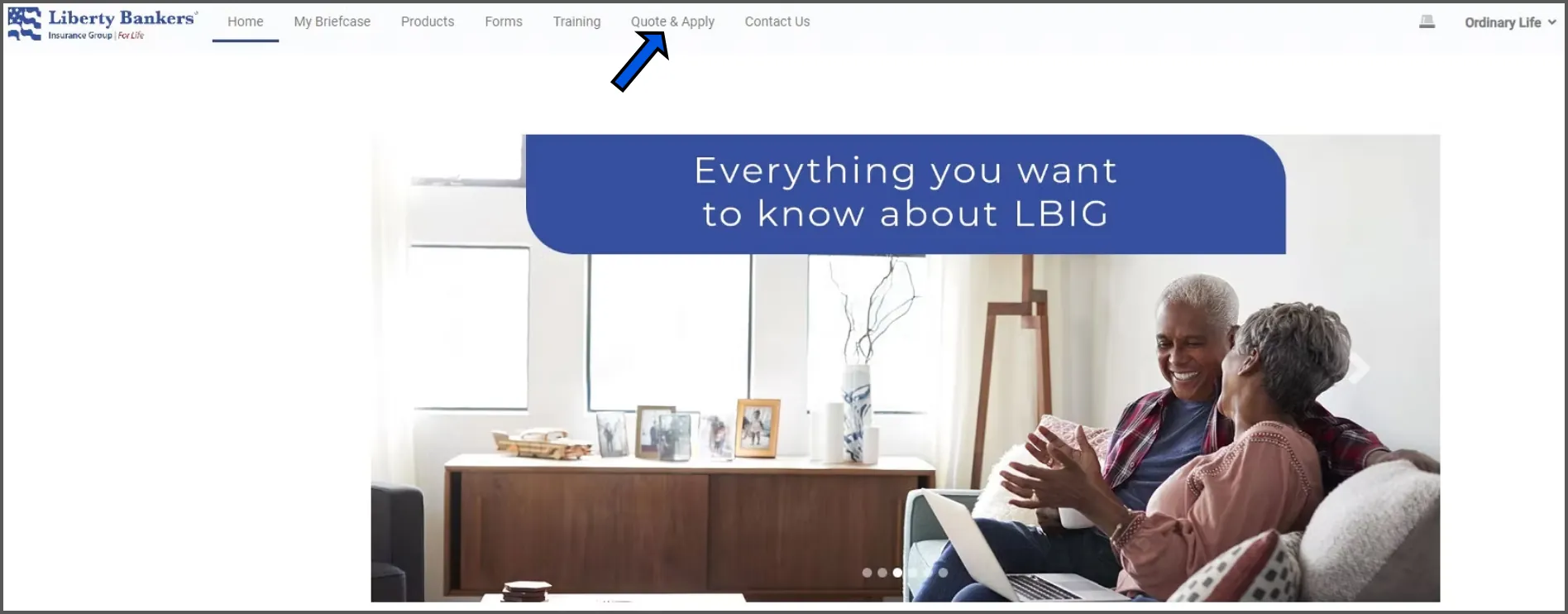
From your dashboard, click on QUOTE & APPLY at the top menu.
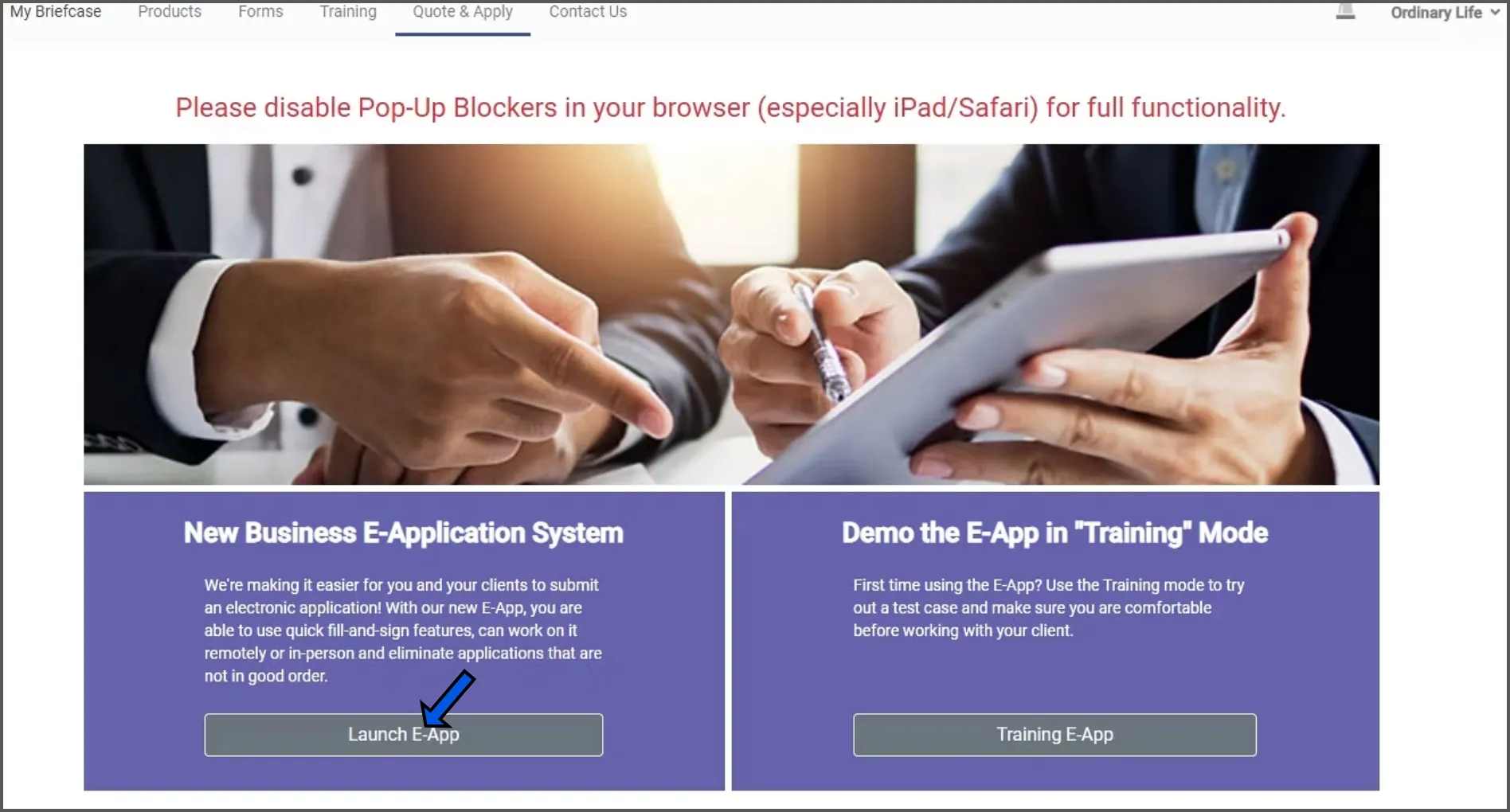
Click on LAUNCH E-APP.
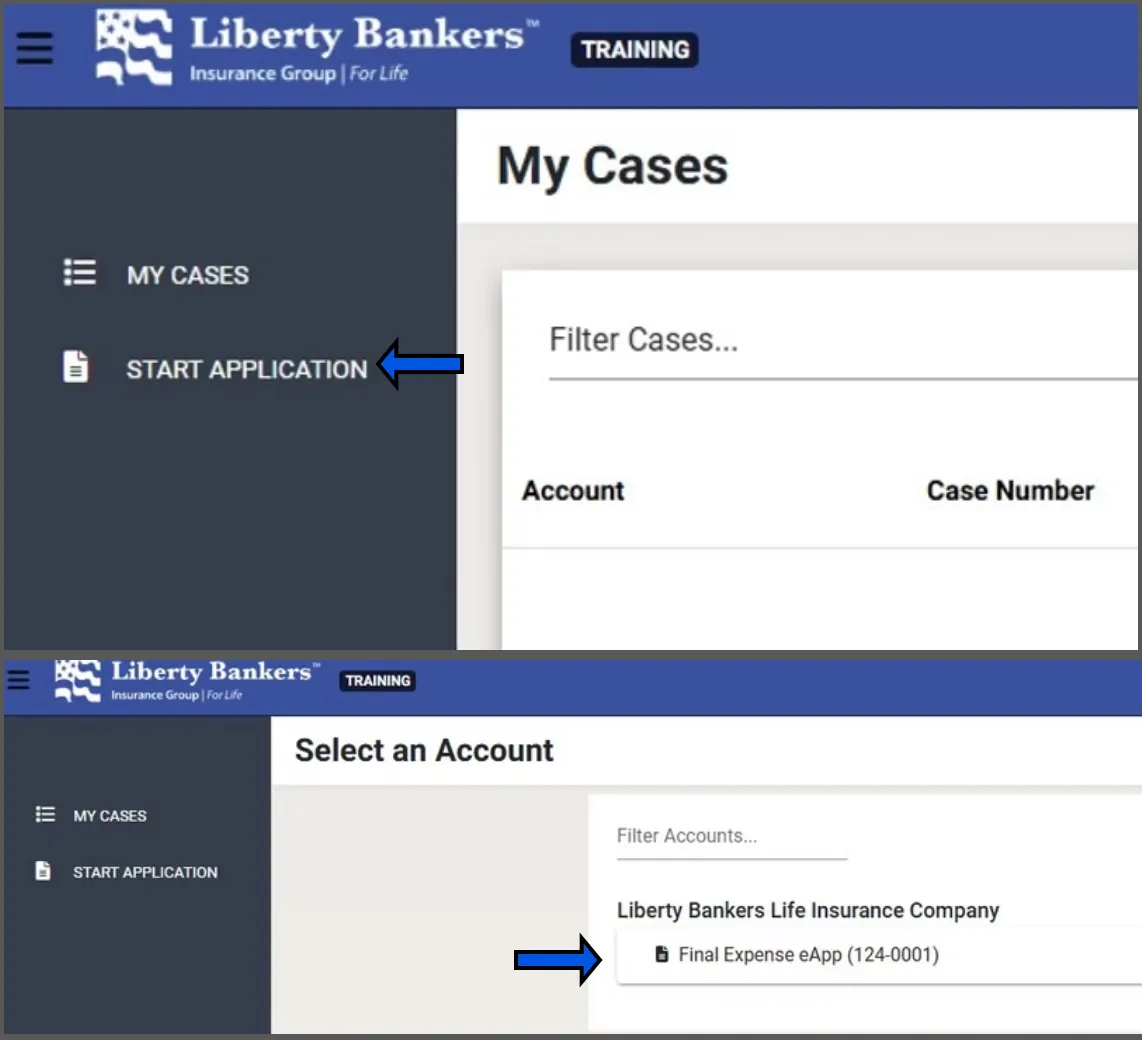
Click on START APPLICATION.
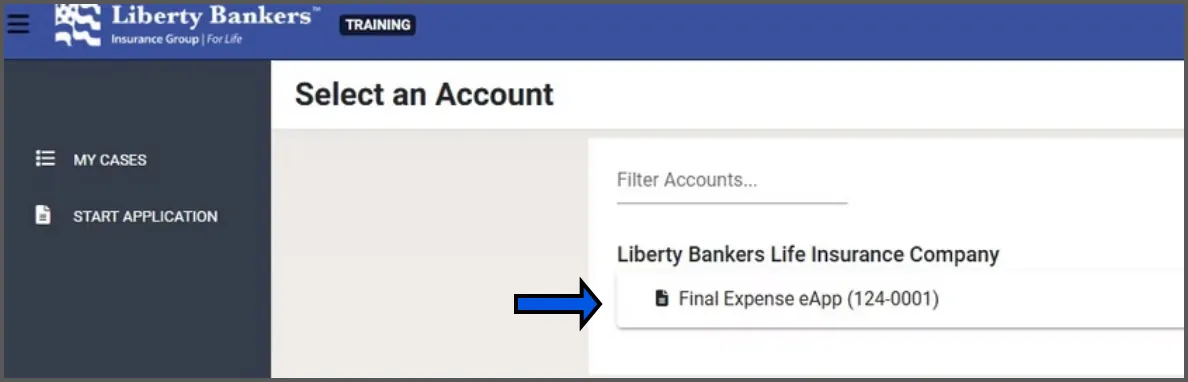
Click on FINAL EXPENSE EAPP.
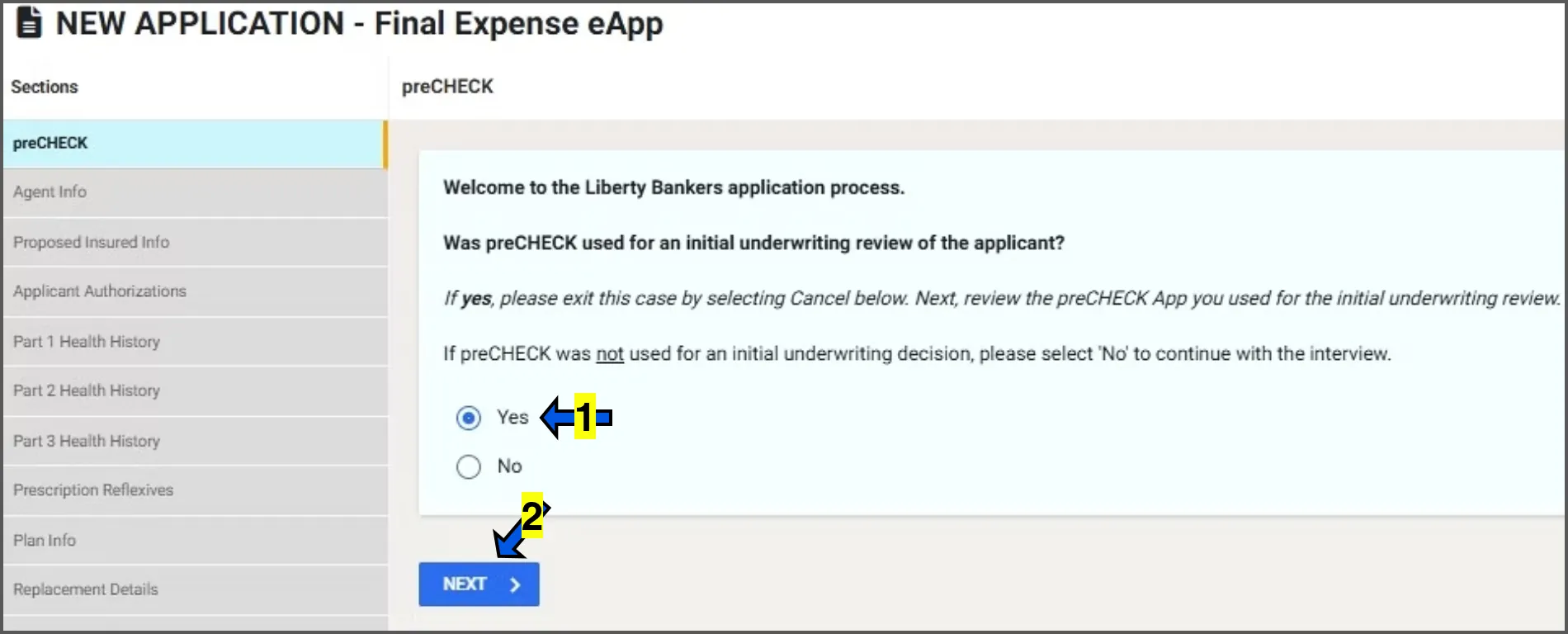
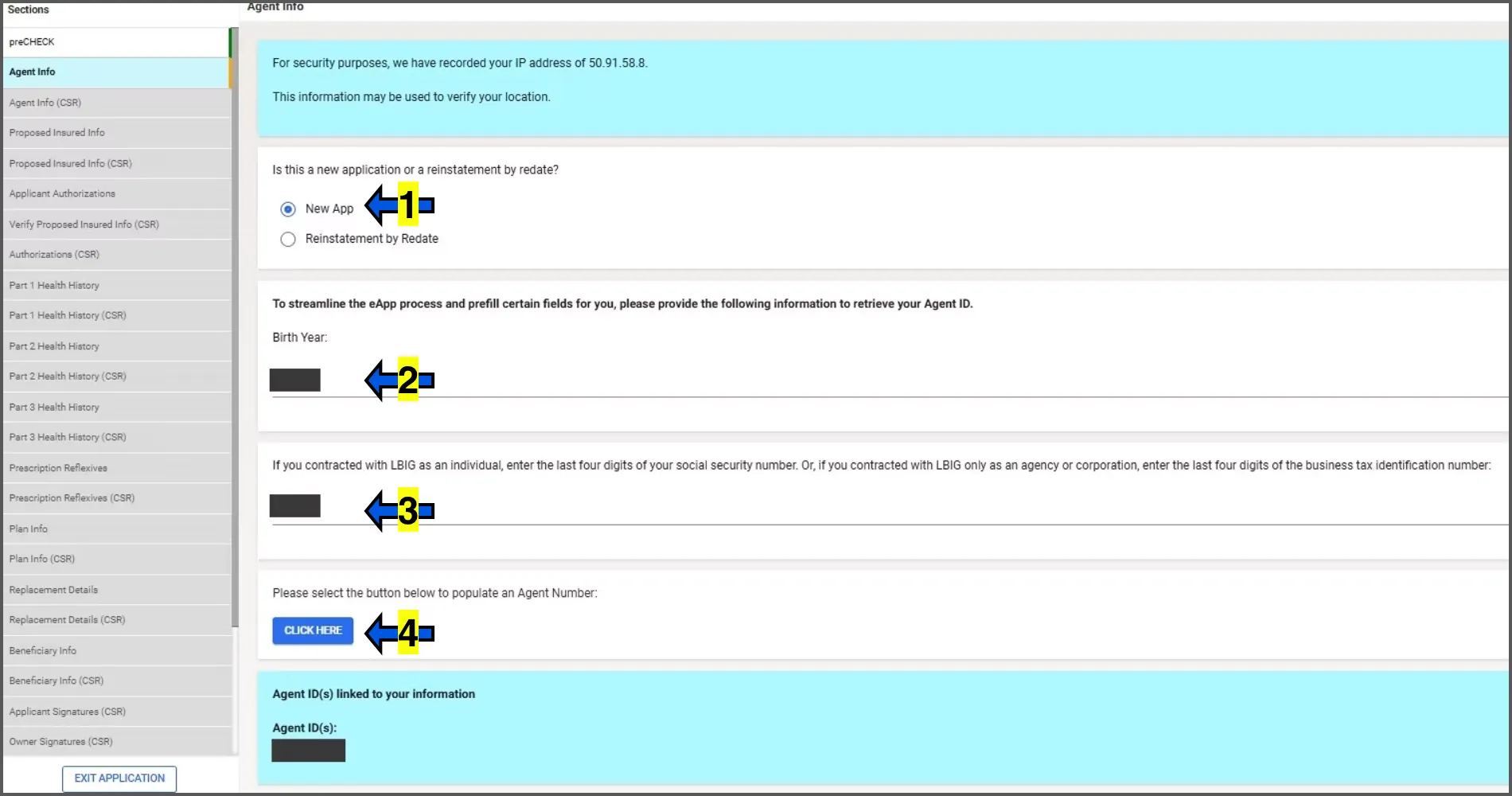
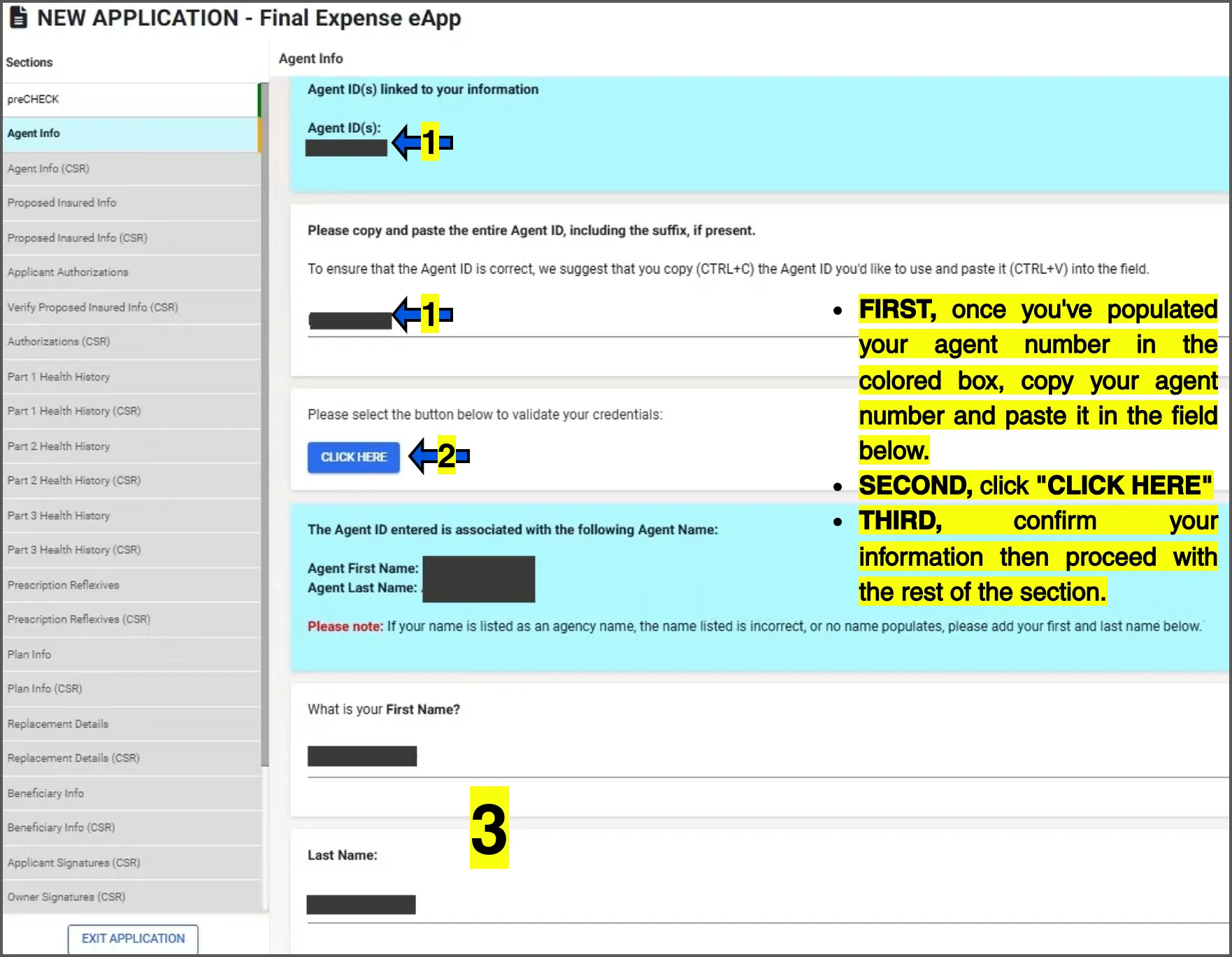
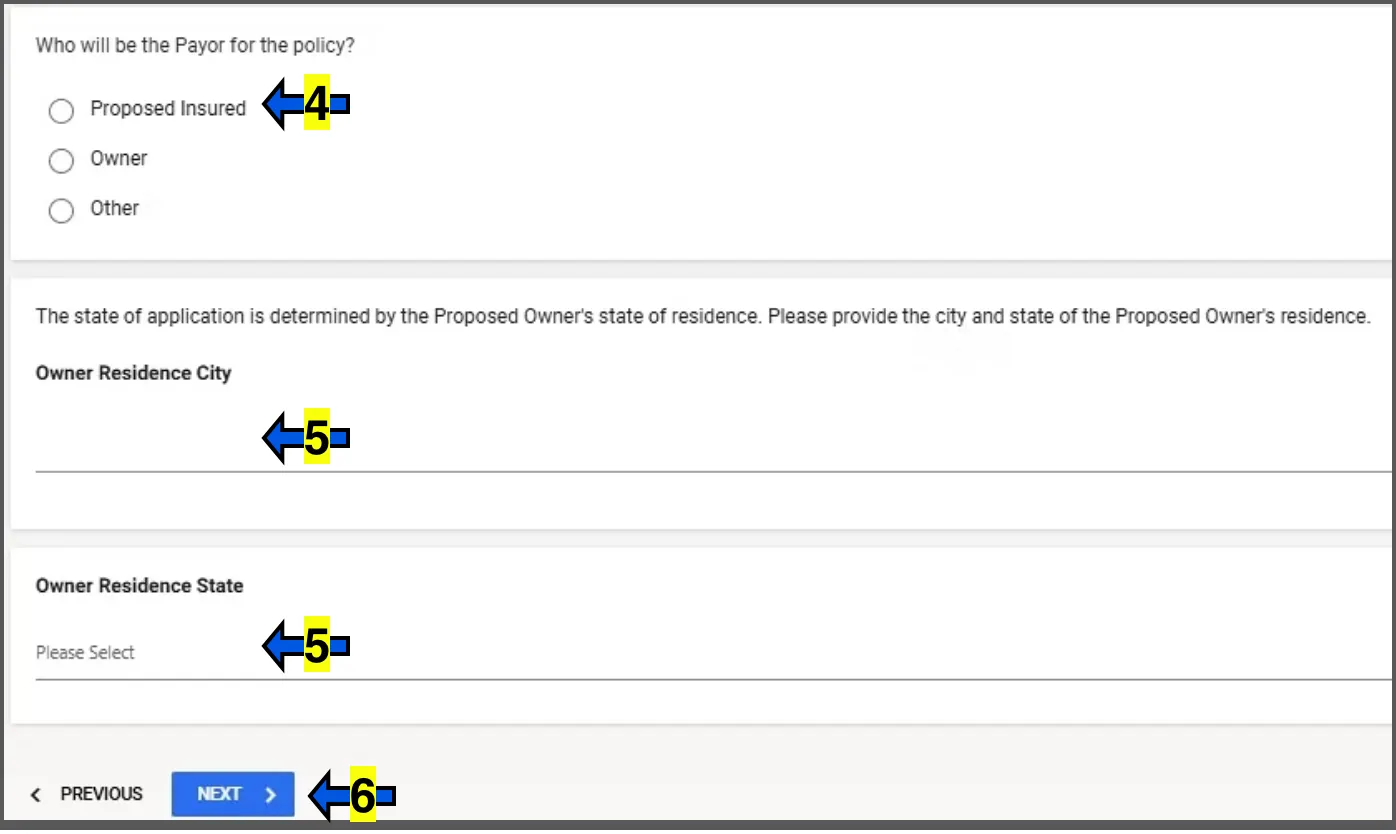
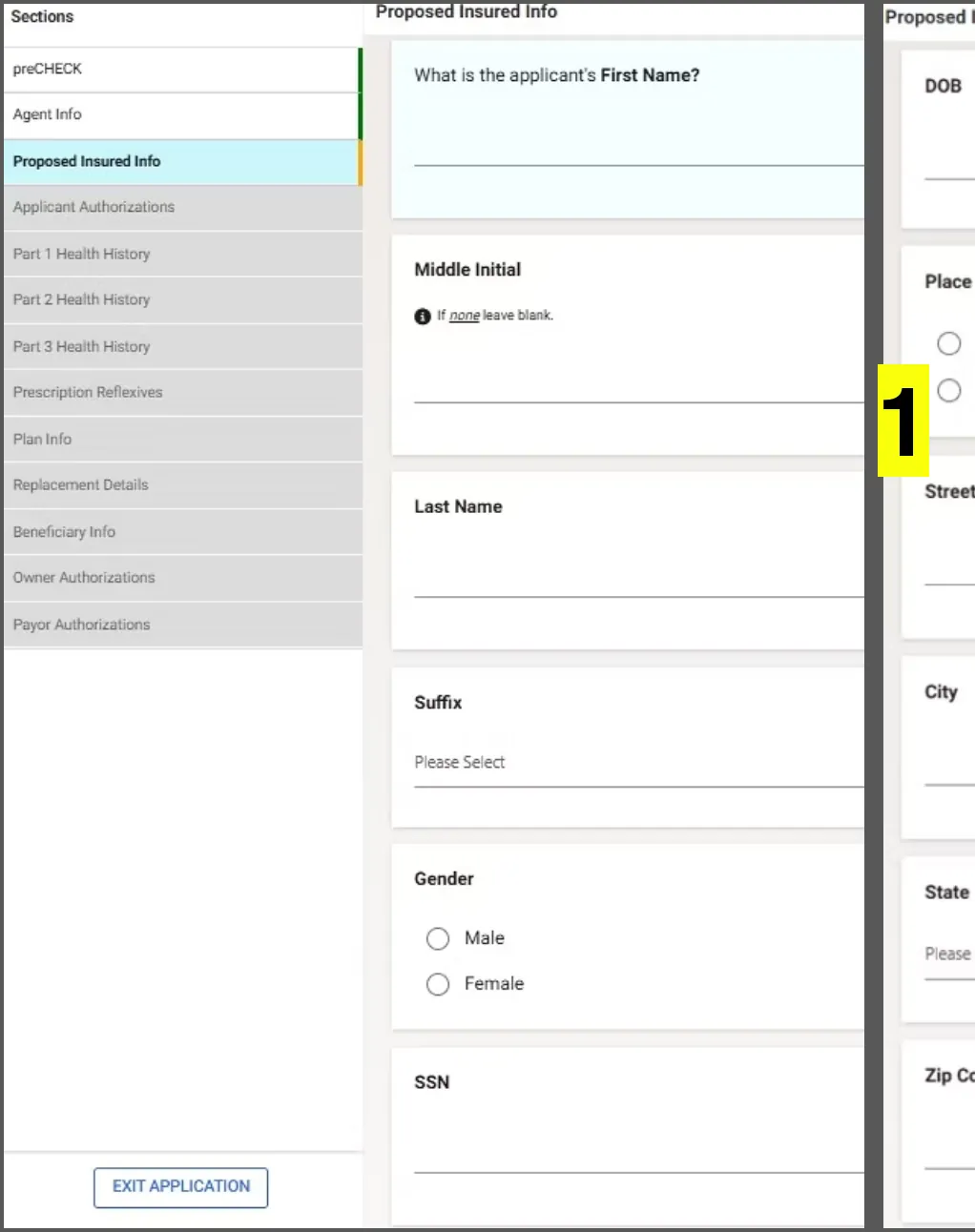
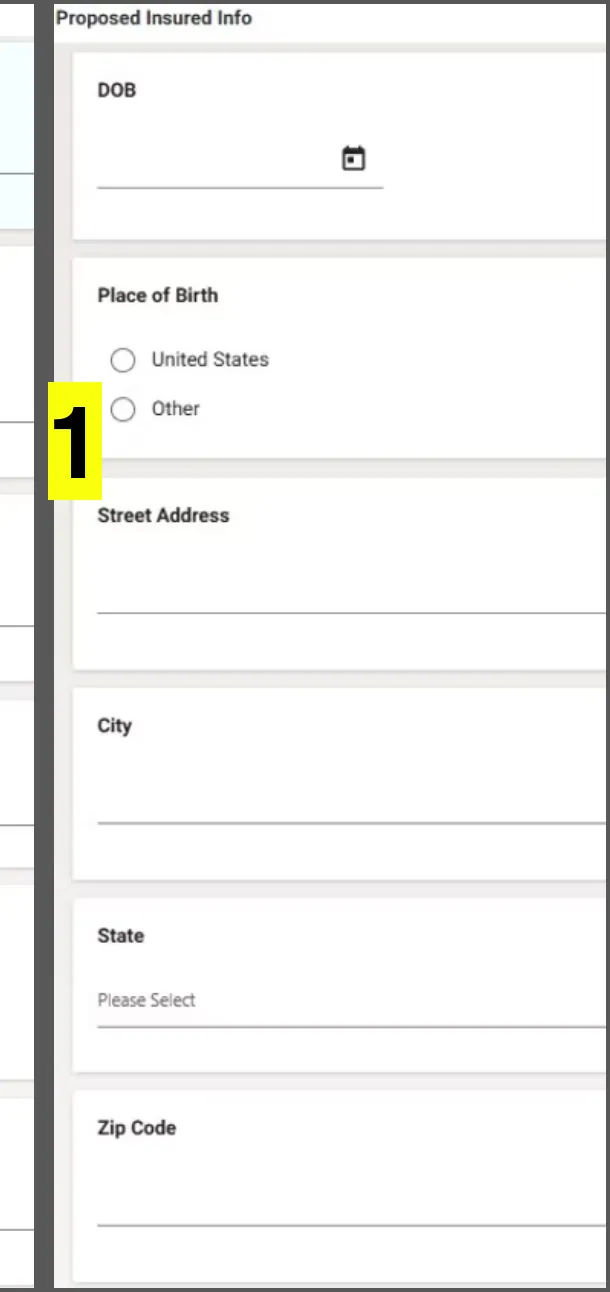
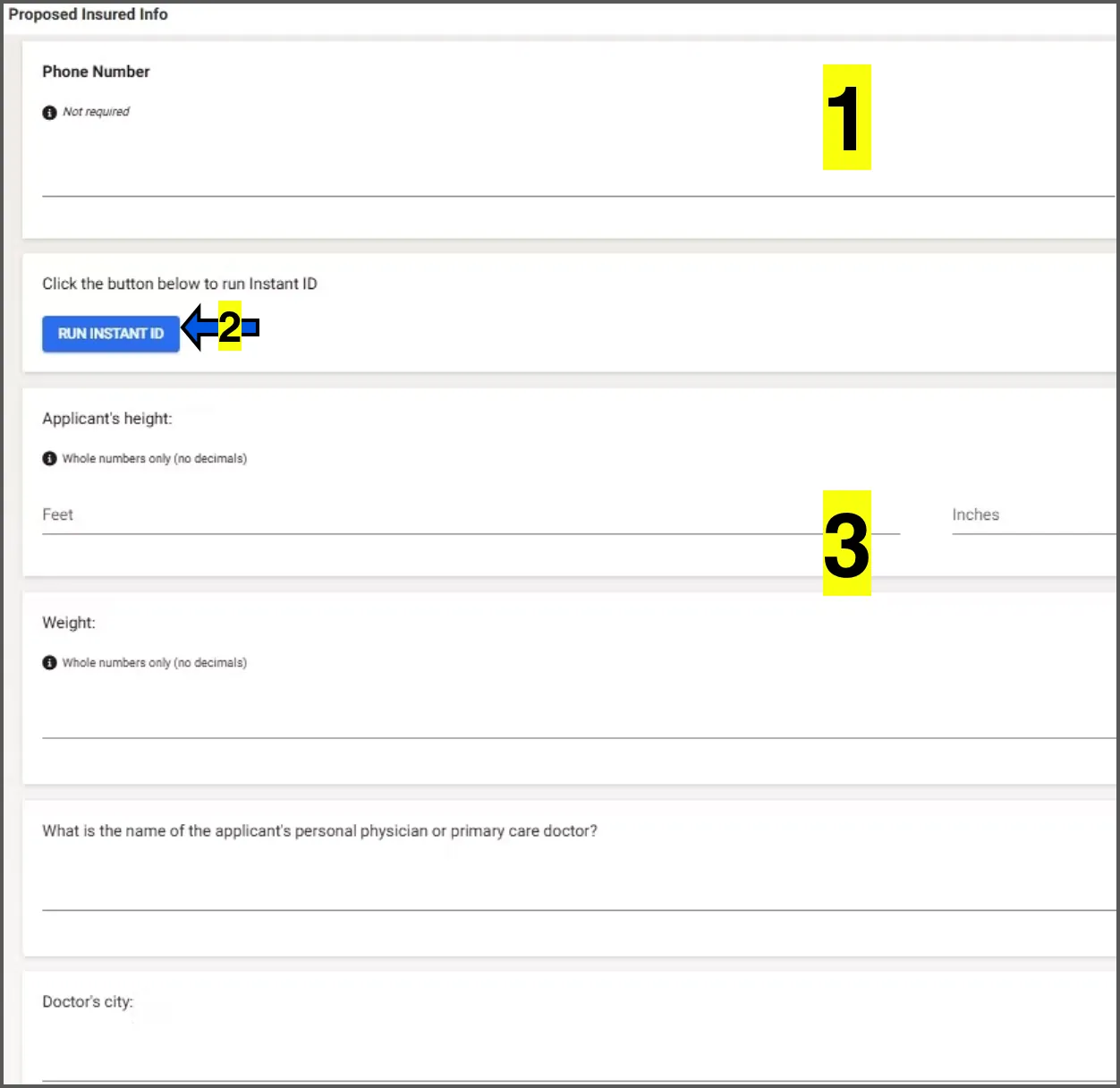
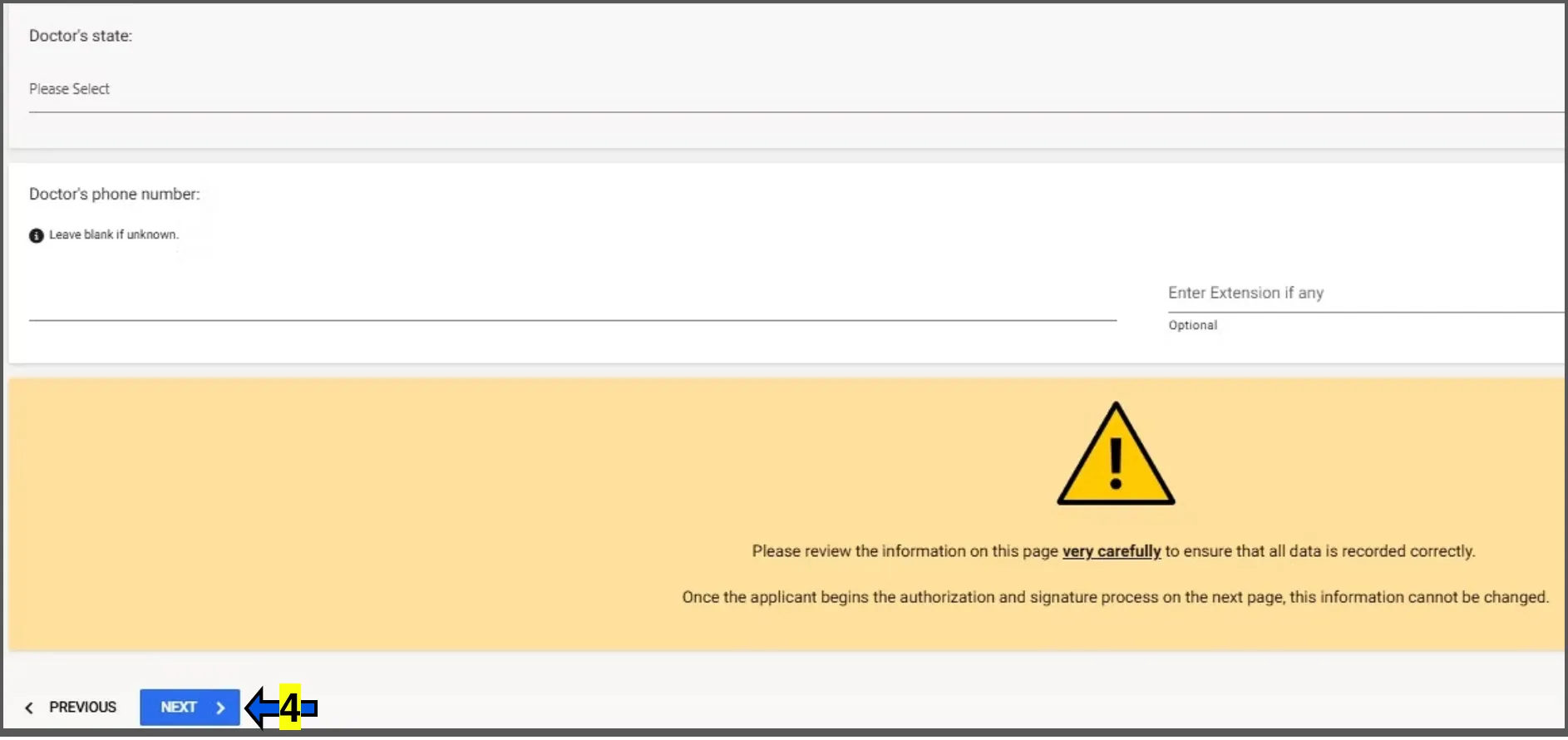
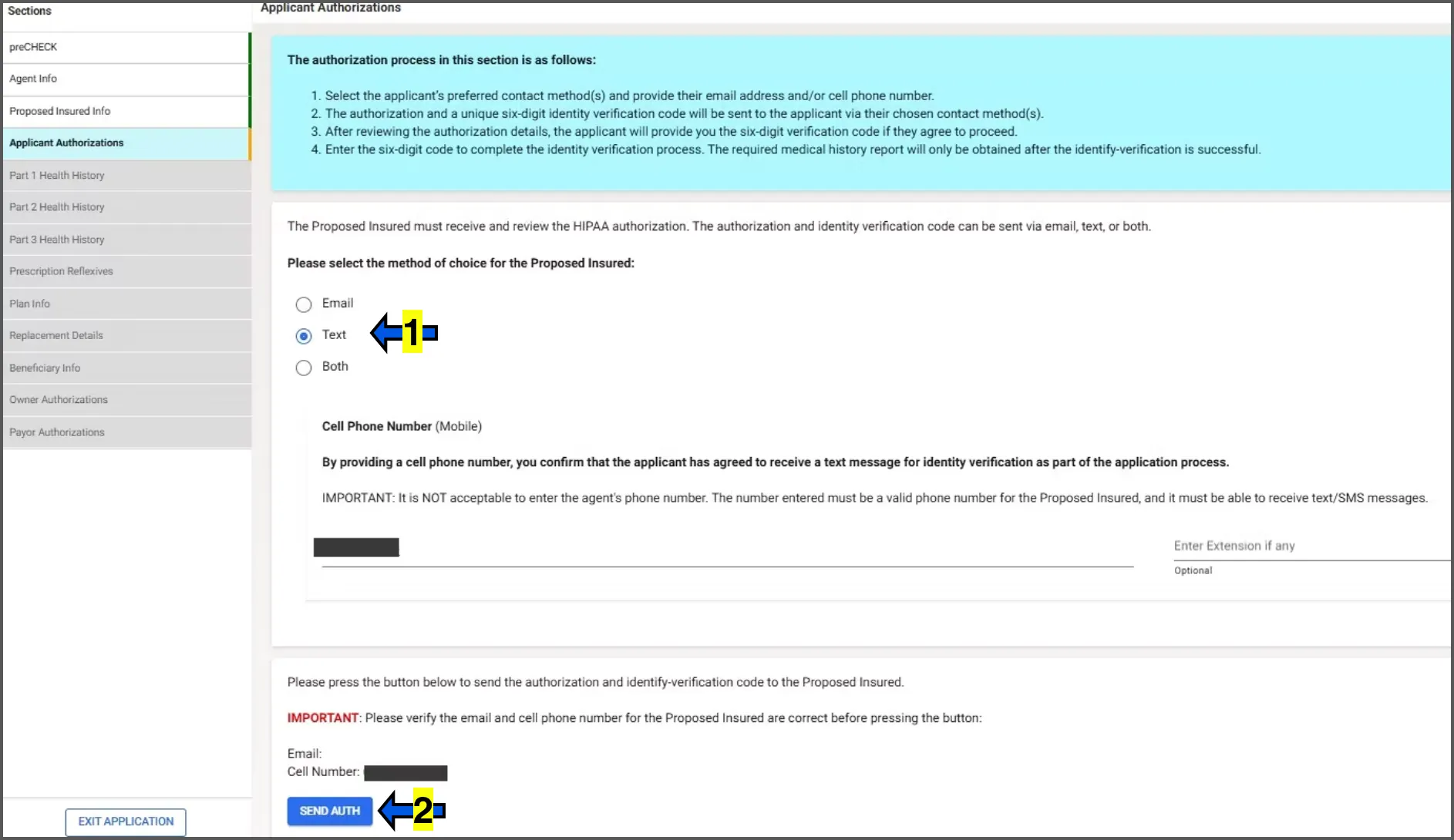
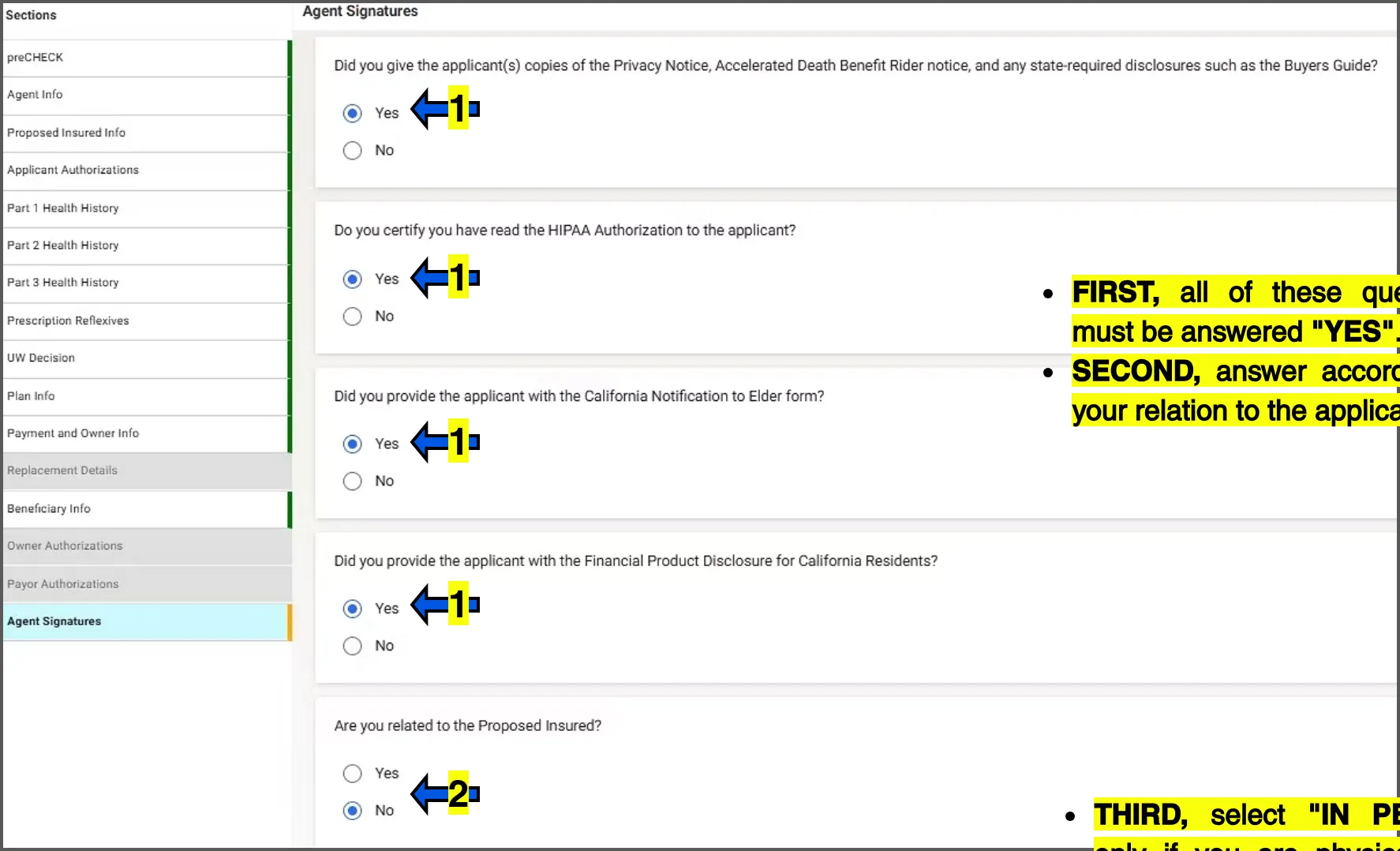
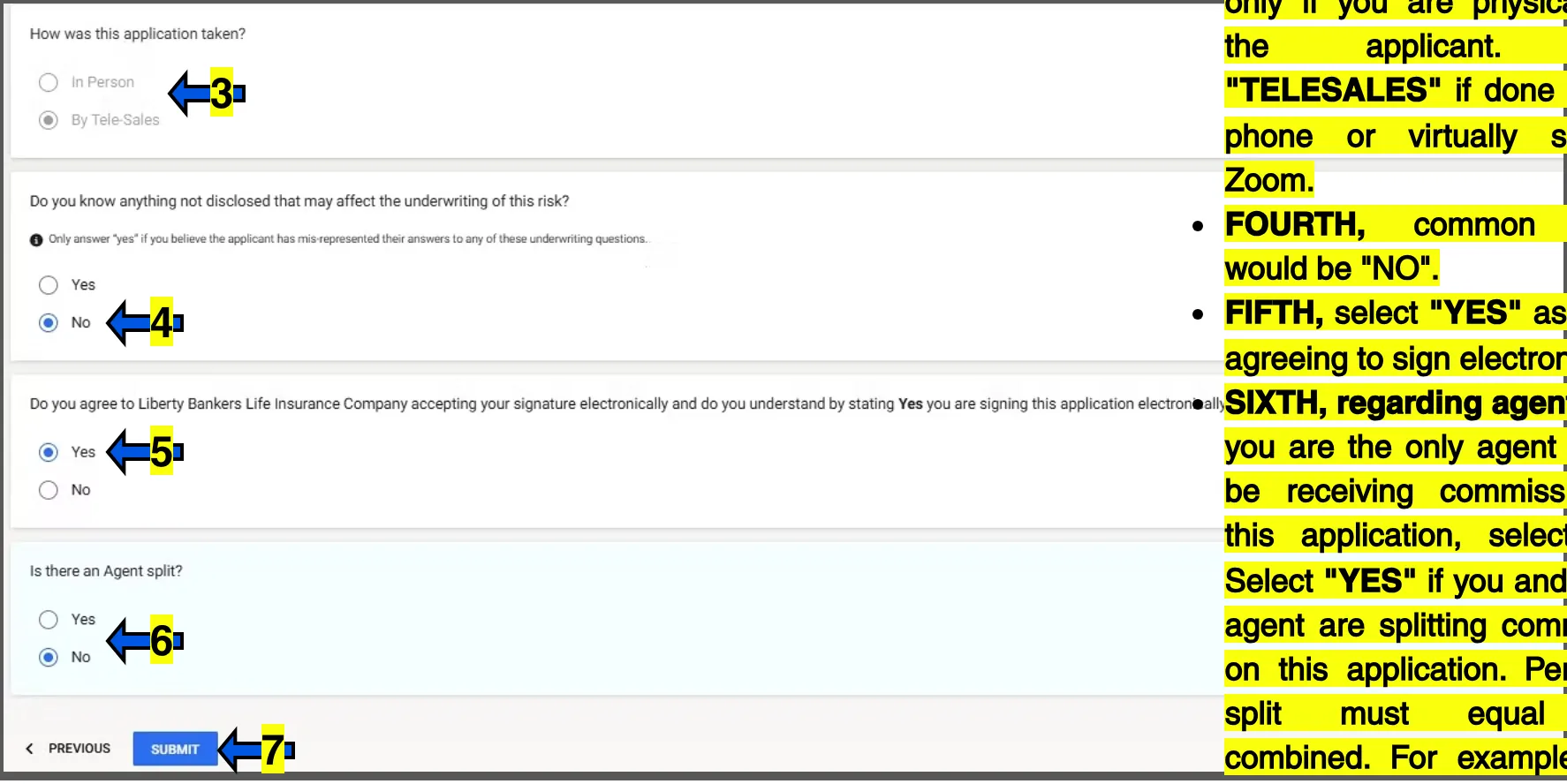
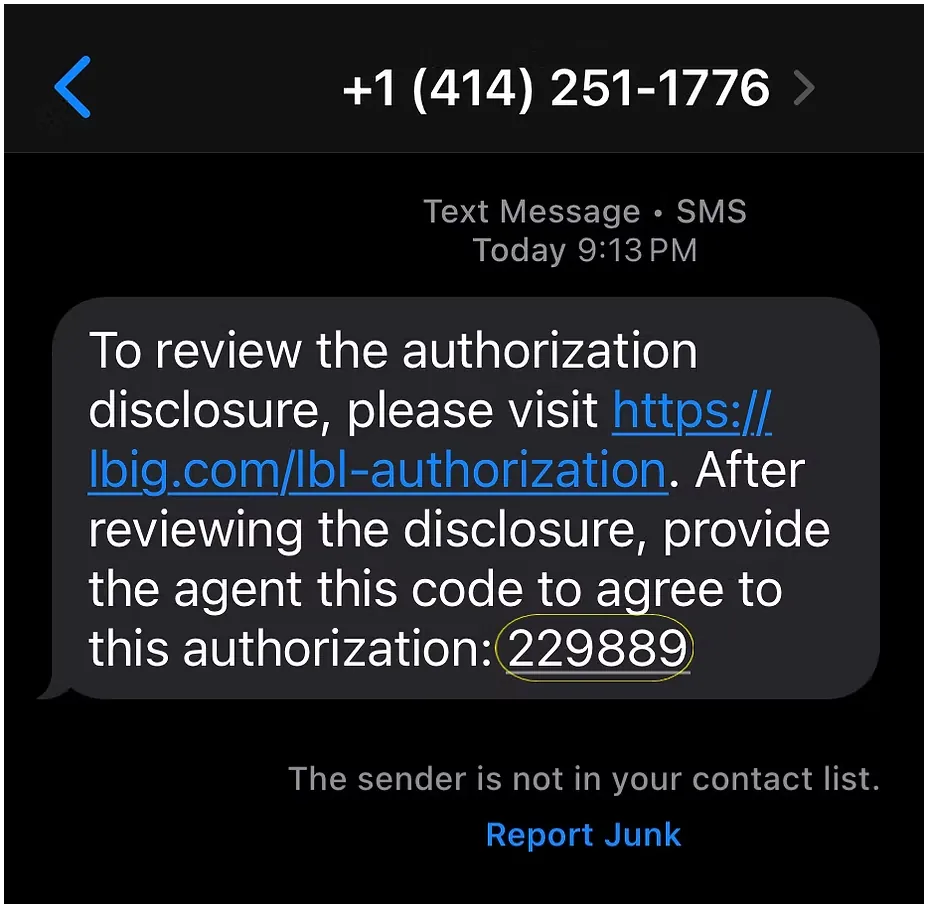
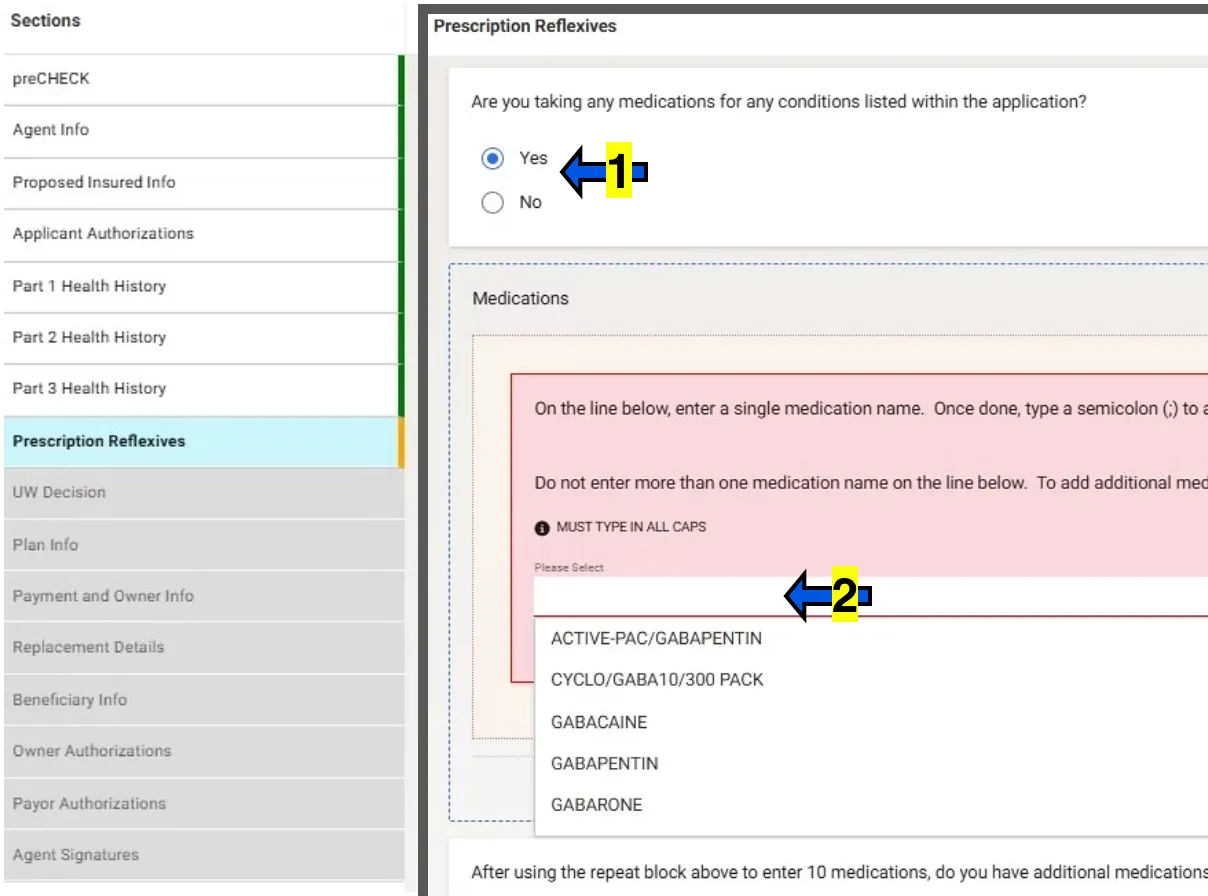
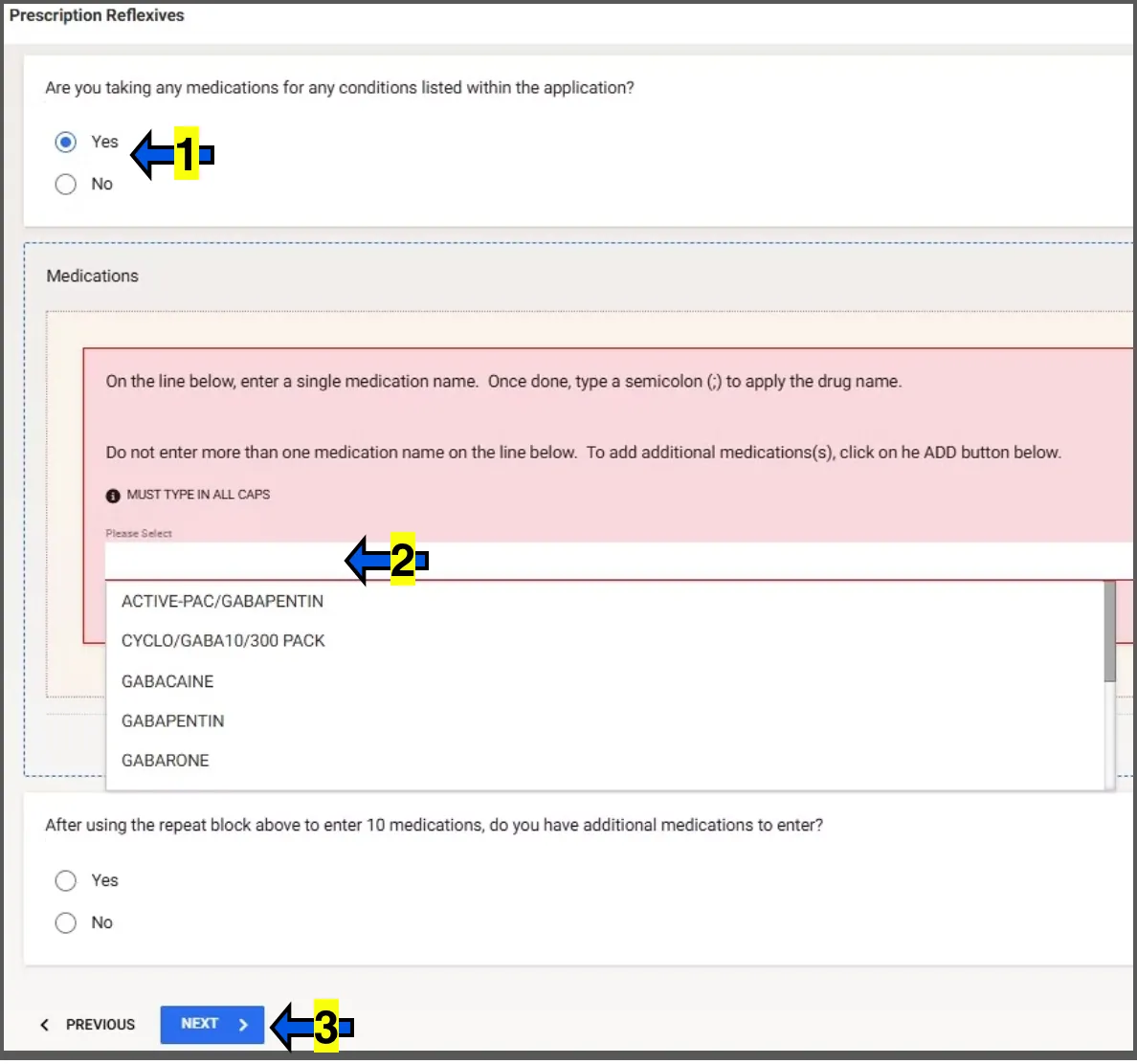
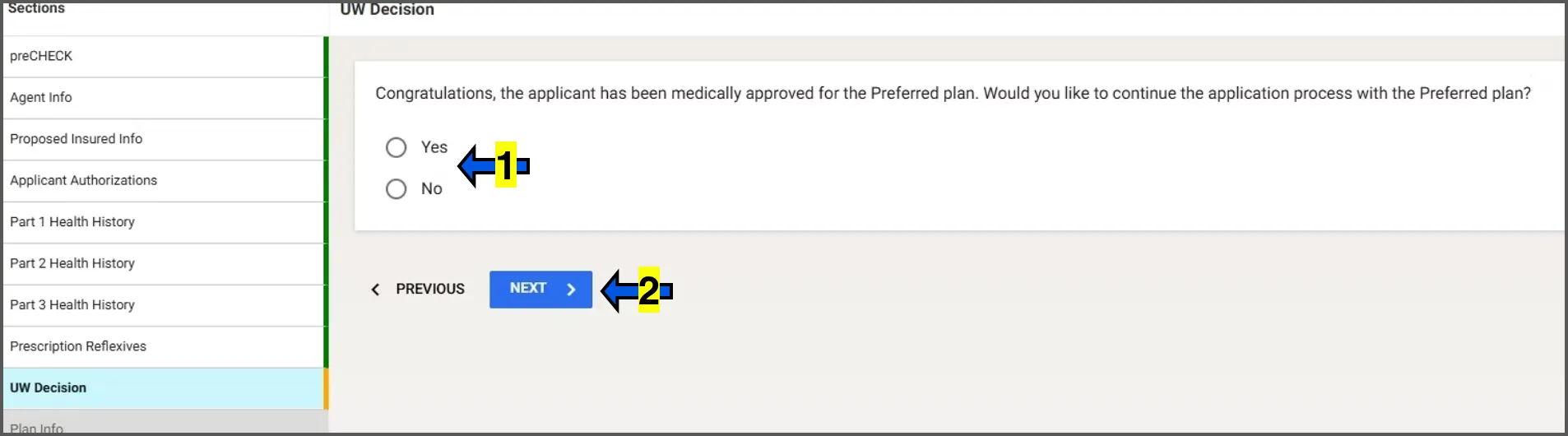
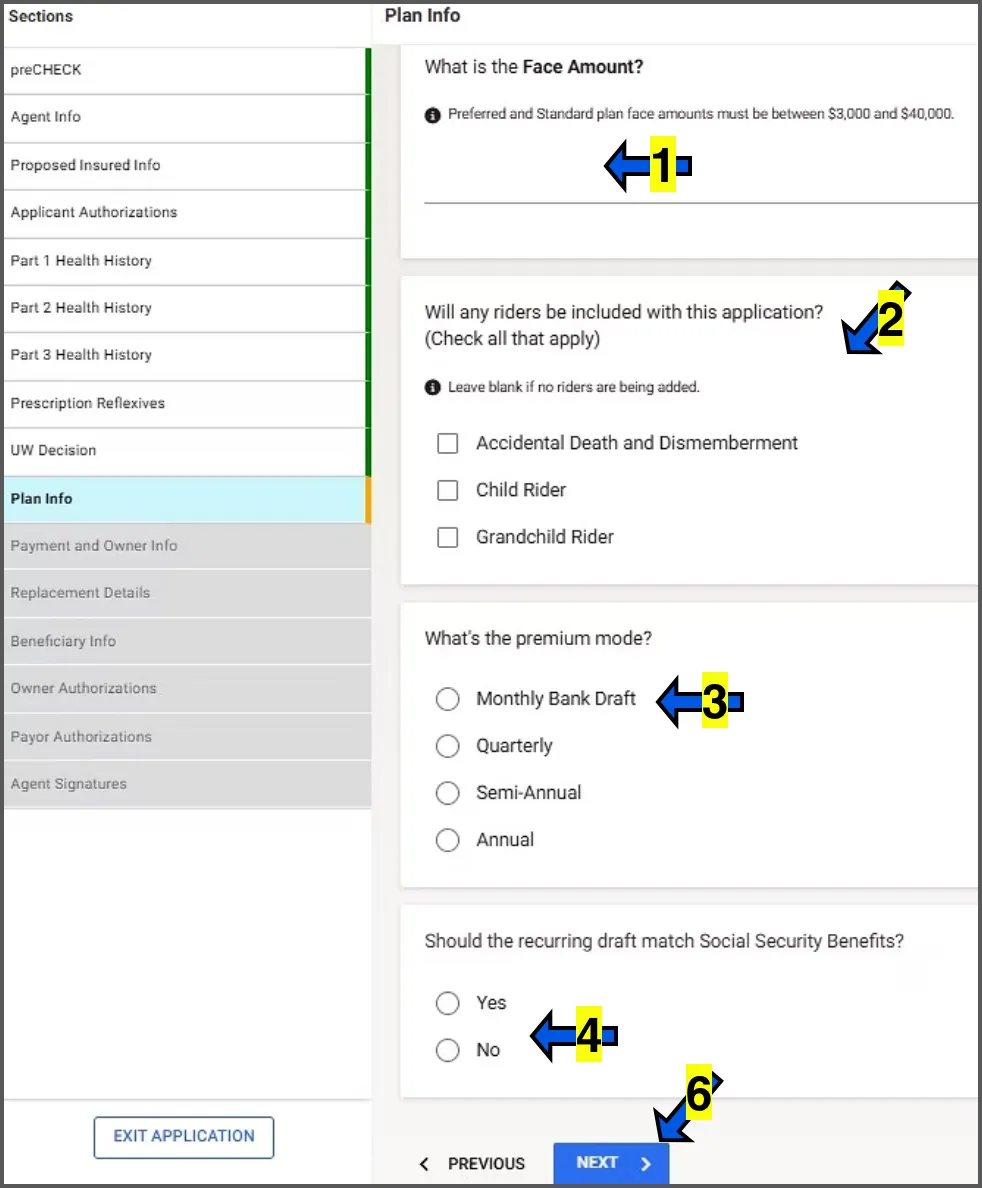
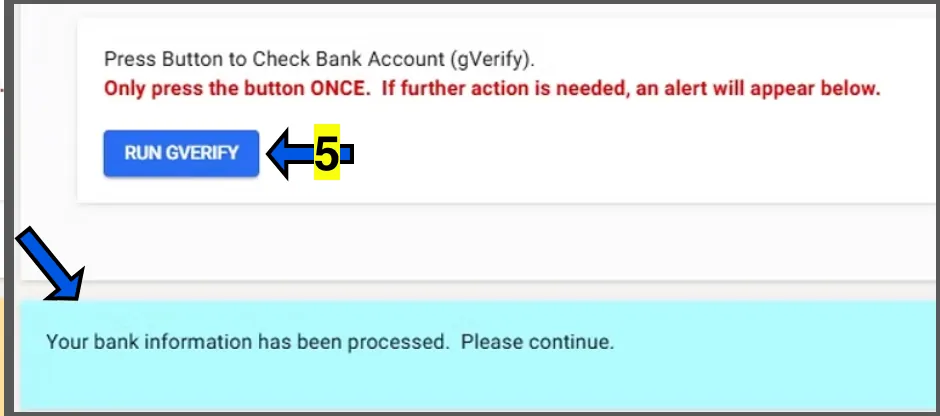
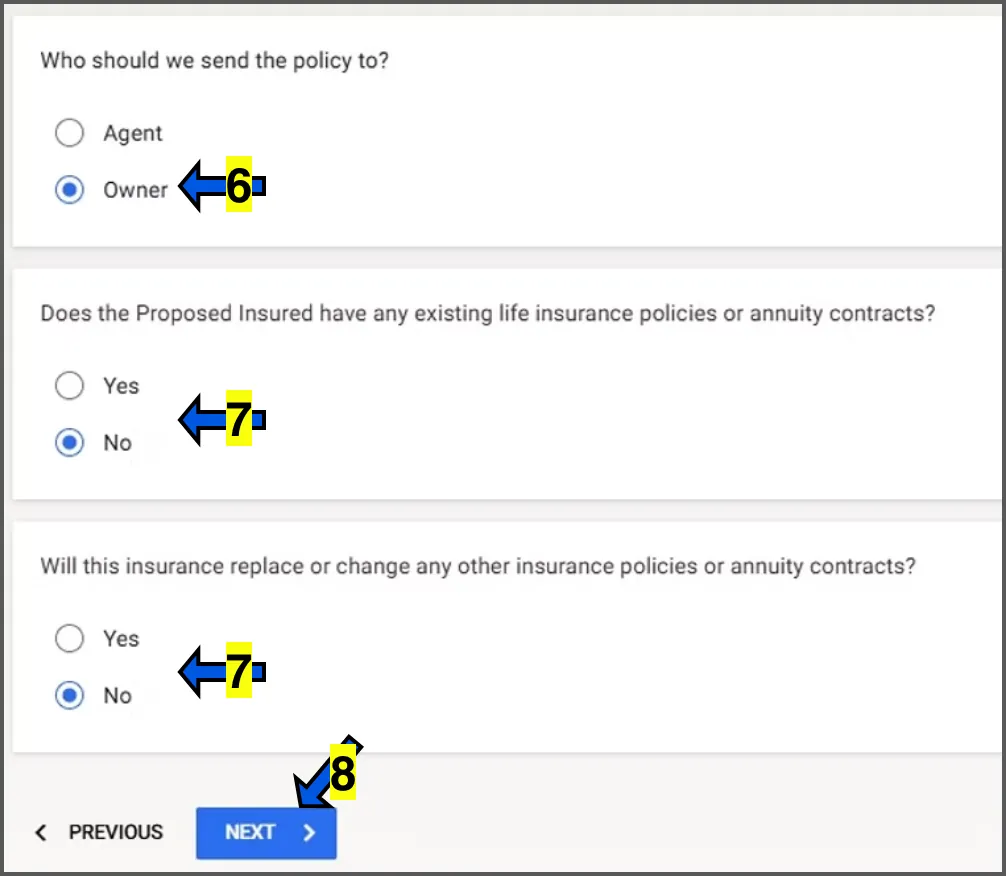
Read the blue script lines to the client word for word. The screenshots are what the client sees on their phone.
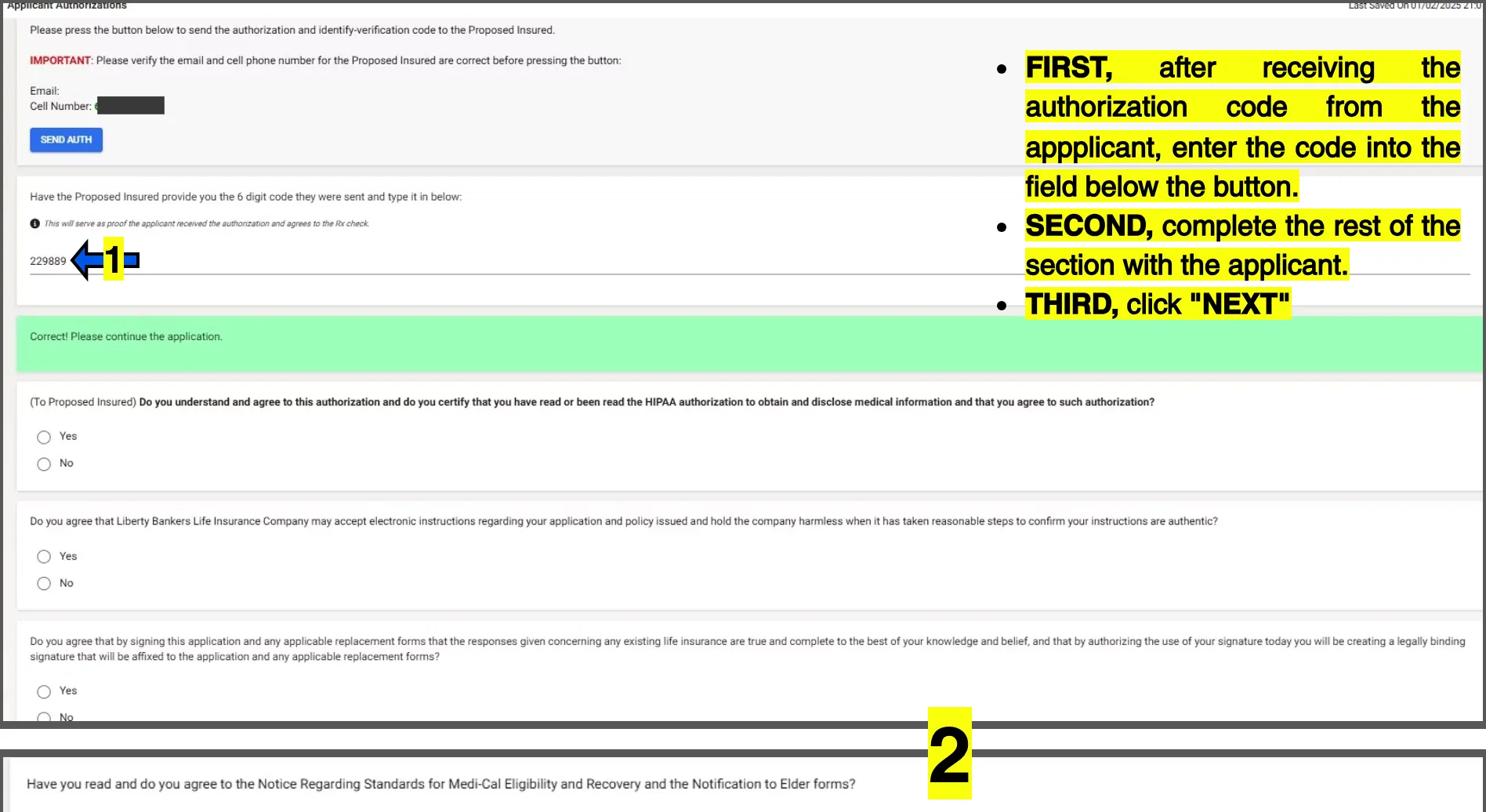
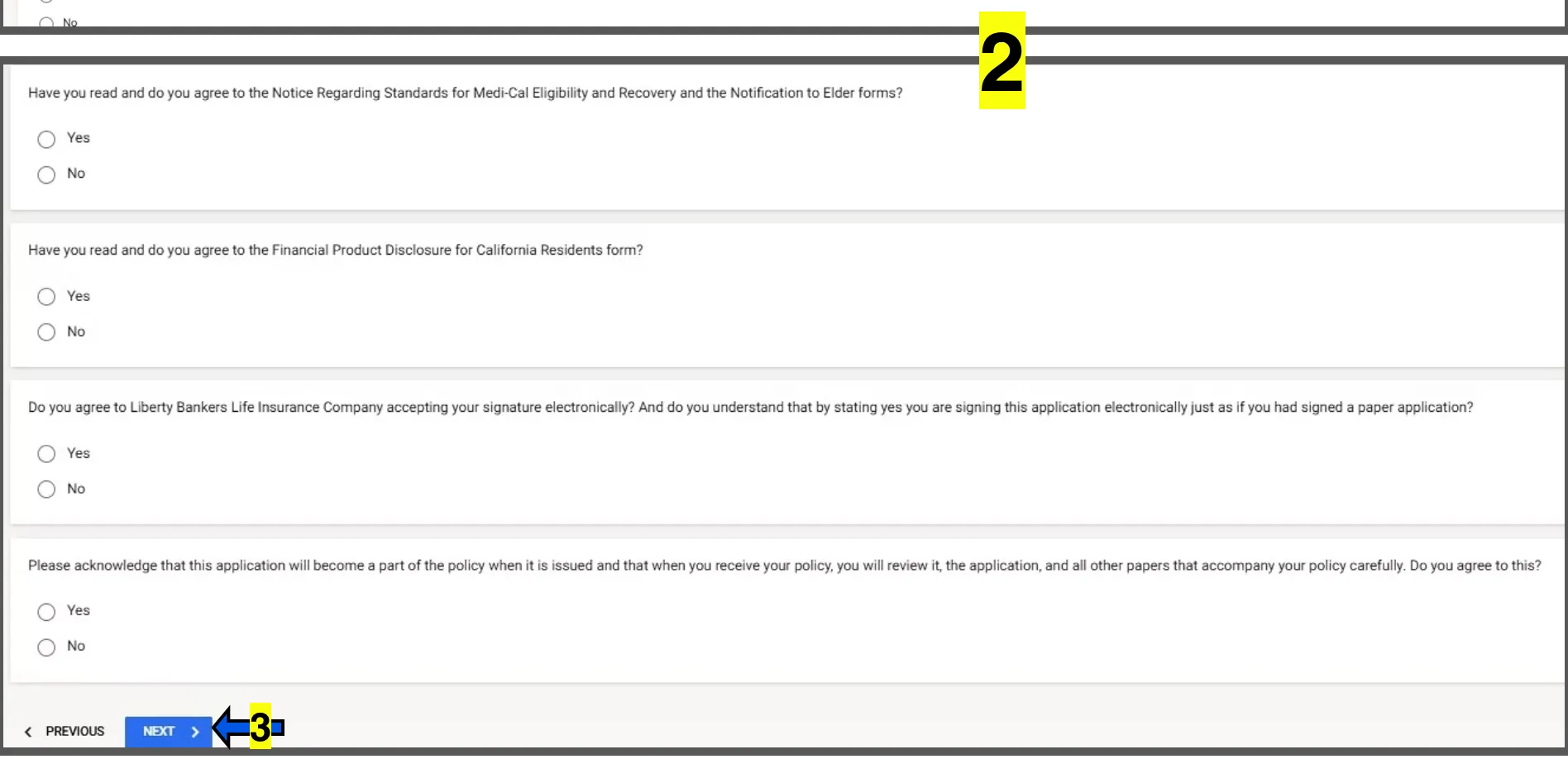
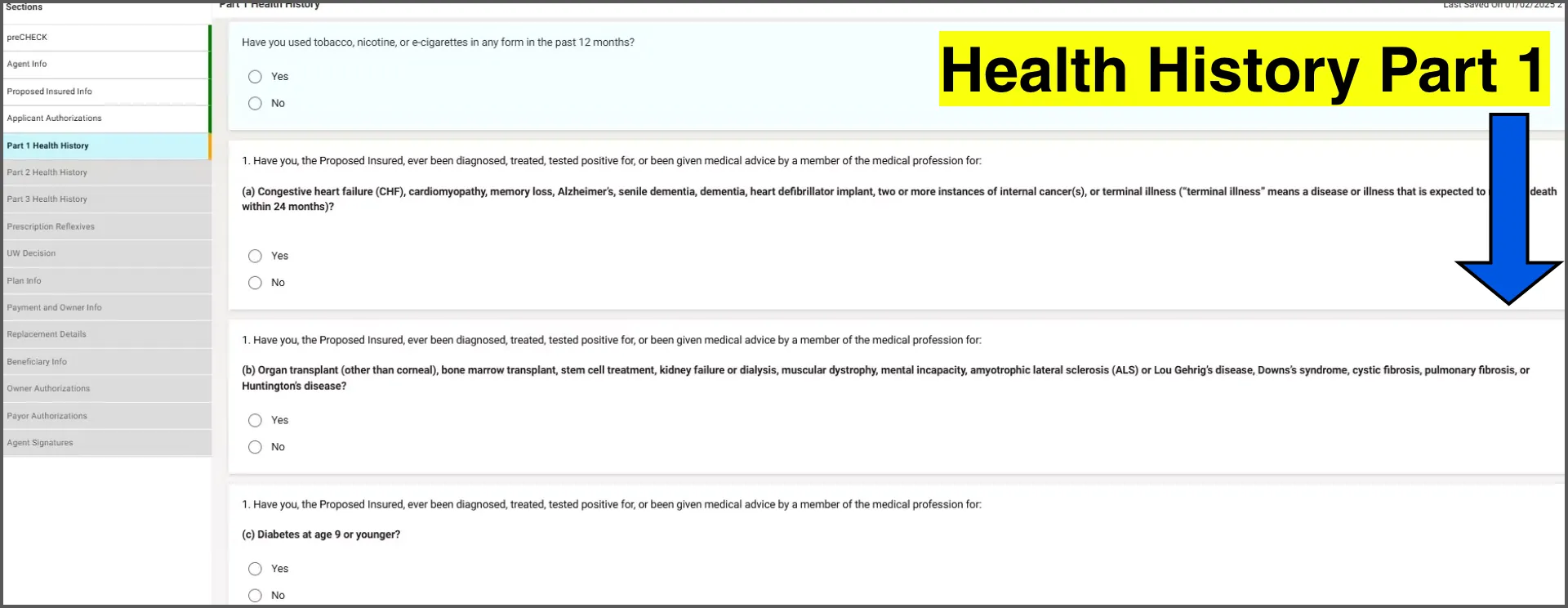
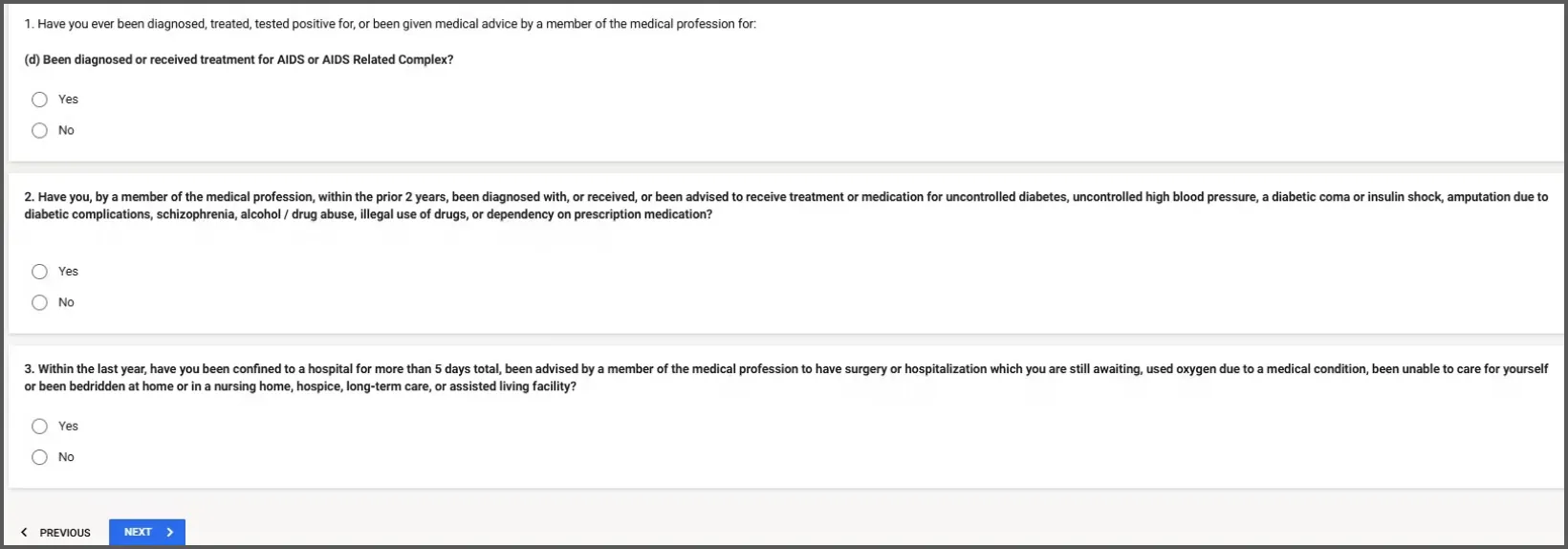
Health History Part 1
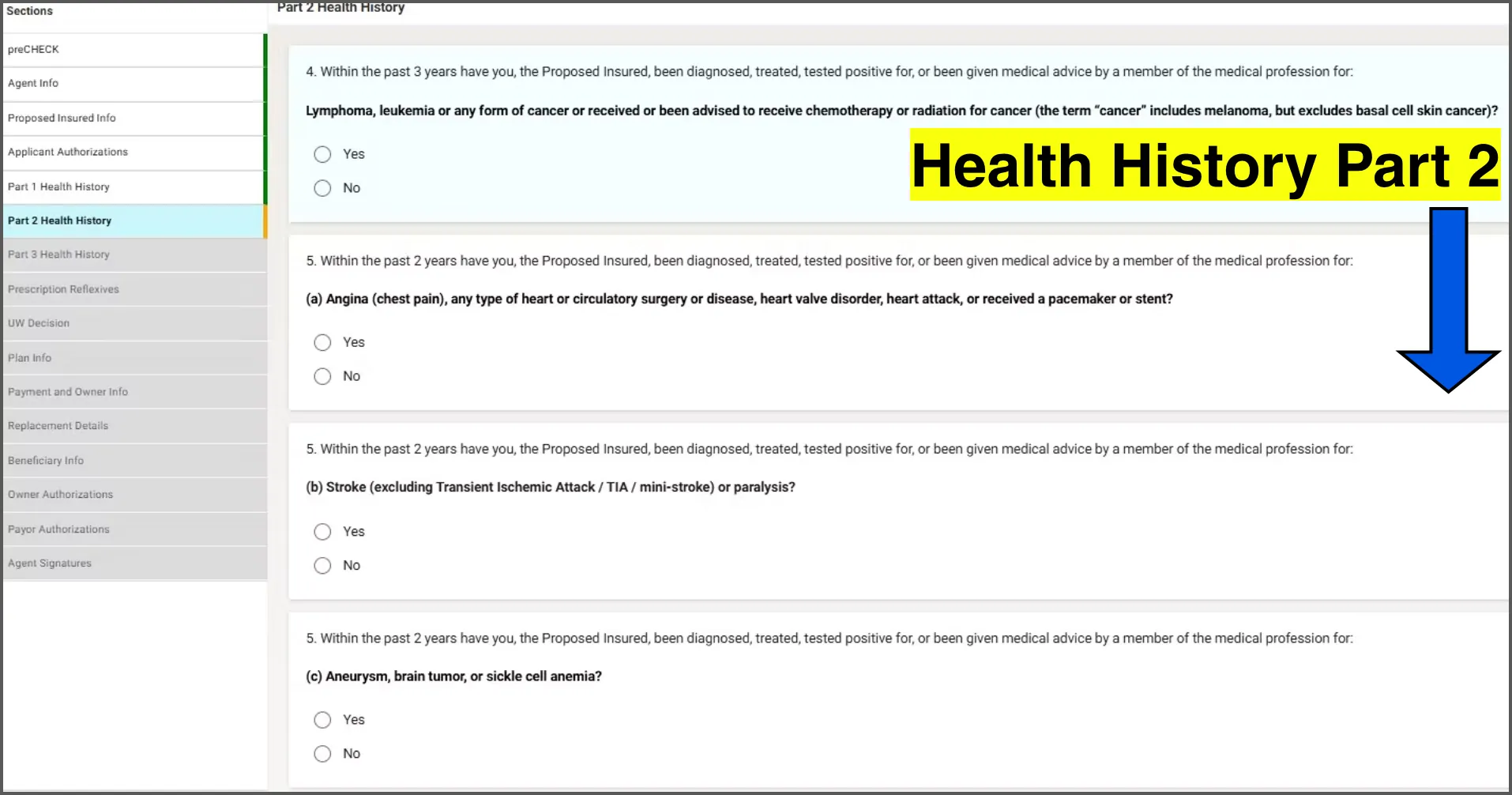
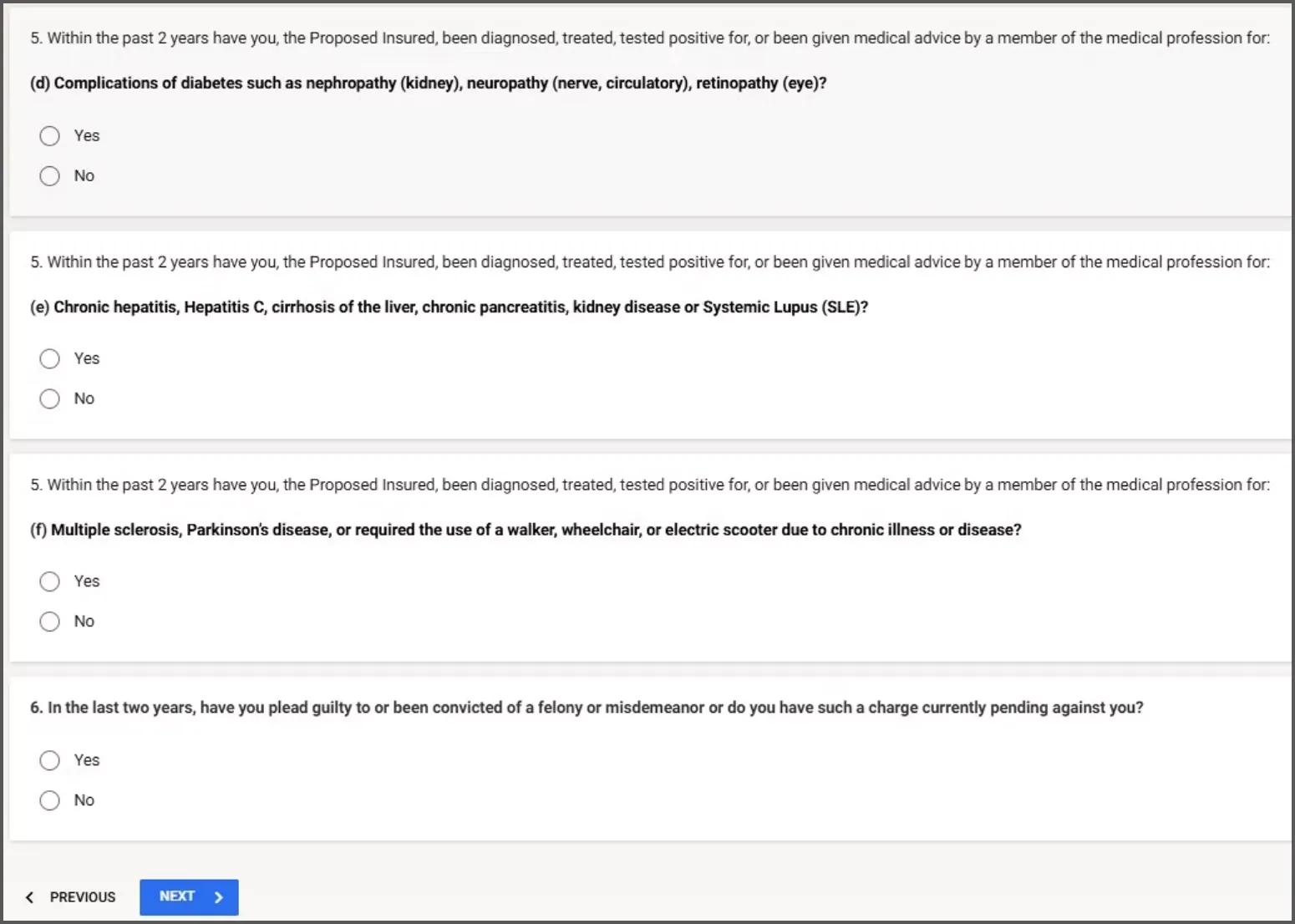
Health History Part 2
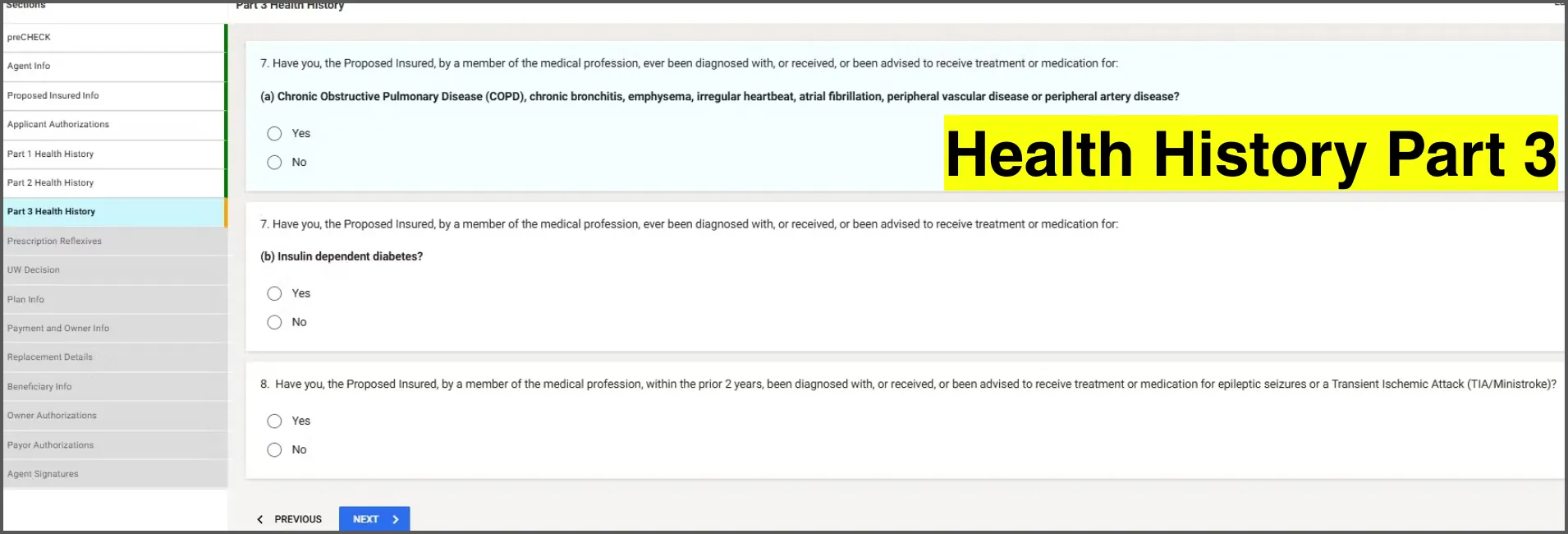
Health History Part 3
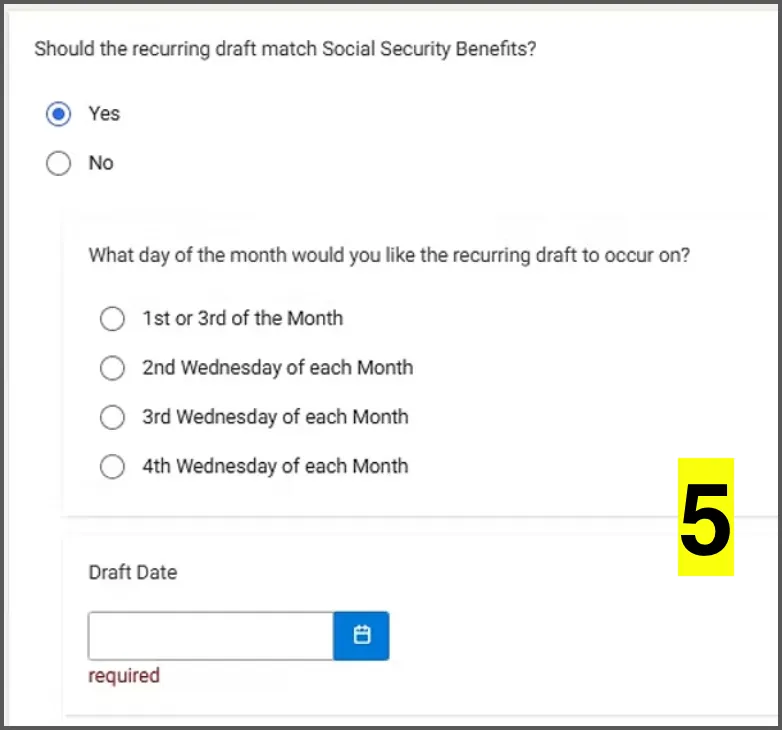
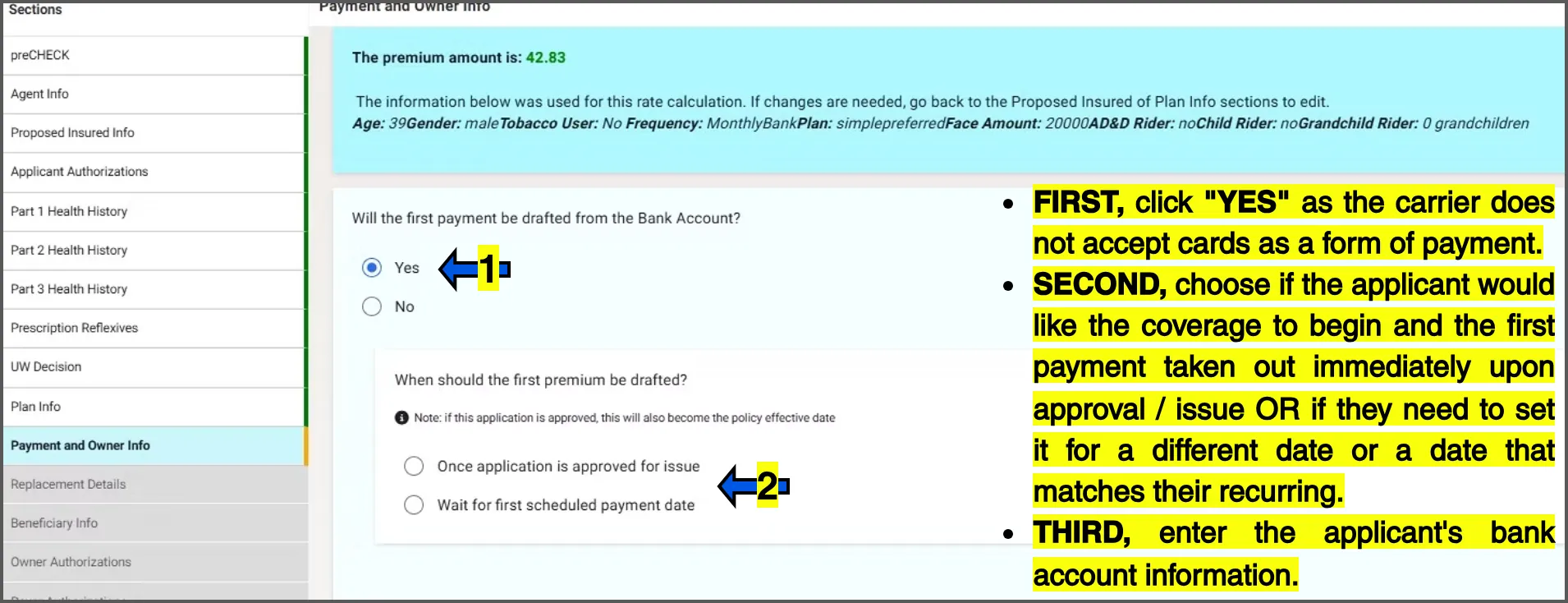
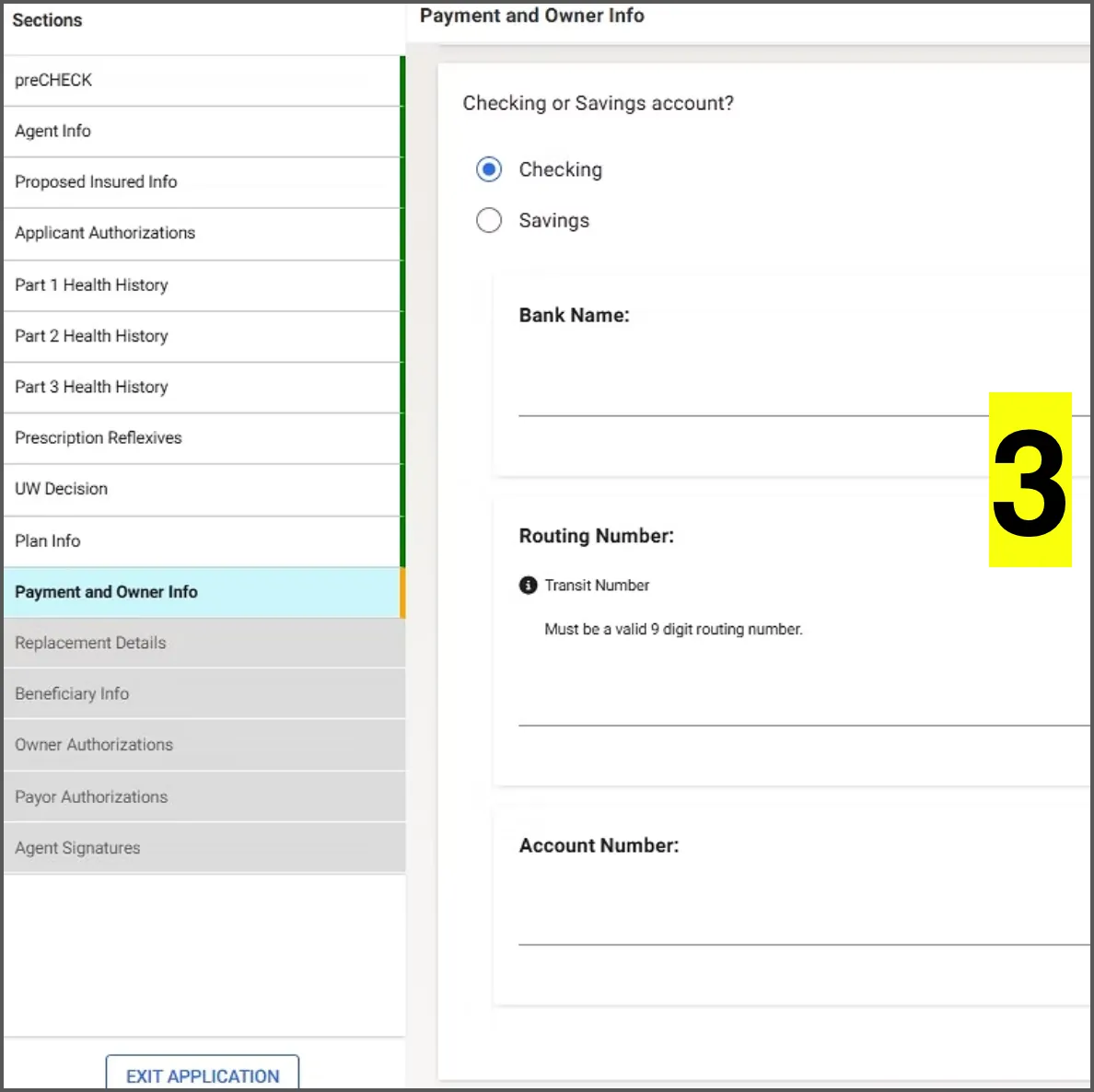
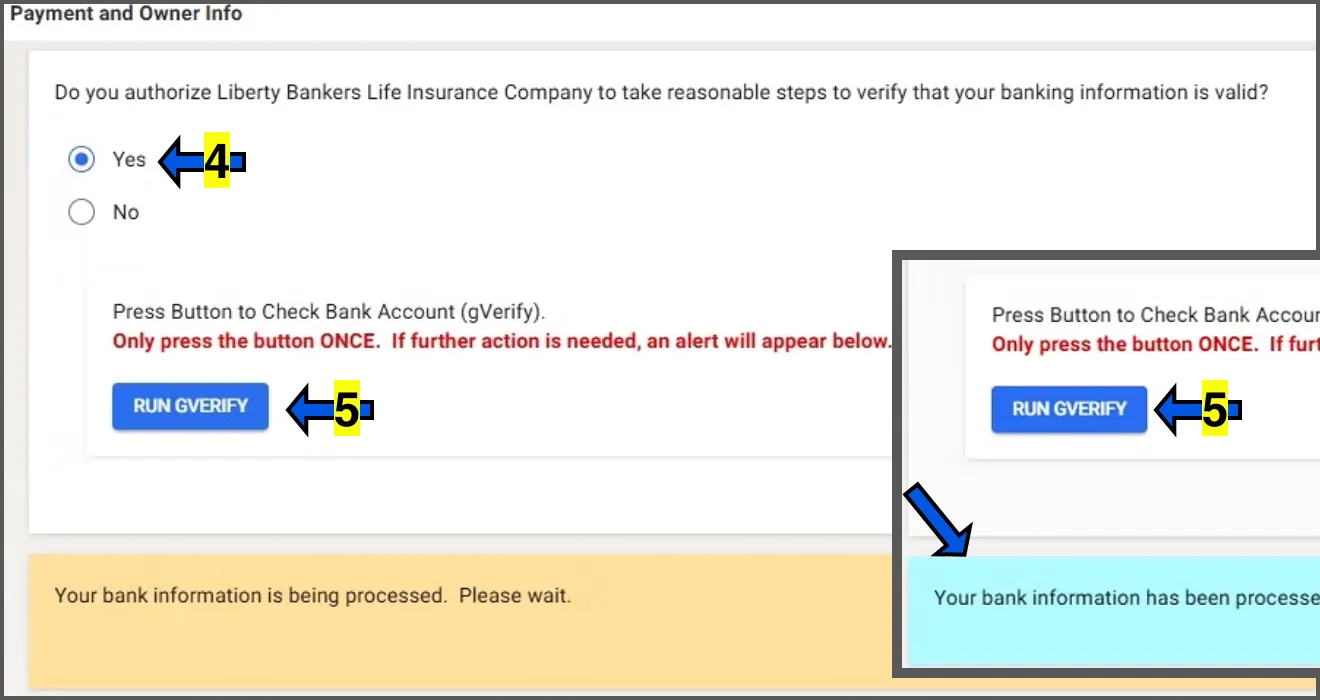
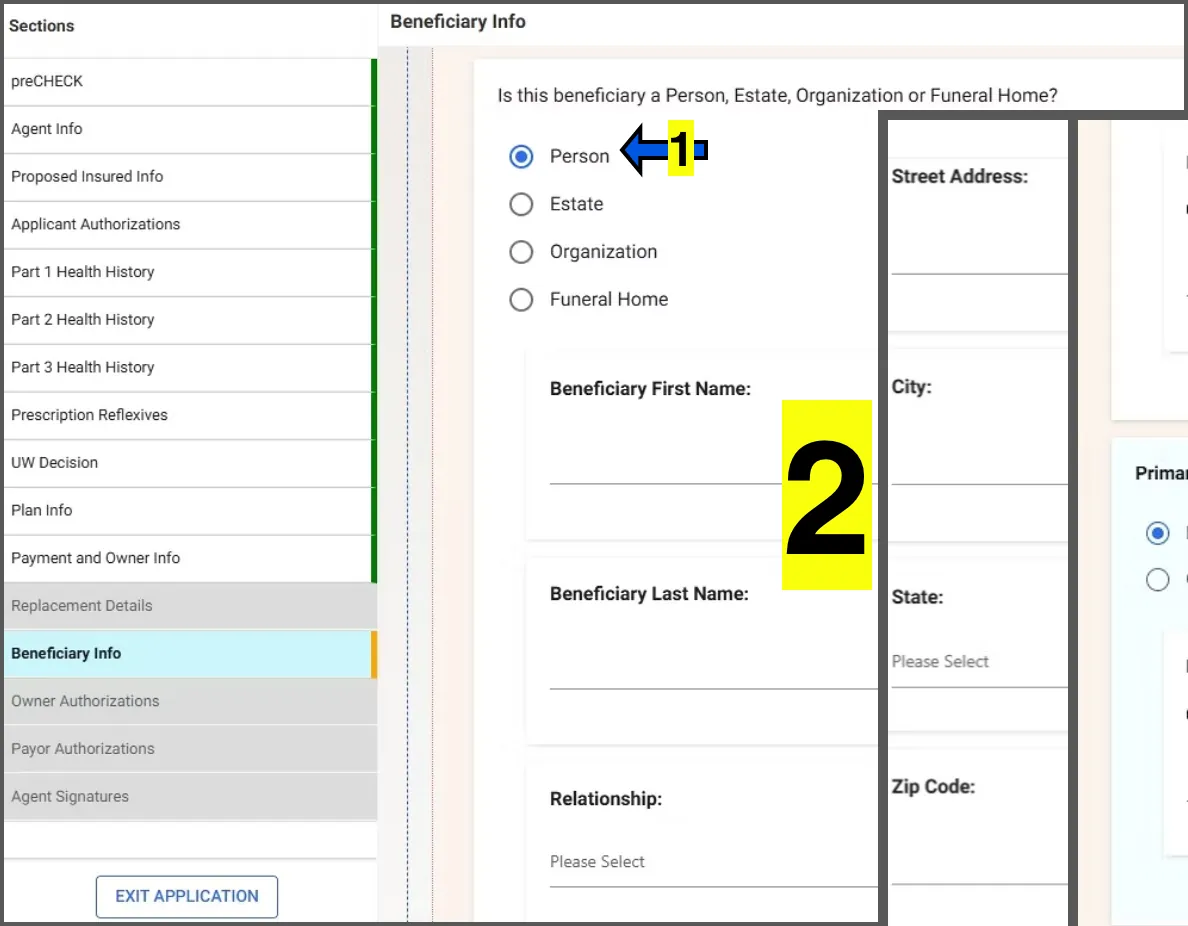
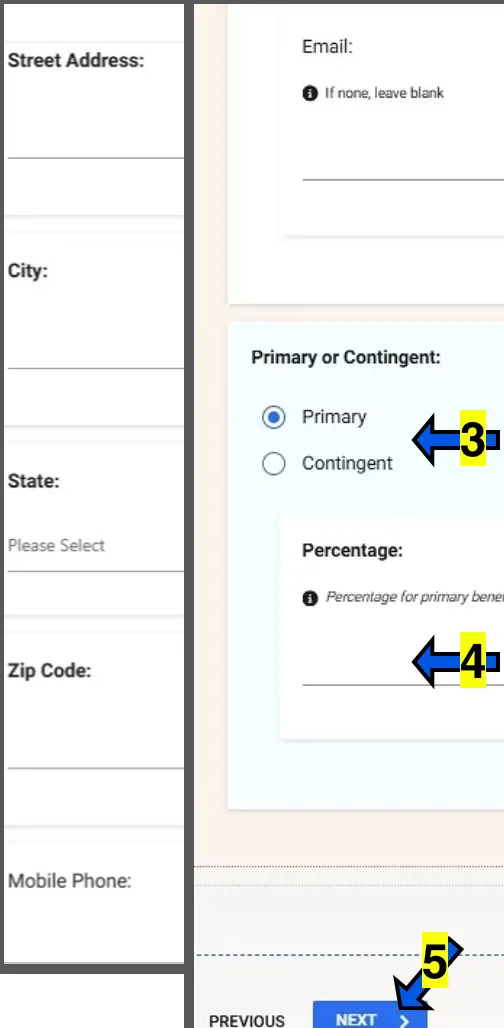
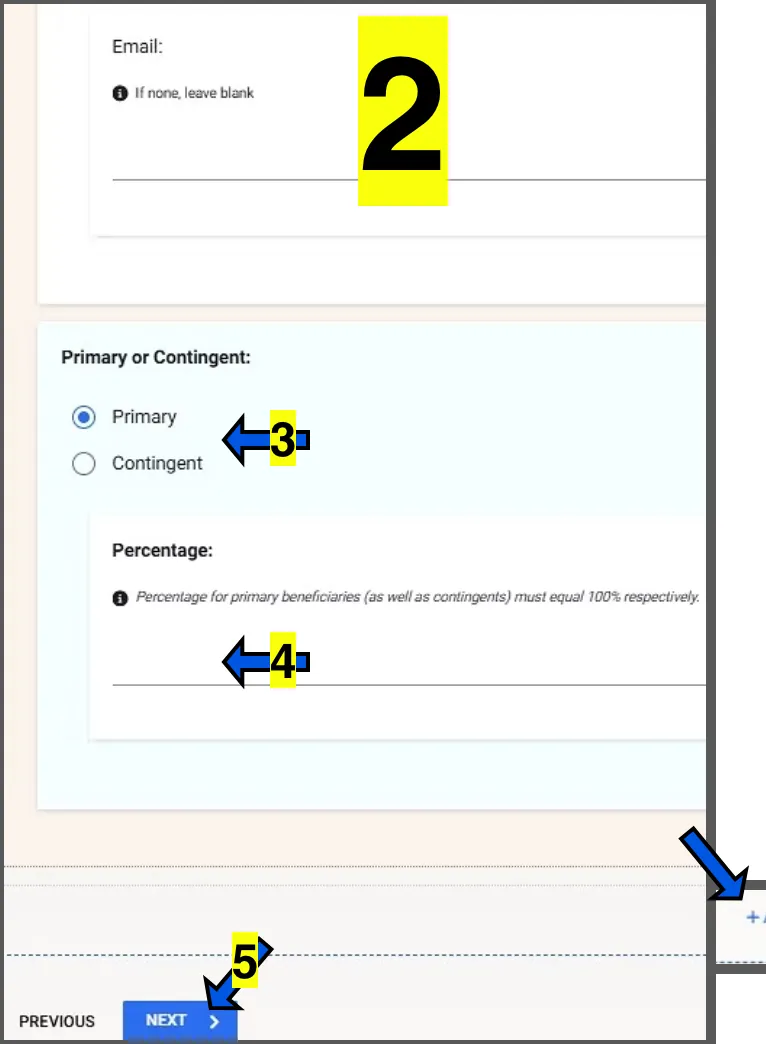
If additional beneficiaries need to be added, click on ADD on the bottom right of the section.