
DFG Agents Only
Enter your access code to view this page.
Incorrect PIN — try again.
Duse Financial Group · Agents Only
Enter your access code to view this page.
 Transamerica — Immediate / Easy Solution
Immediate Solution · Easy Solution · 10 Pay · 34 steps · 1 e-sign script
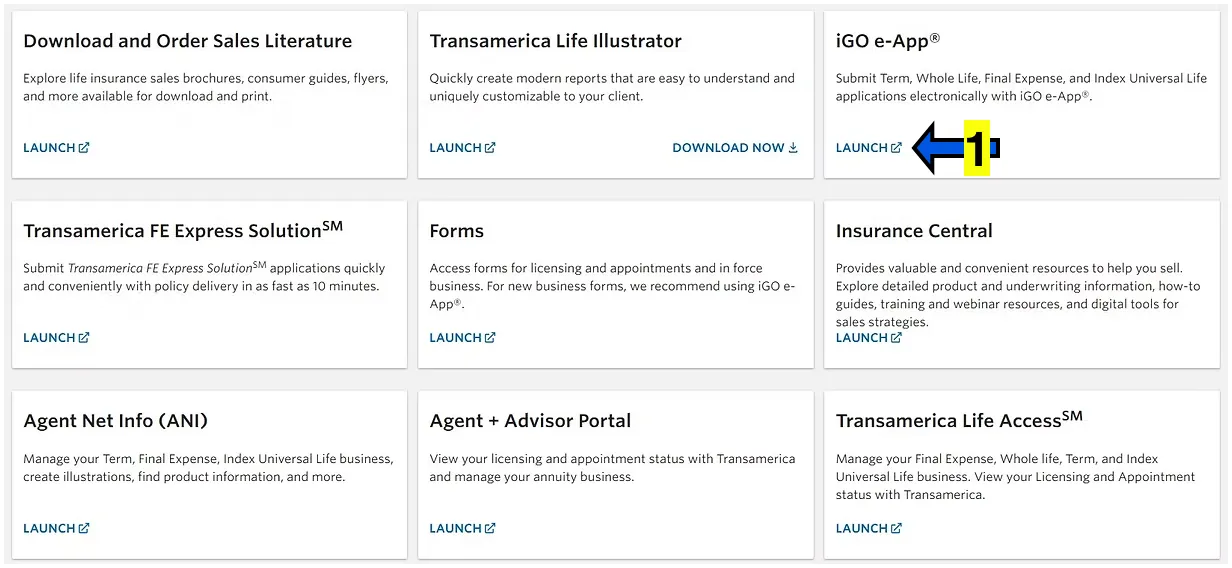
From your dashboard, click on IGO E-APP LAUNCH on the top right.
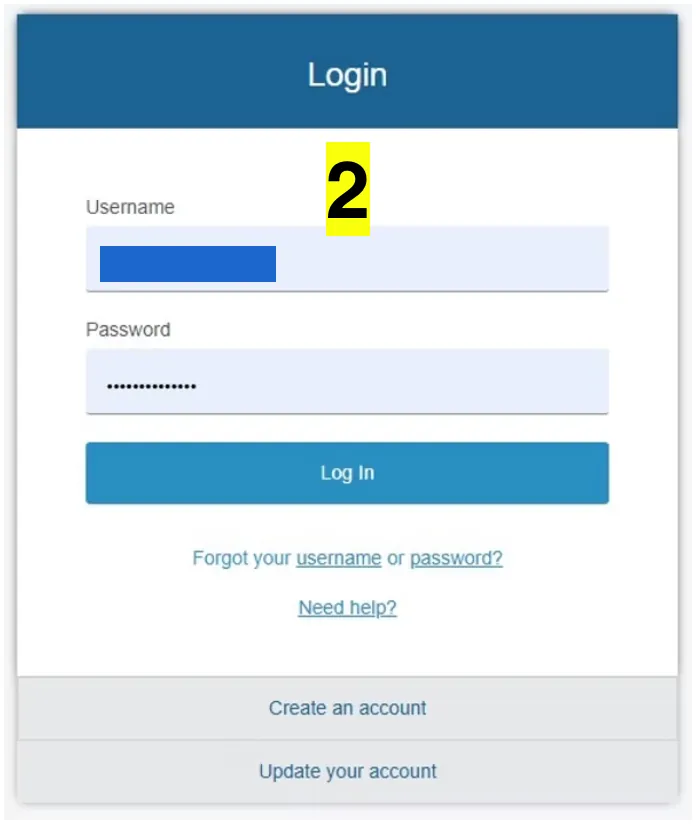
Sign in to your pipeline e-app portal.
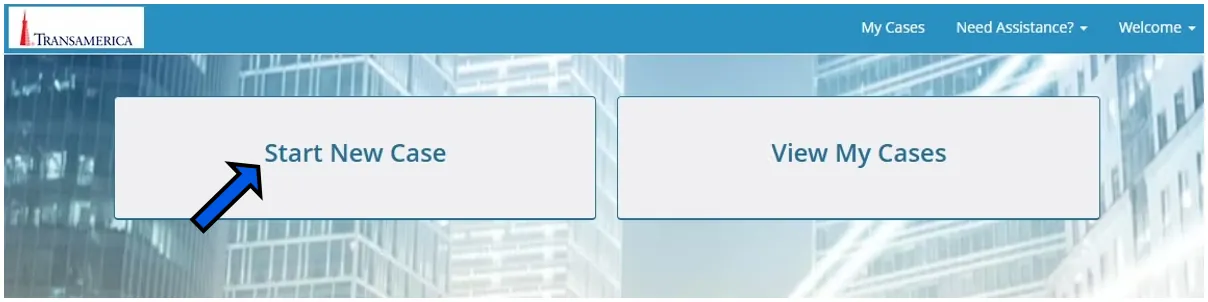
Click on START NEW CASE for a new application.
Click on VIEW MY CASES to view or complete an incomplete or completed application.
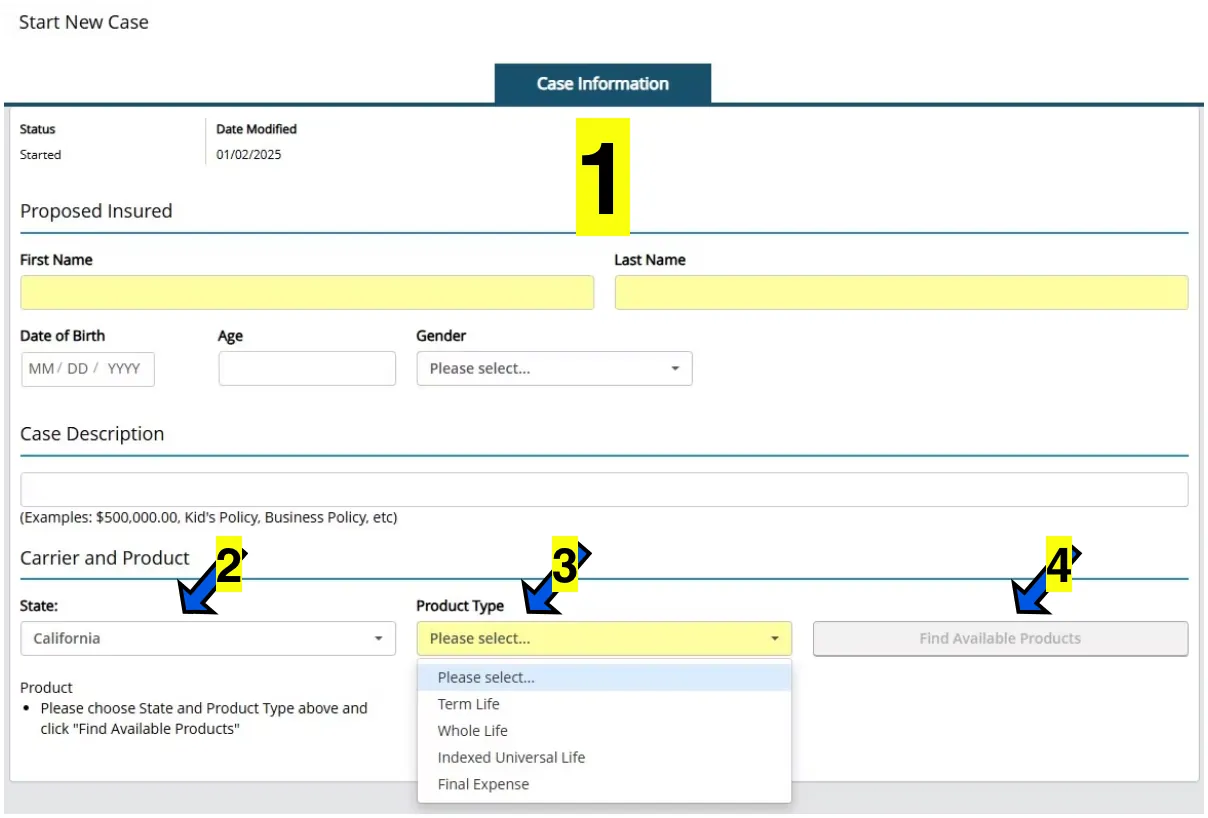
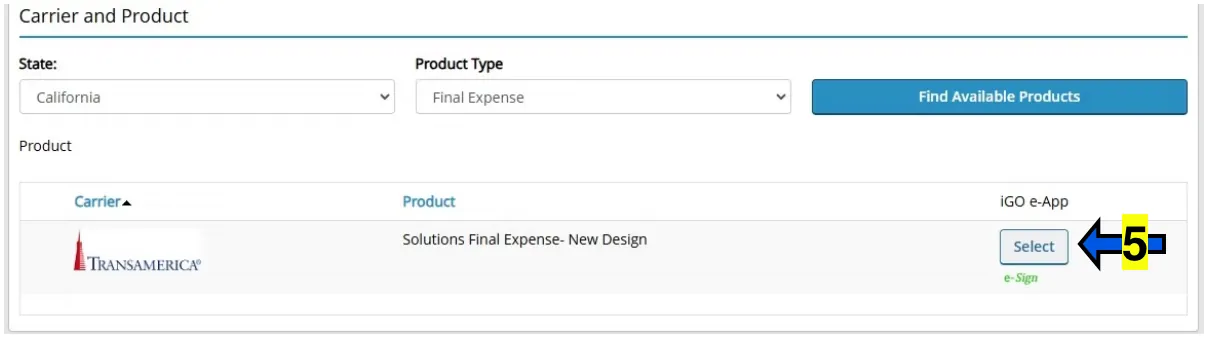
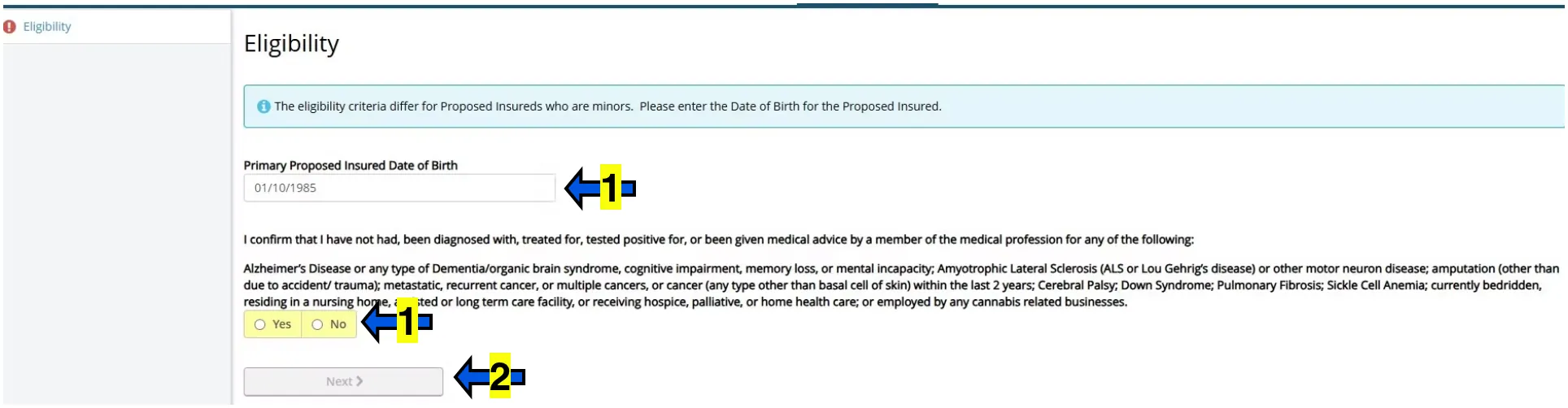
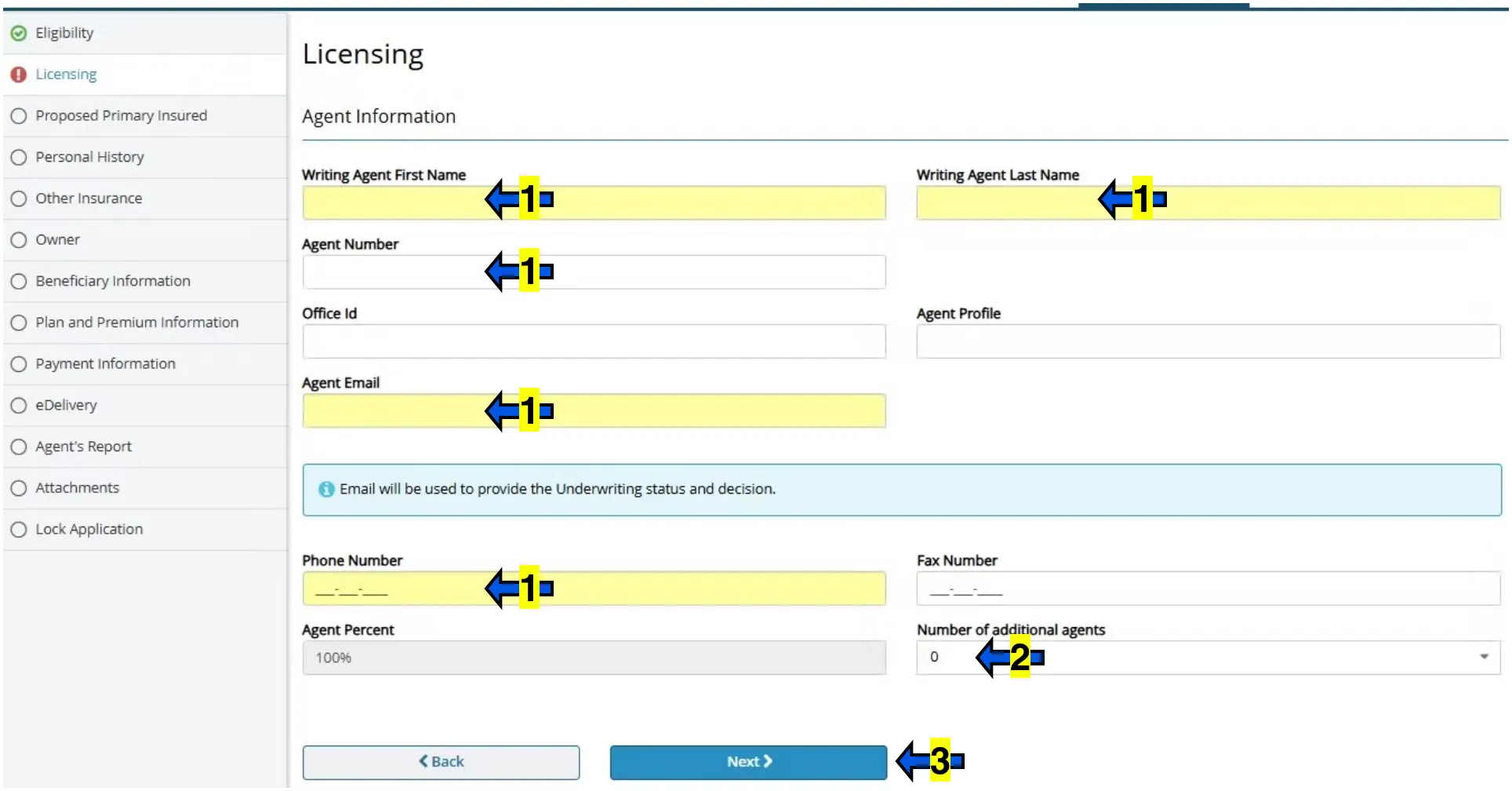
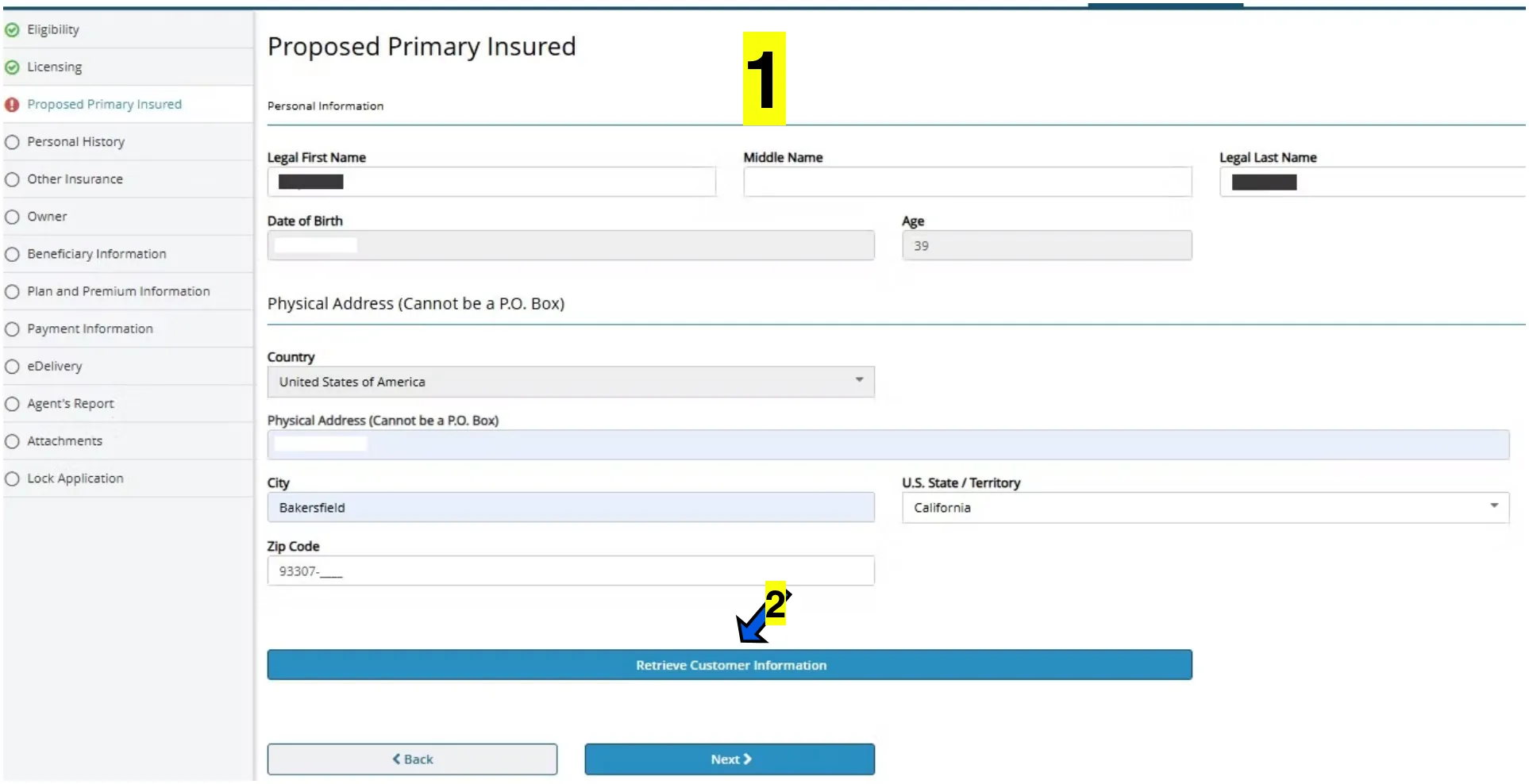
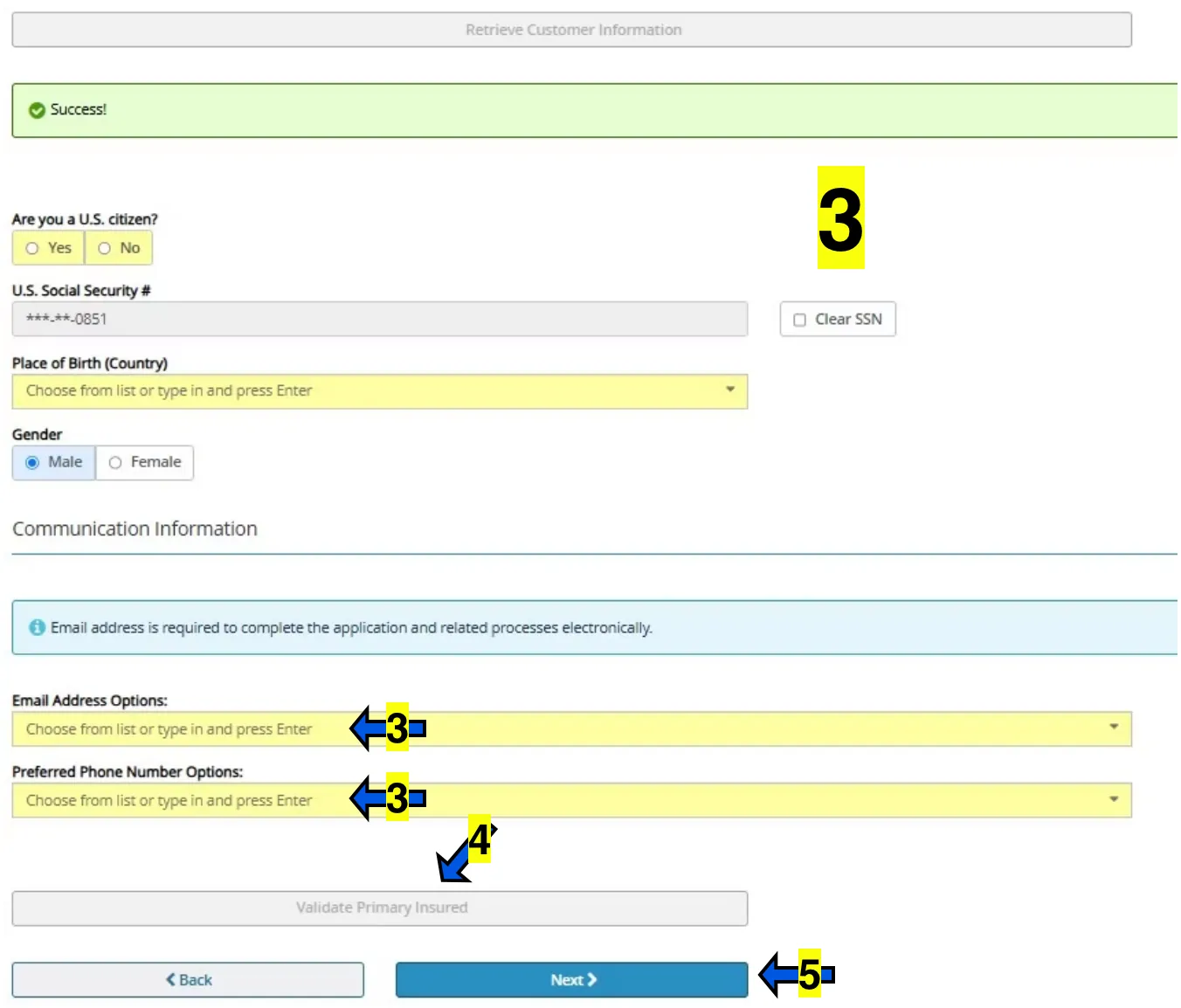
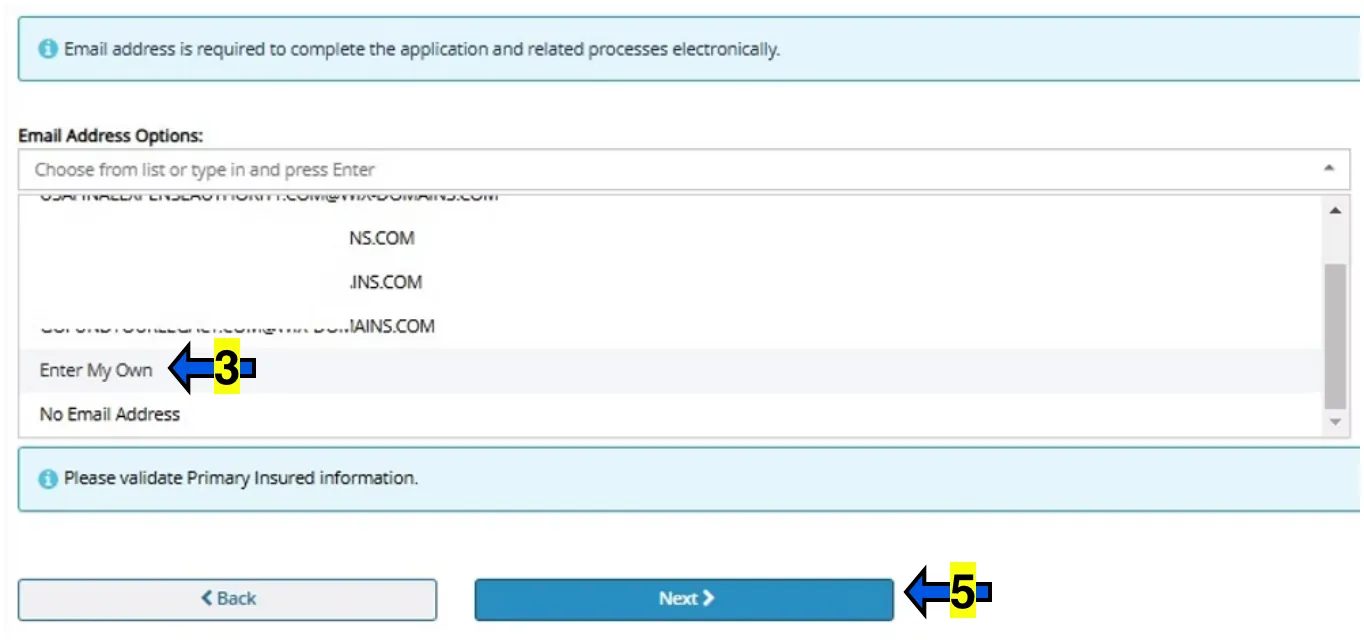
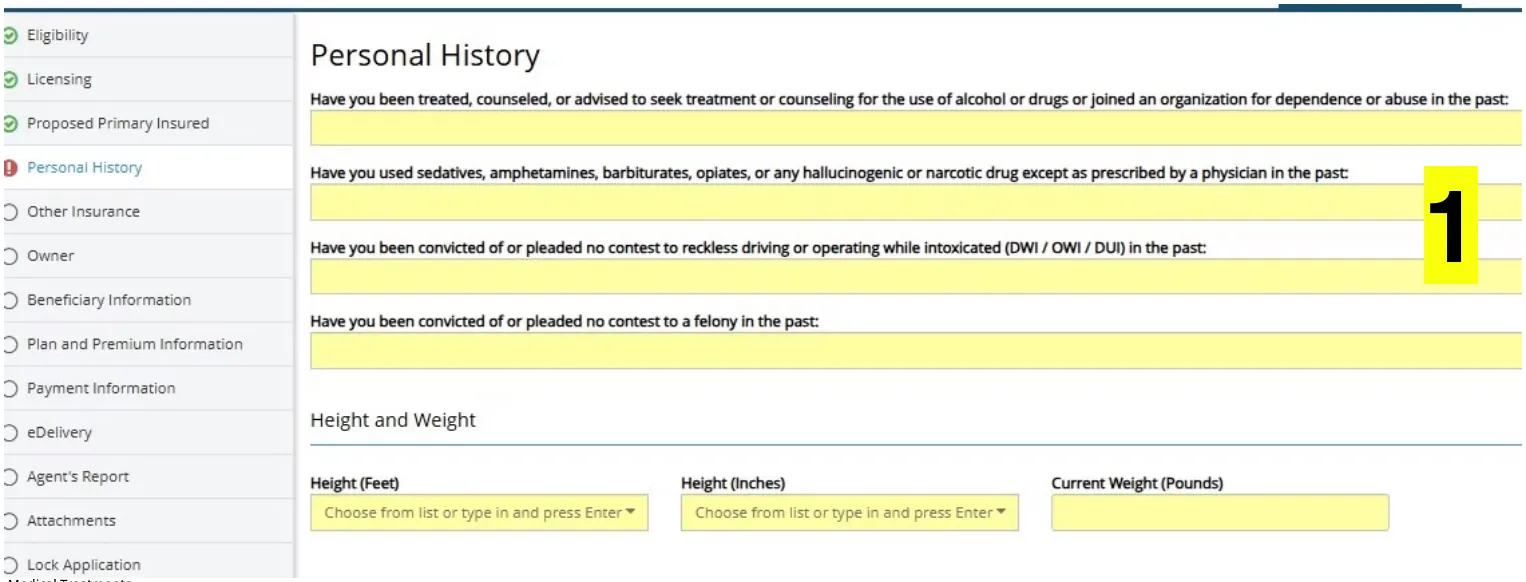
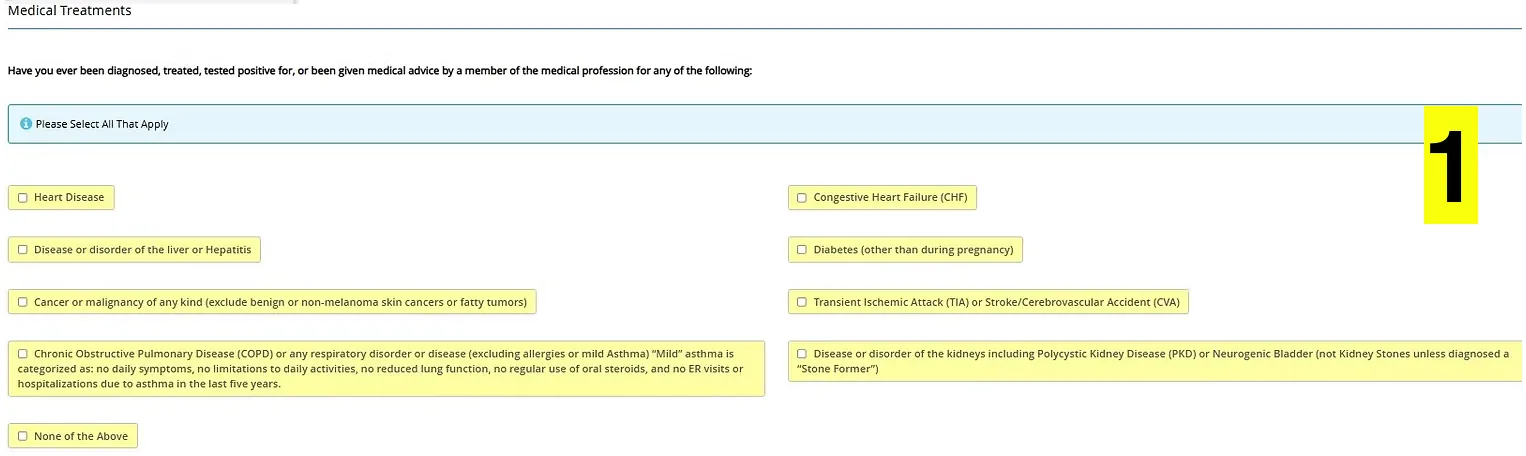
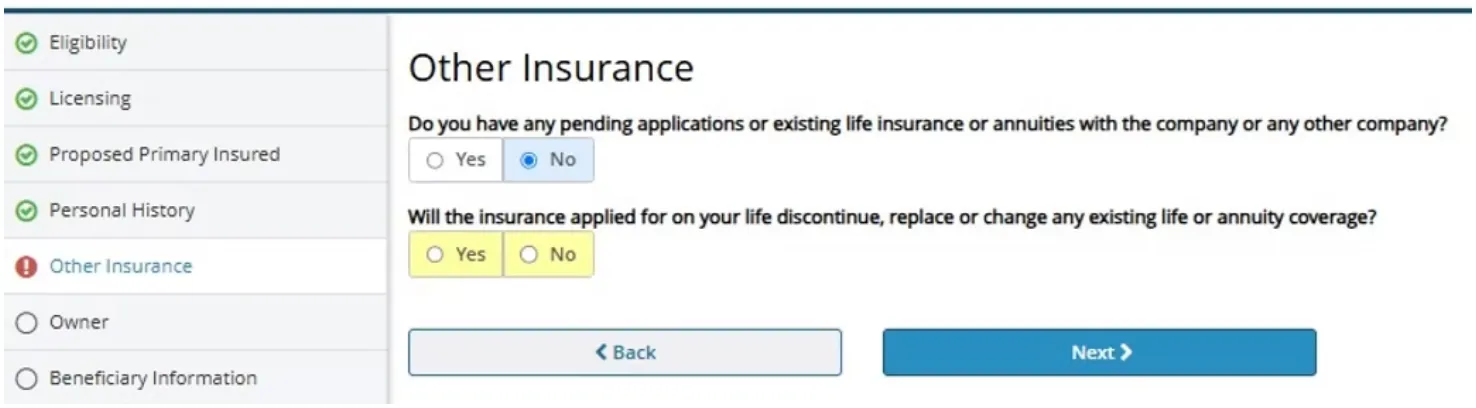
Enter information regarding existing insurance if applicable, then click NEXT.
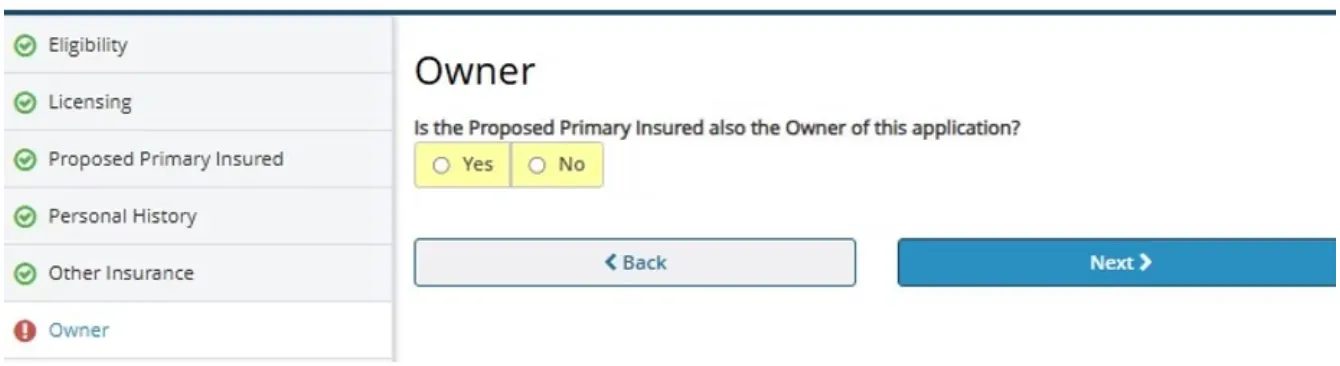
To keep it simple, try to keep the insured and owner the same. However sometimes someone may want coverage on a loved one (Child getting a policy on the parent to cover funeral expenses for example).
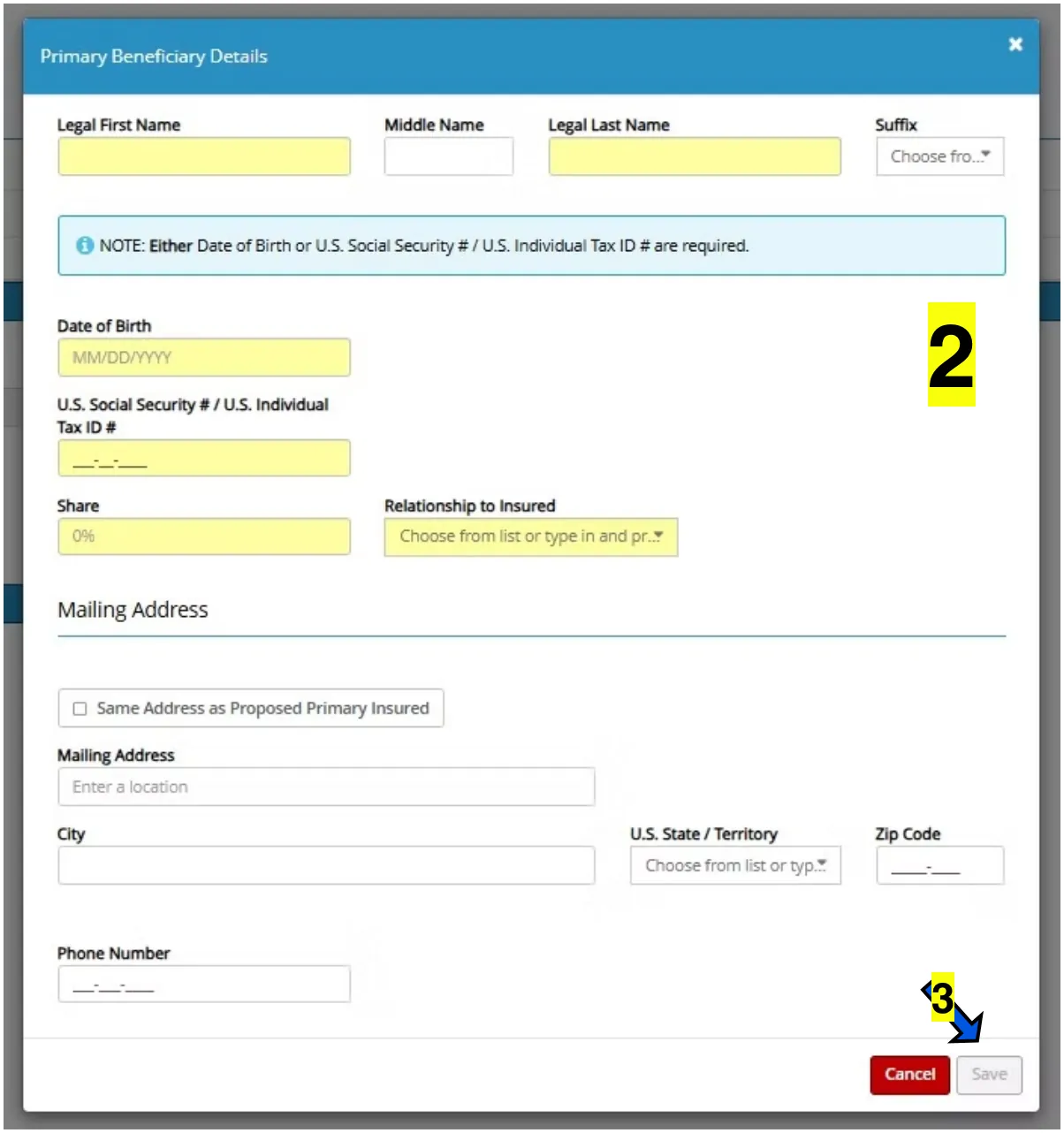
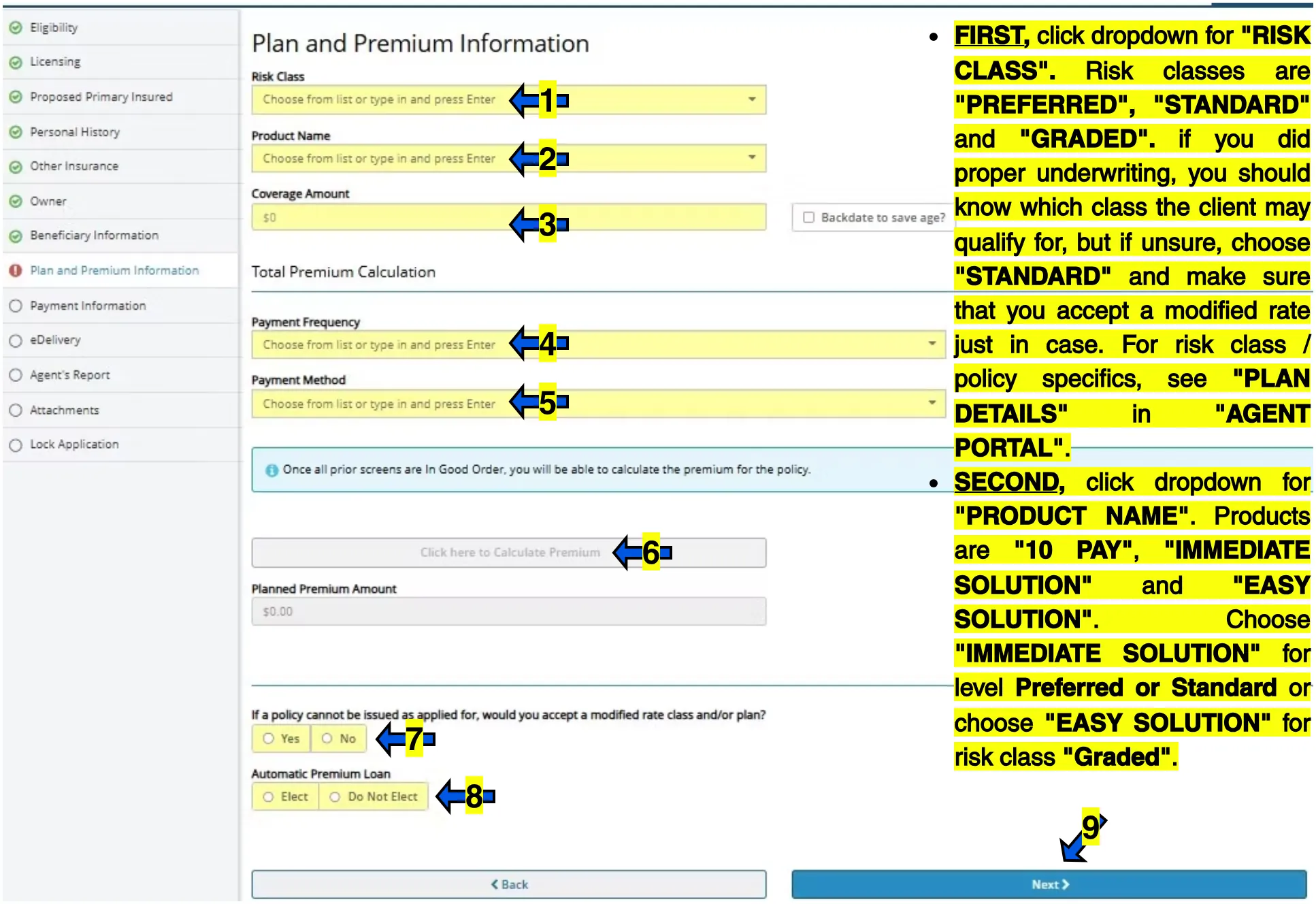
10 PAY is setup to where the applicant will pay their policy for 10 years after which they will be "paid up" and no longer be required to pay monthly premiums. Because the policy will be paid off in 10 years, the monthly premiums for this choice will be higher.
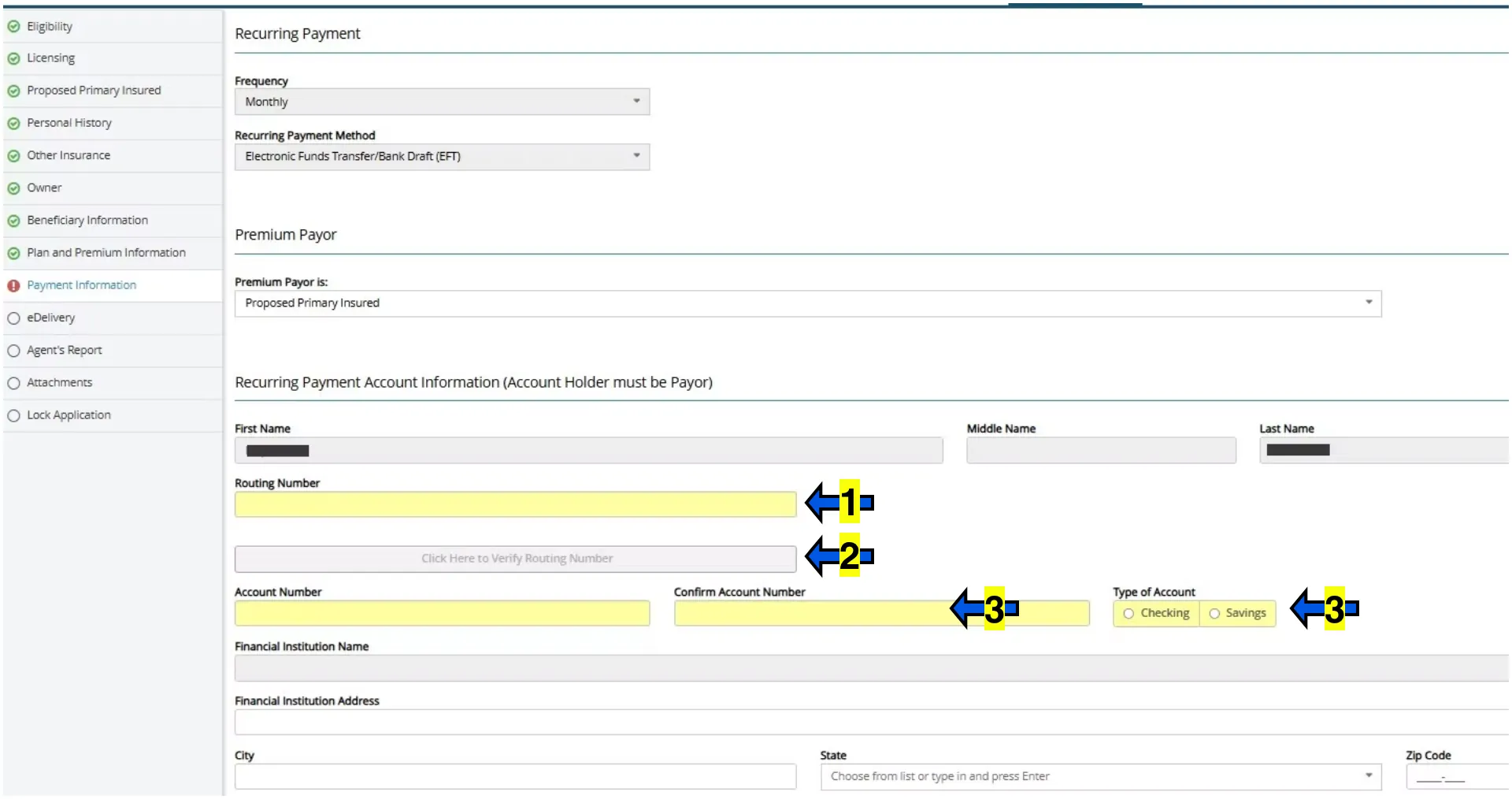
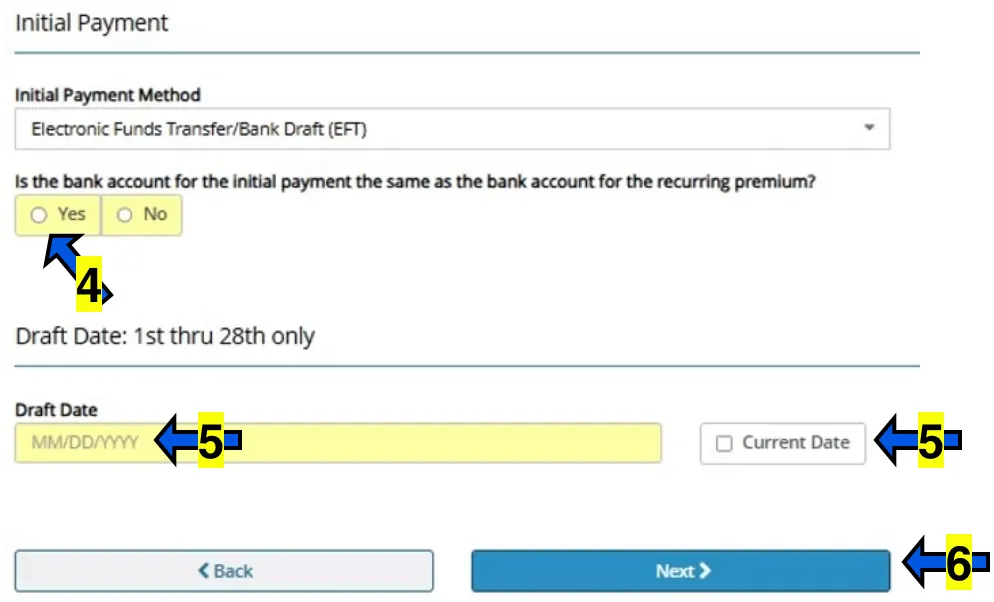
The address for the bank can be left blank.
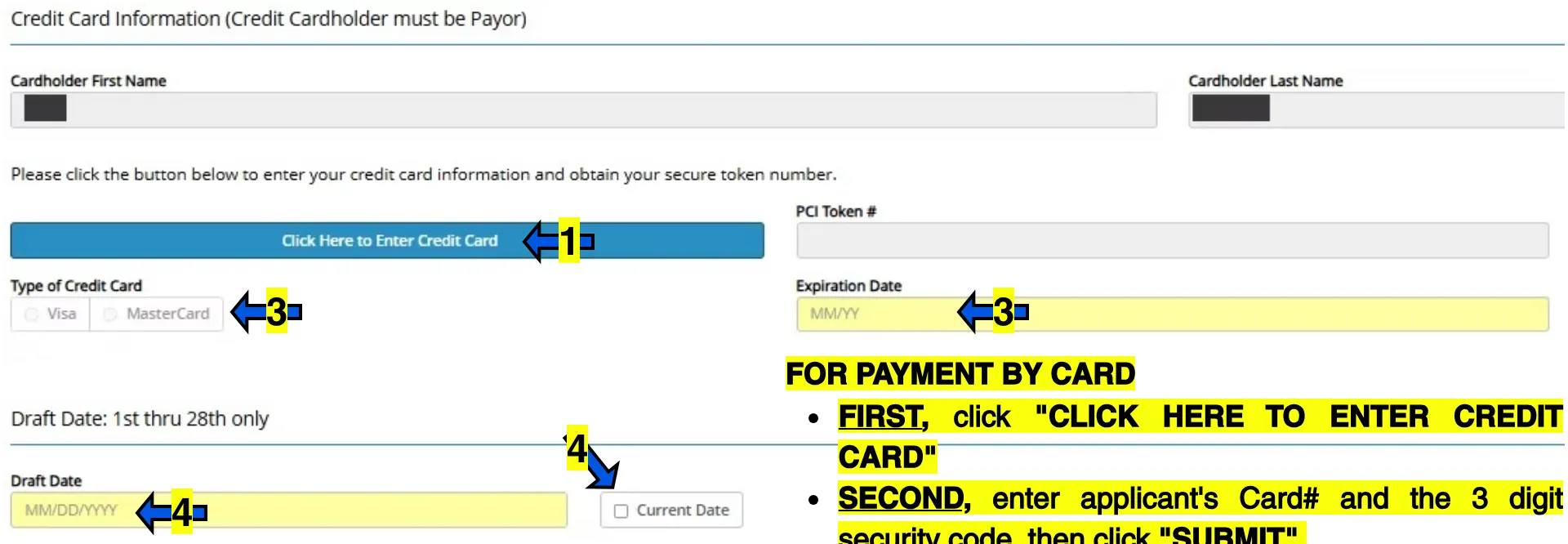
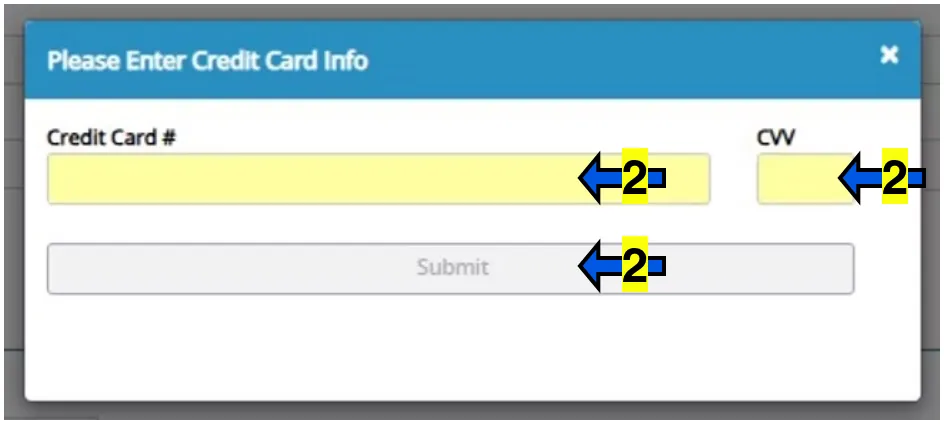
PCI TOKEN. A PCI token will be shown in the box which is a personalized number generated for card number privacy. This number may be different from the actual card number.
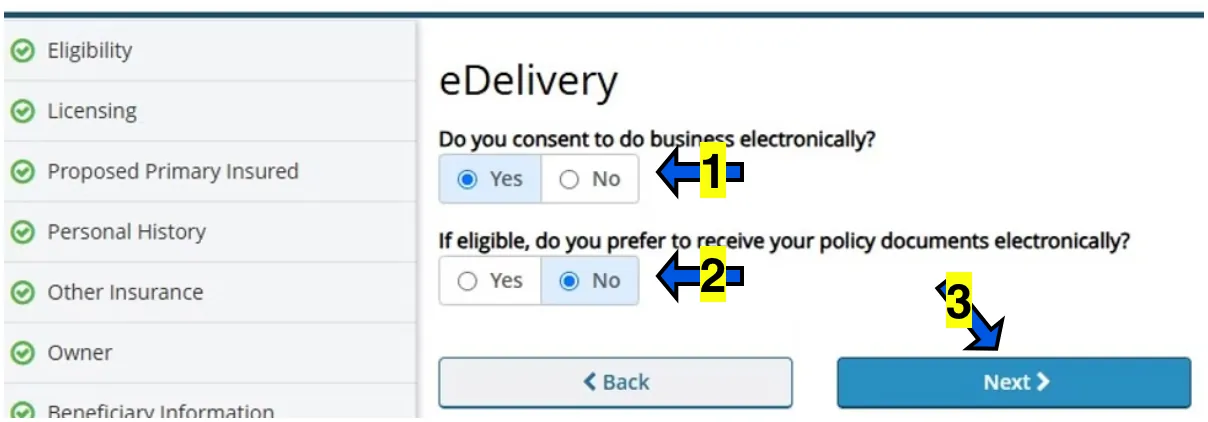
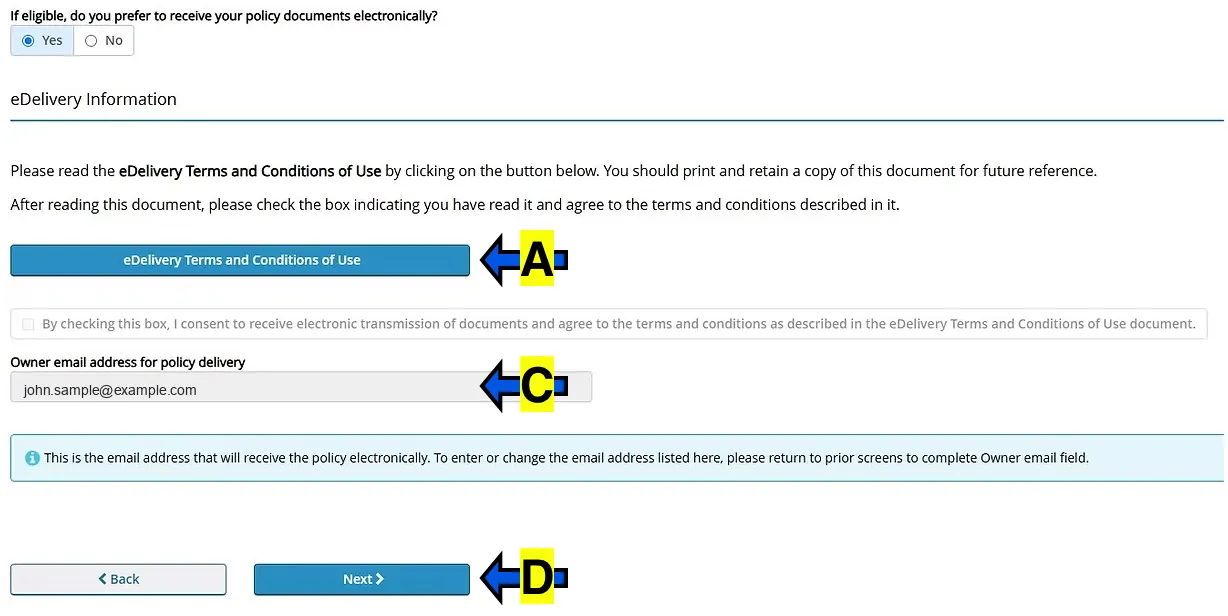
IF applicant would like to receive the policy packet through email, there will be a few extra steps.
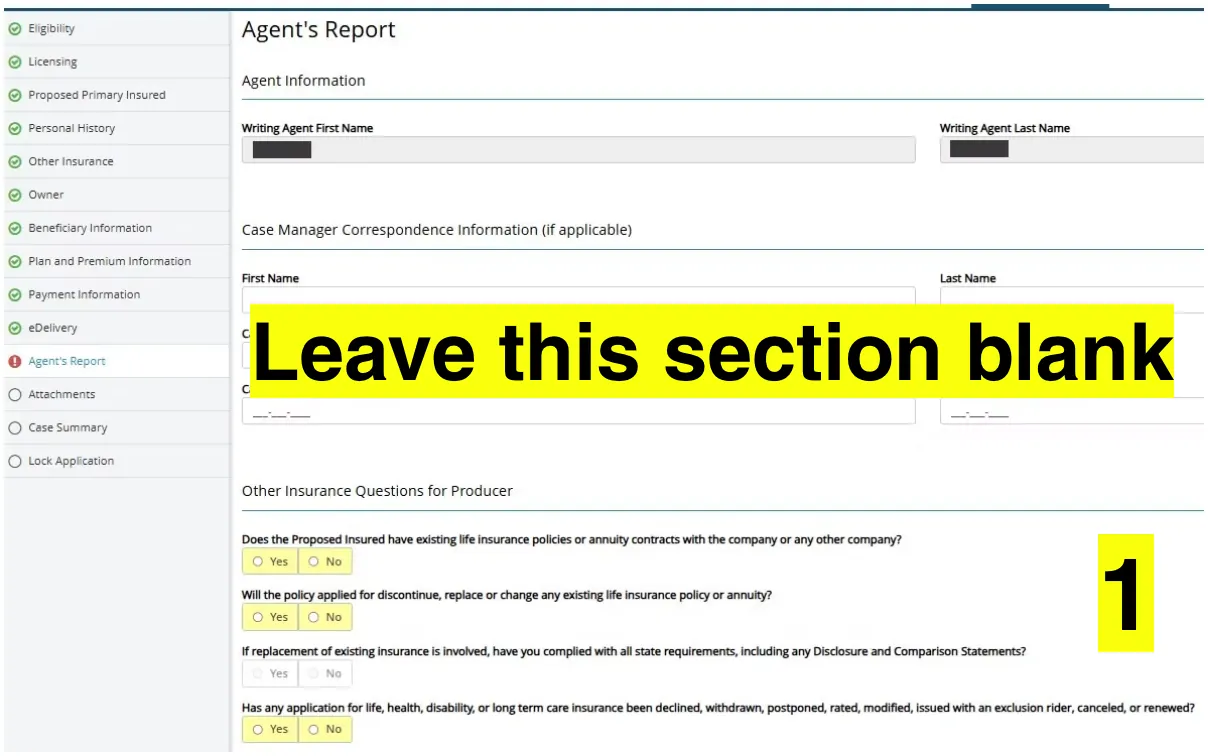
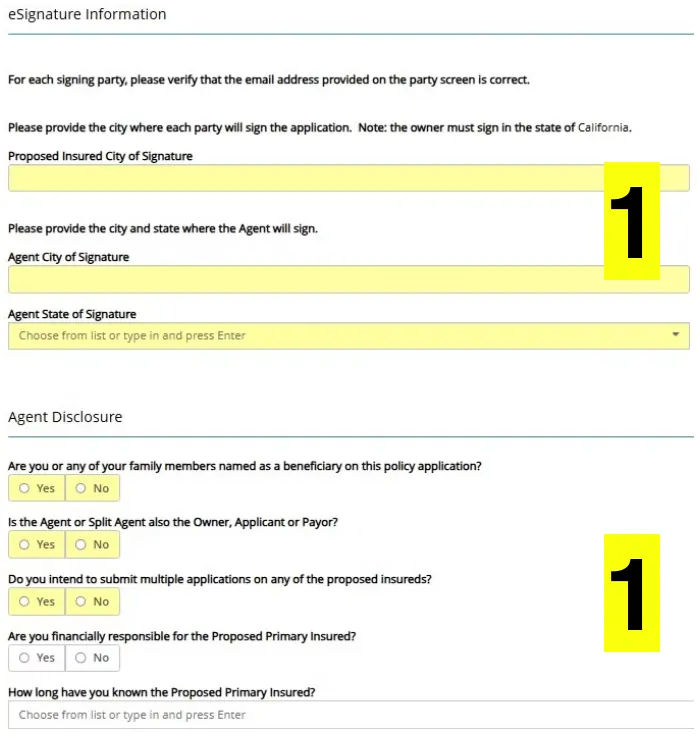
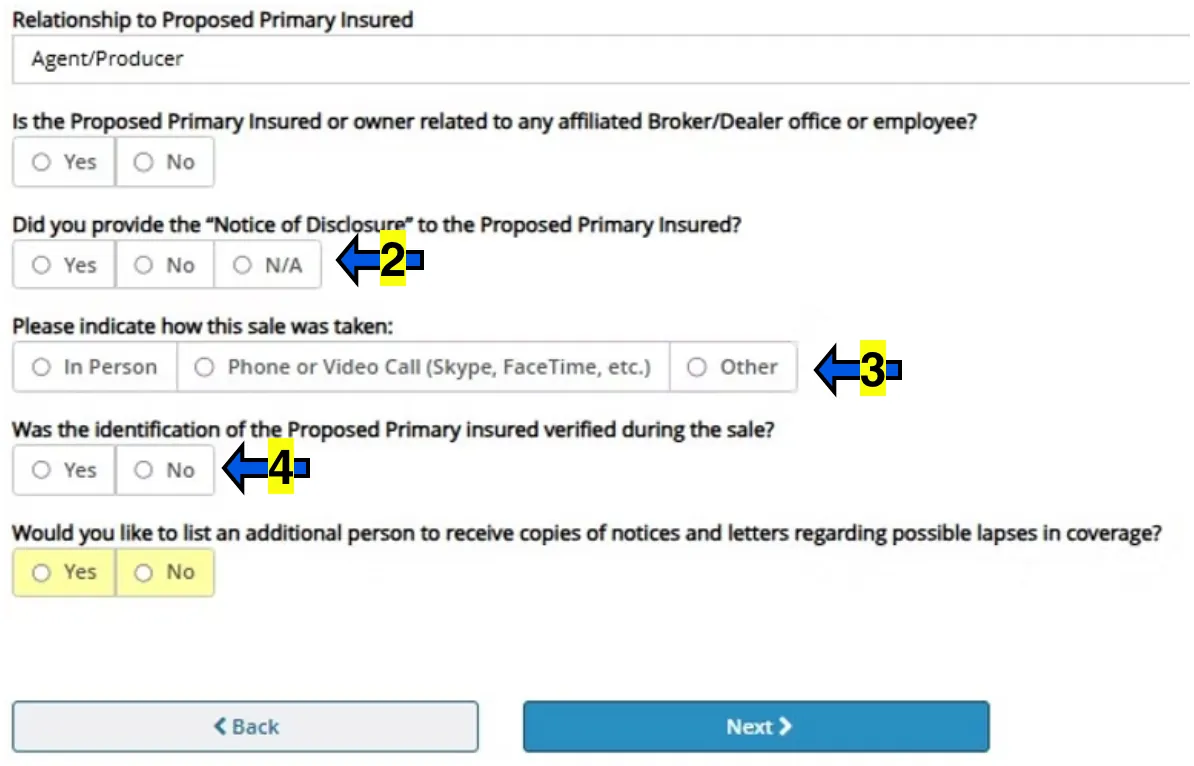
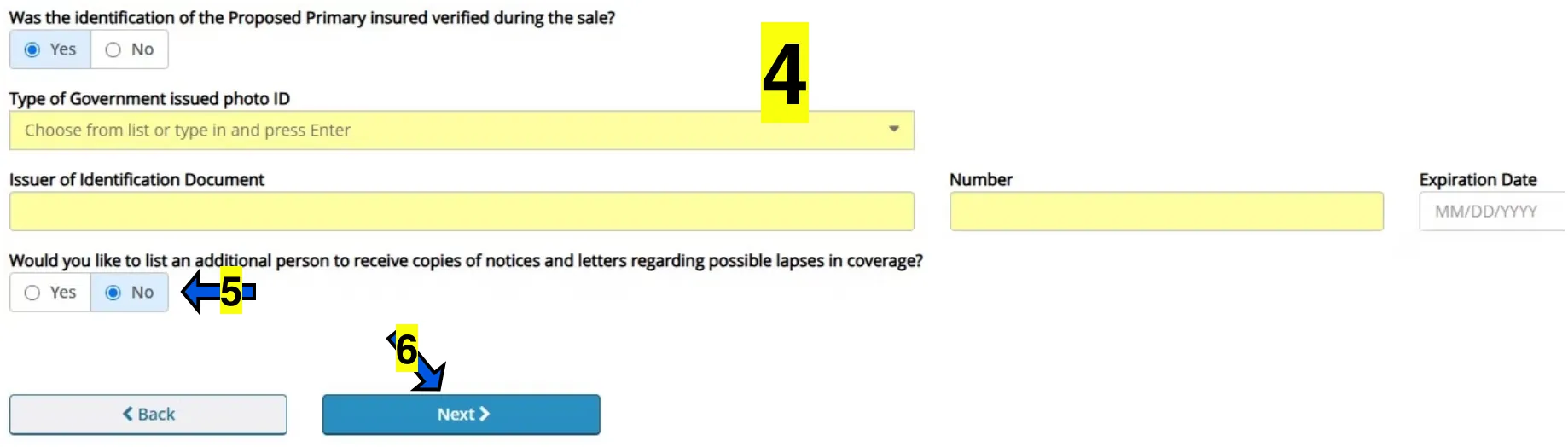
Leave this section blank
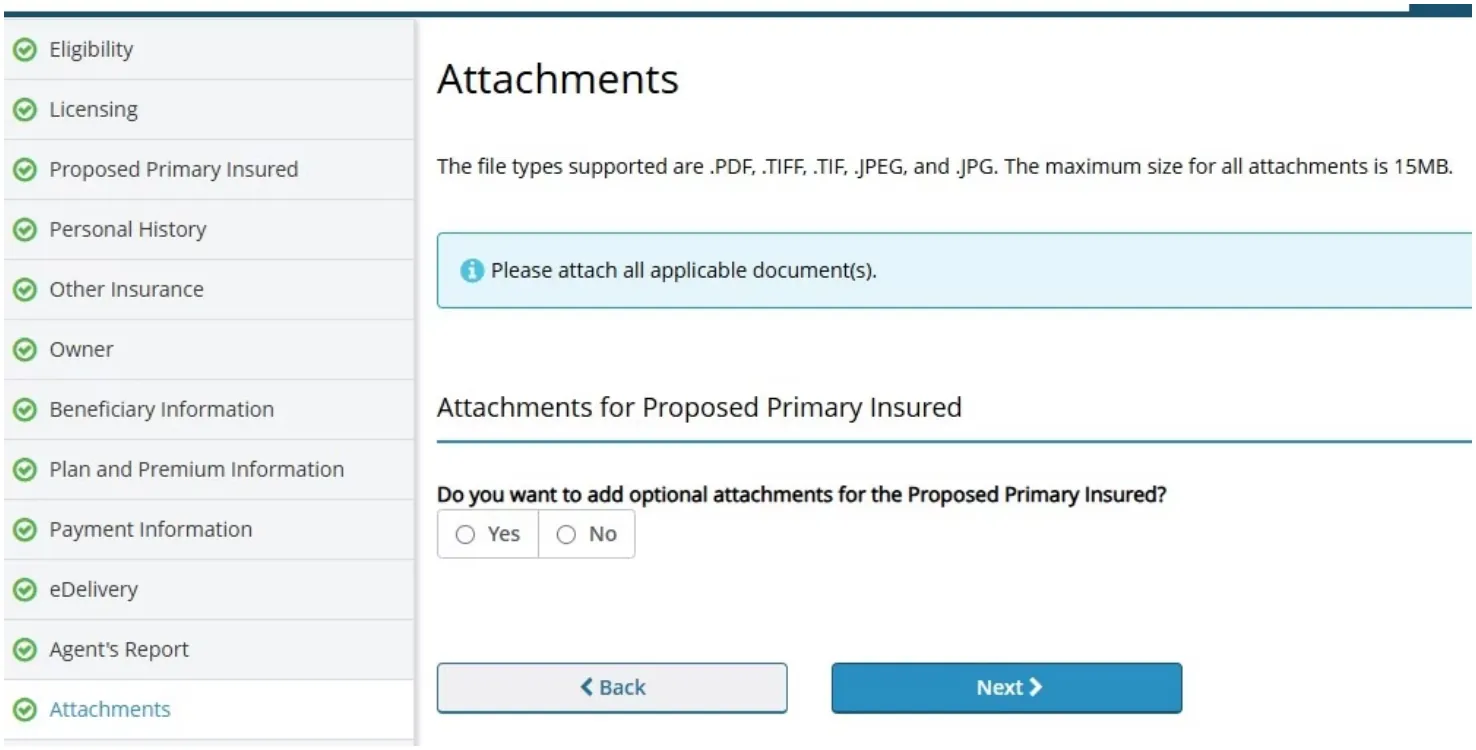
Click NO and then click NEXT.
In some cases, IF PROMPTED, you may need to attach an ID or Driver's License here HOWEVER IN MOST CASES, IT IS NOT NEEDED.
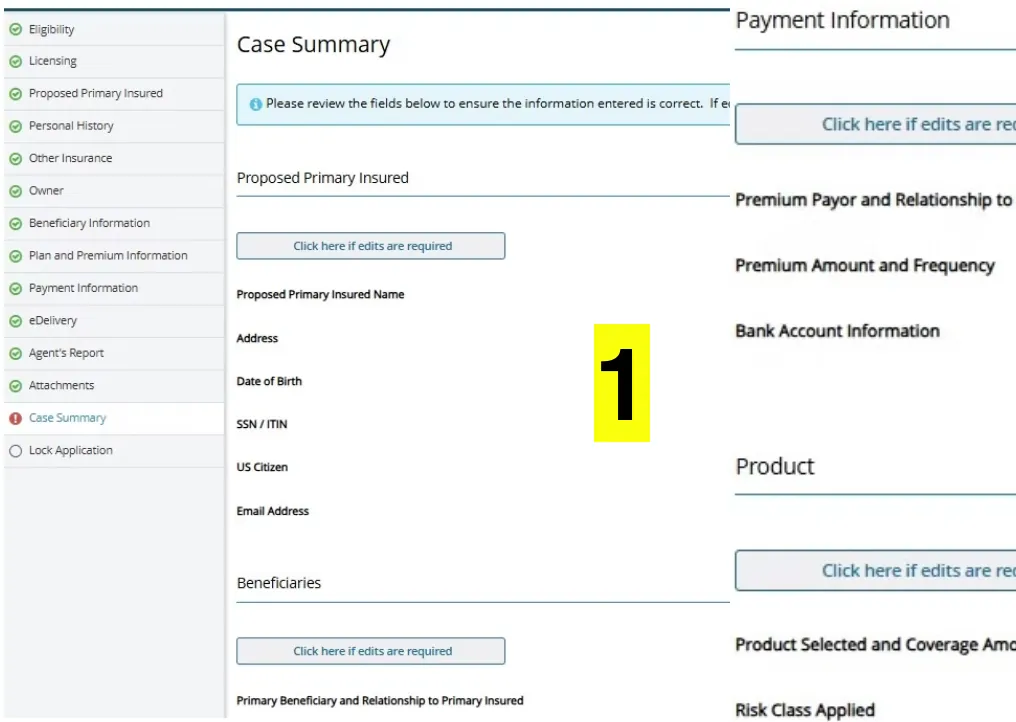
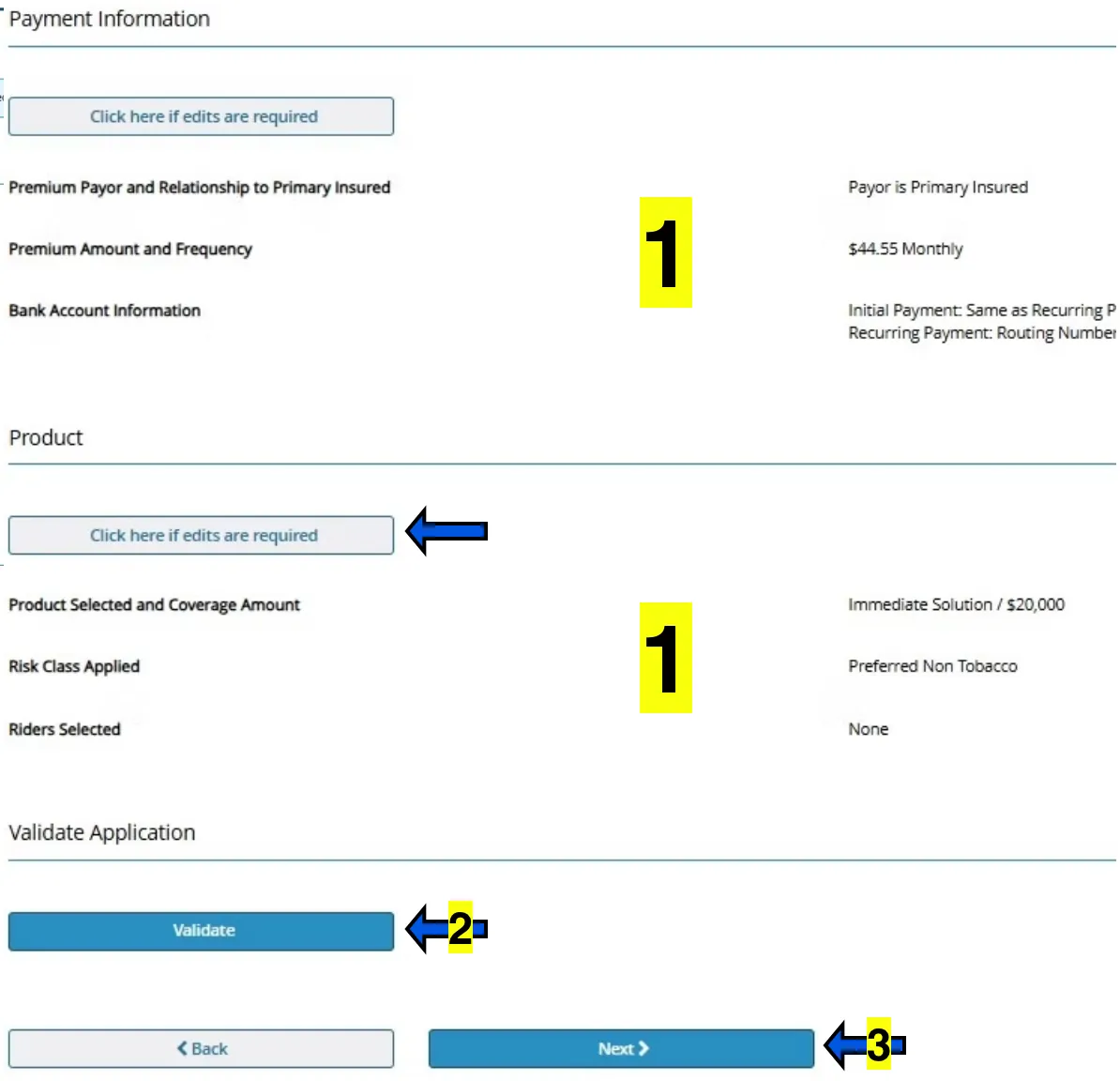
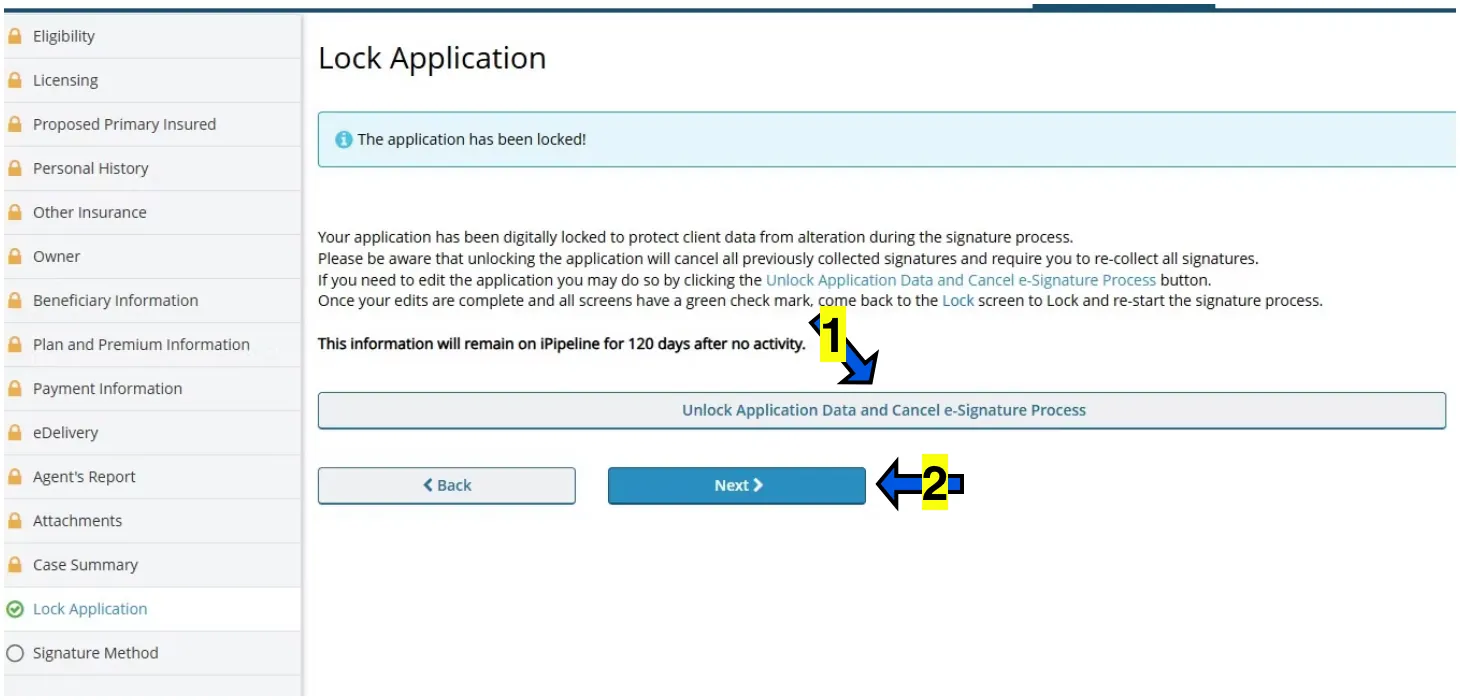
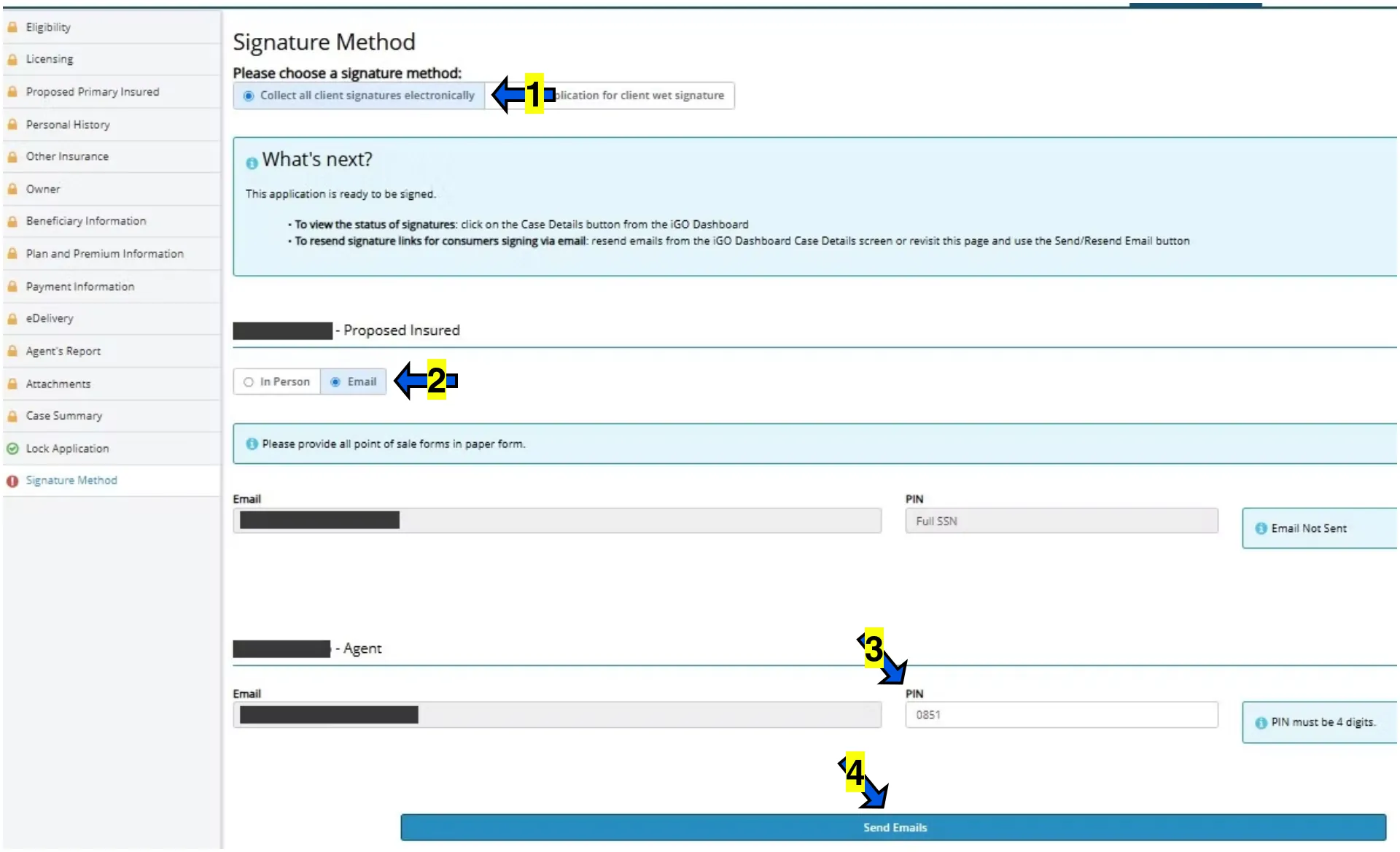
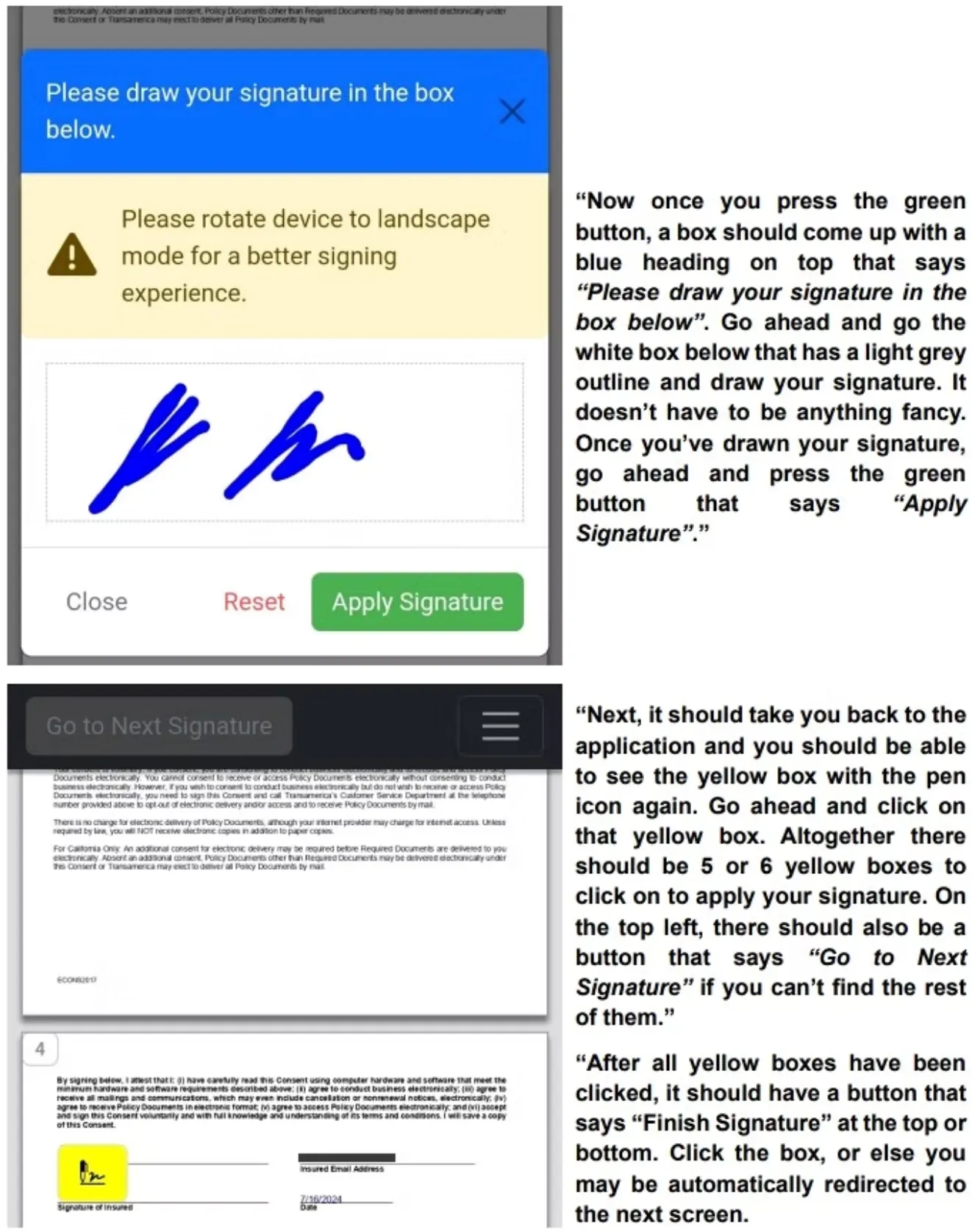
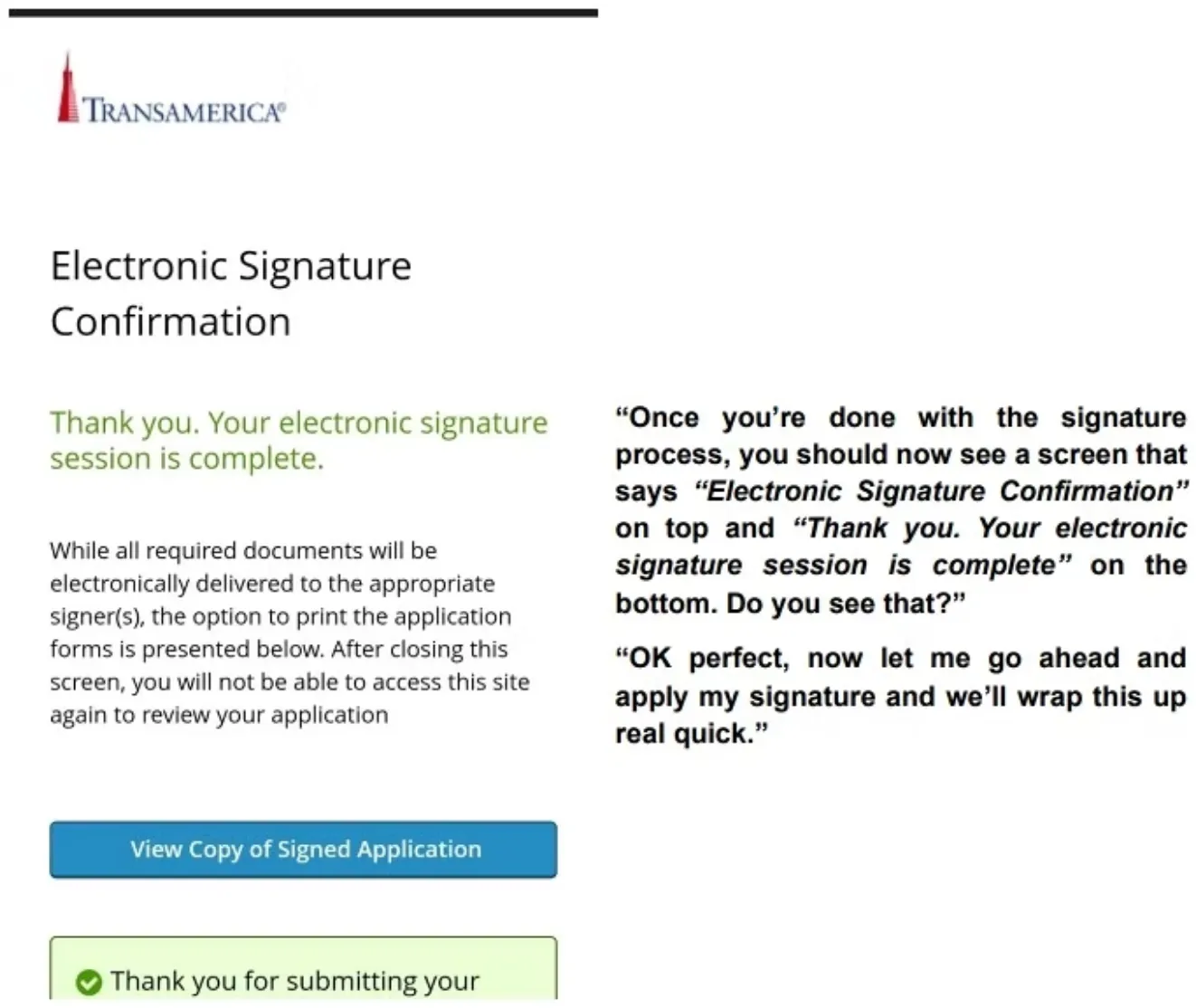
Read the blue script lines to the client word for word. The screenshots are what the client sees on their phone.
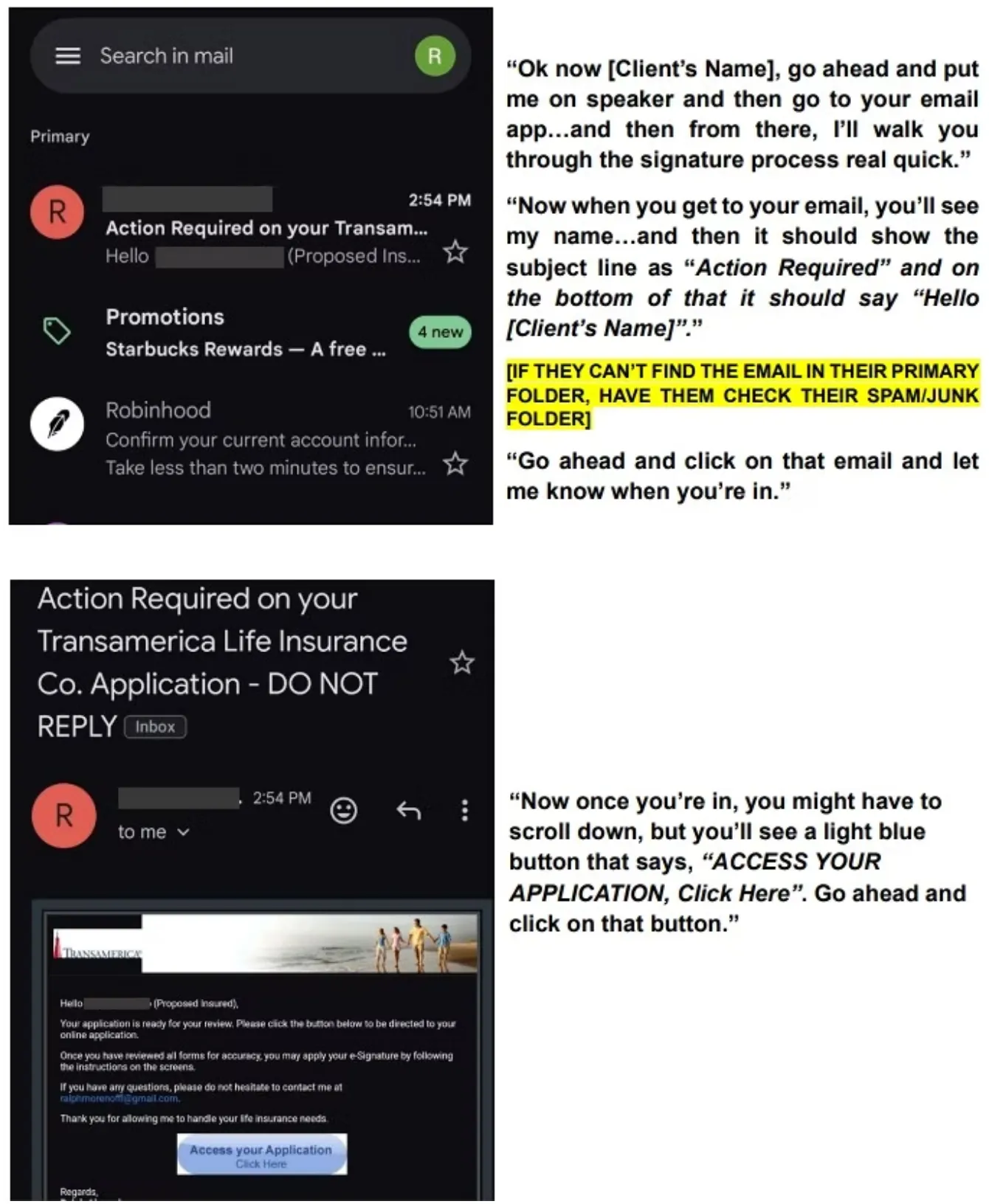
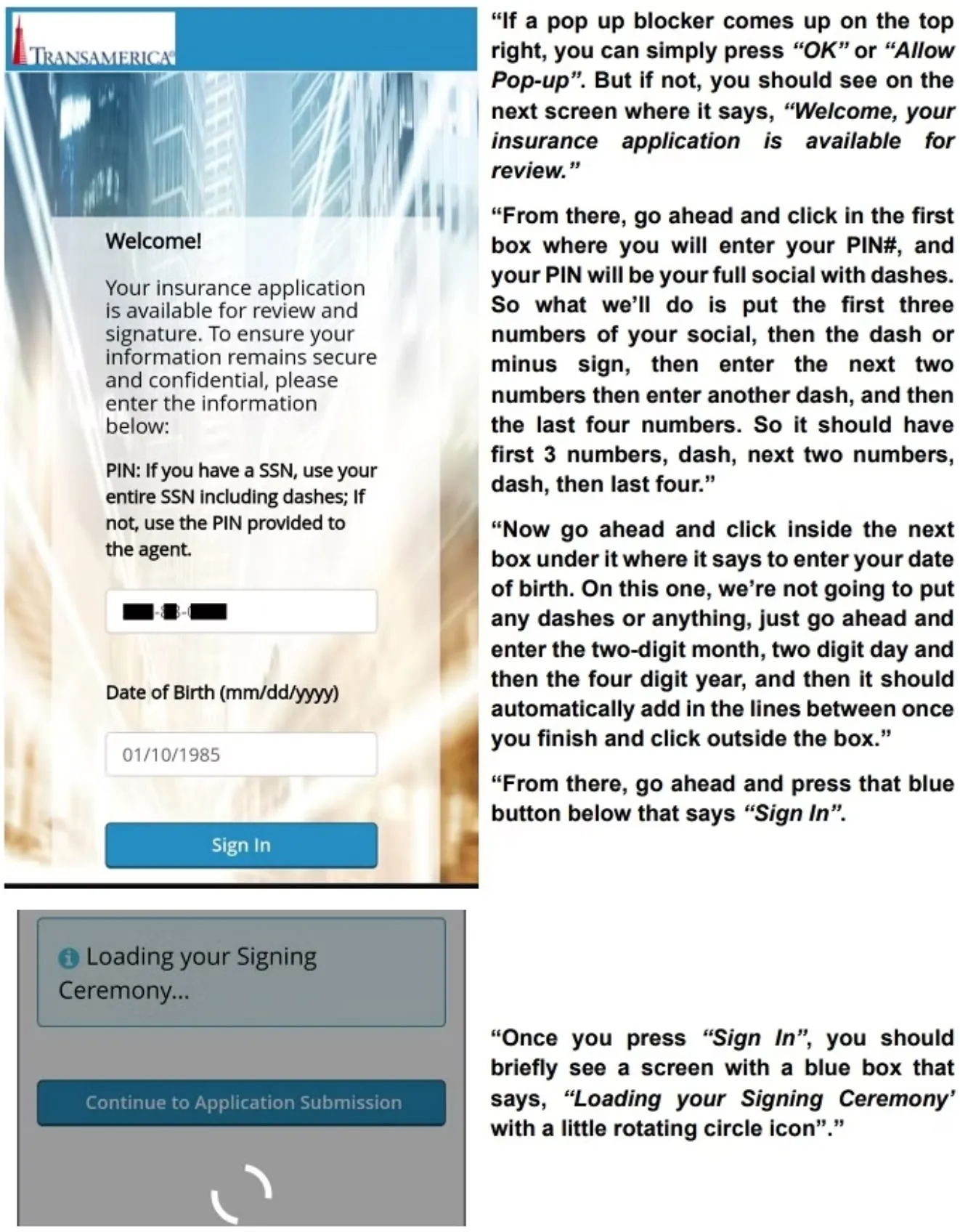
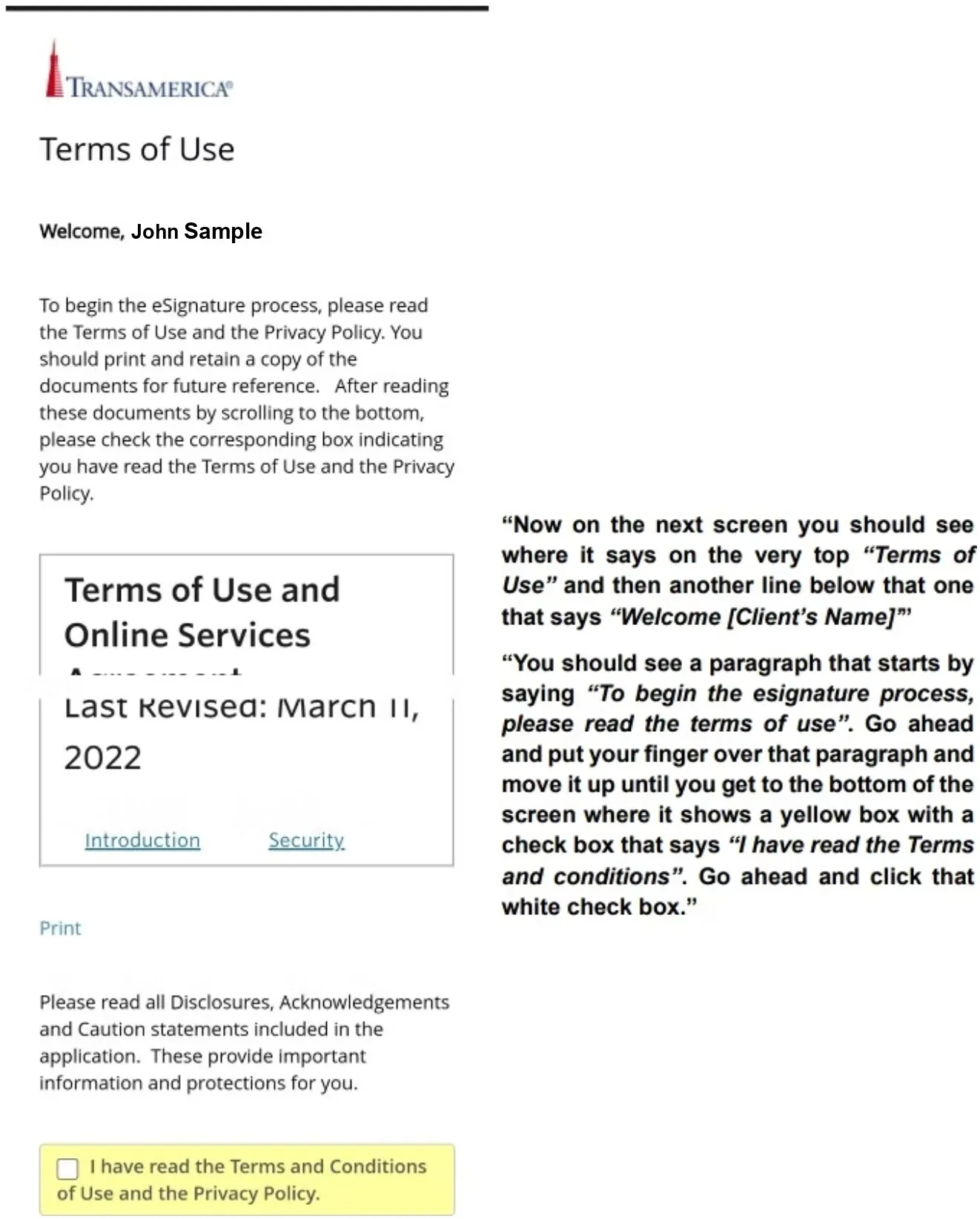
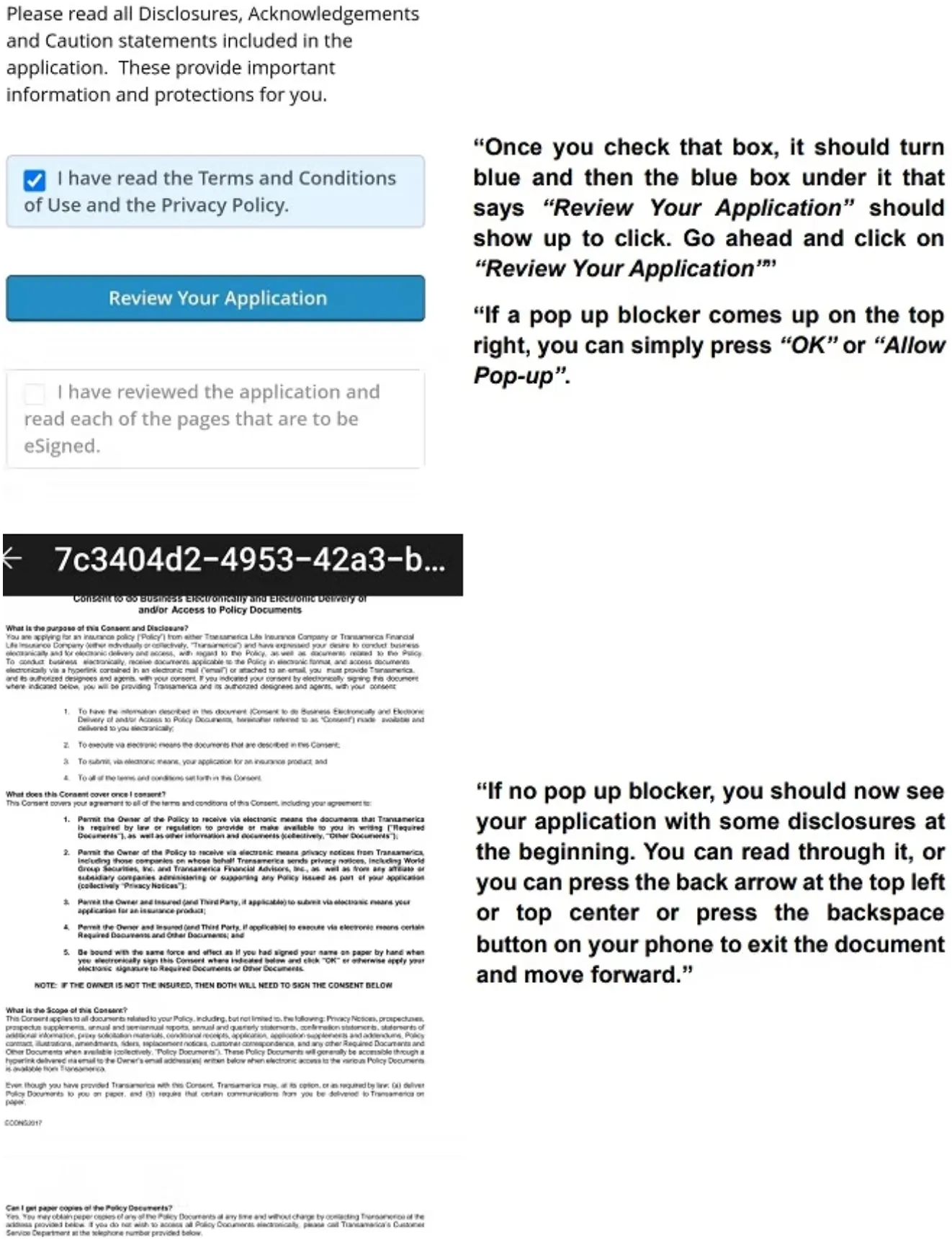
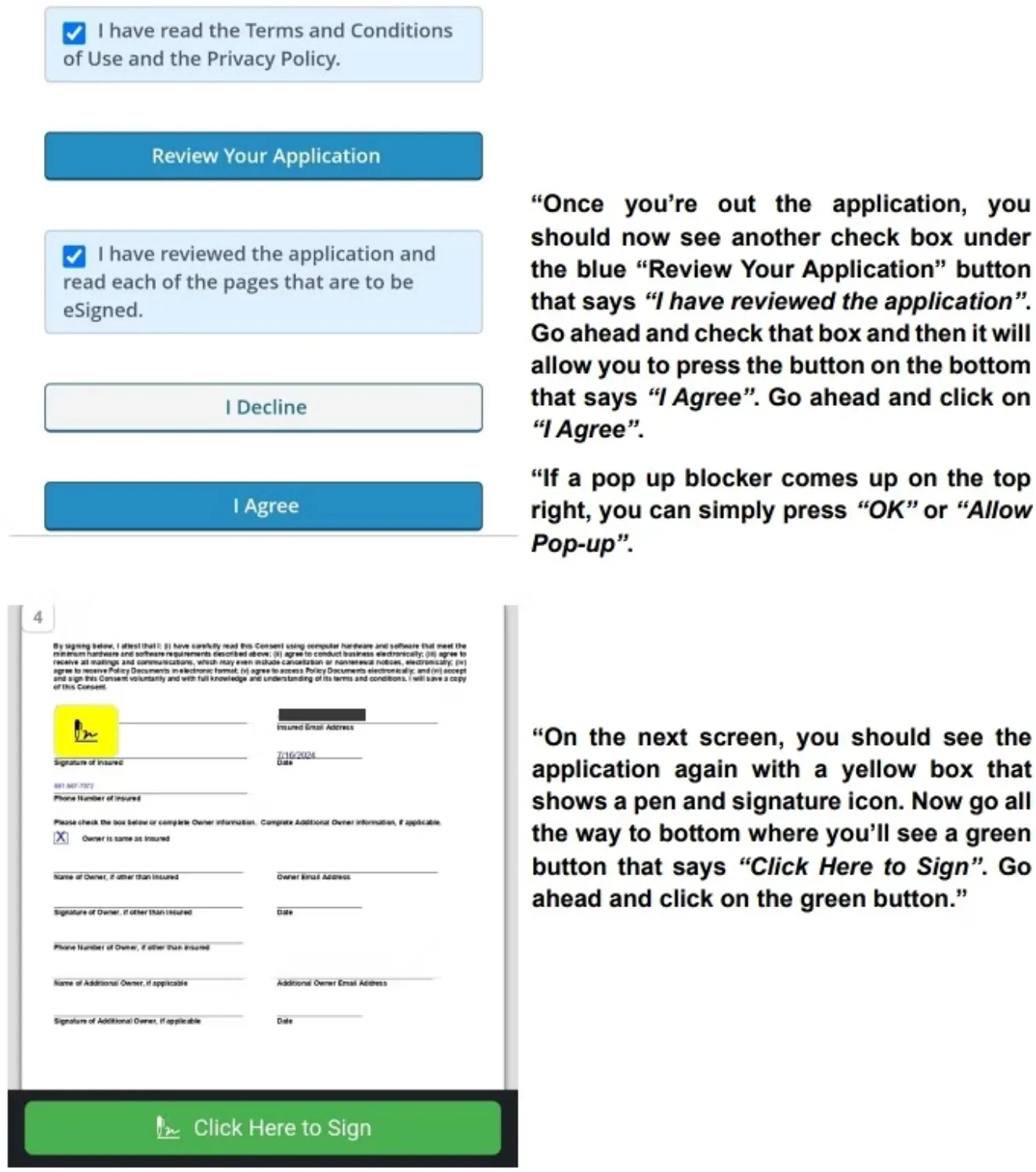
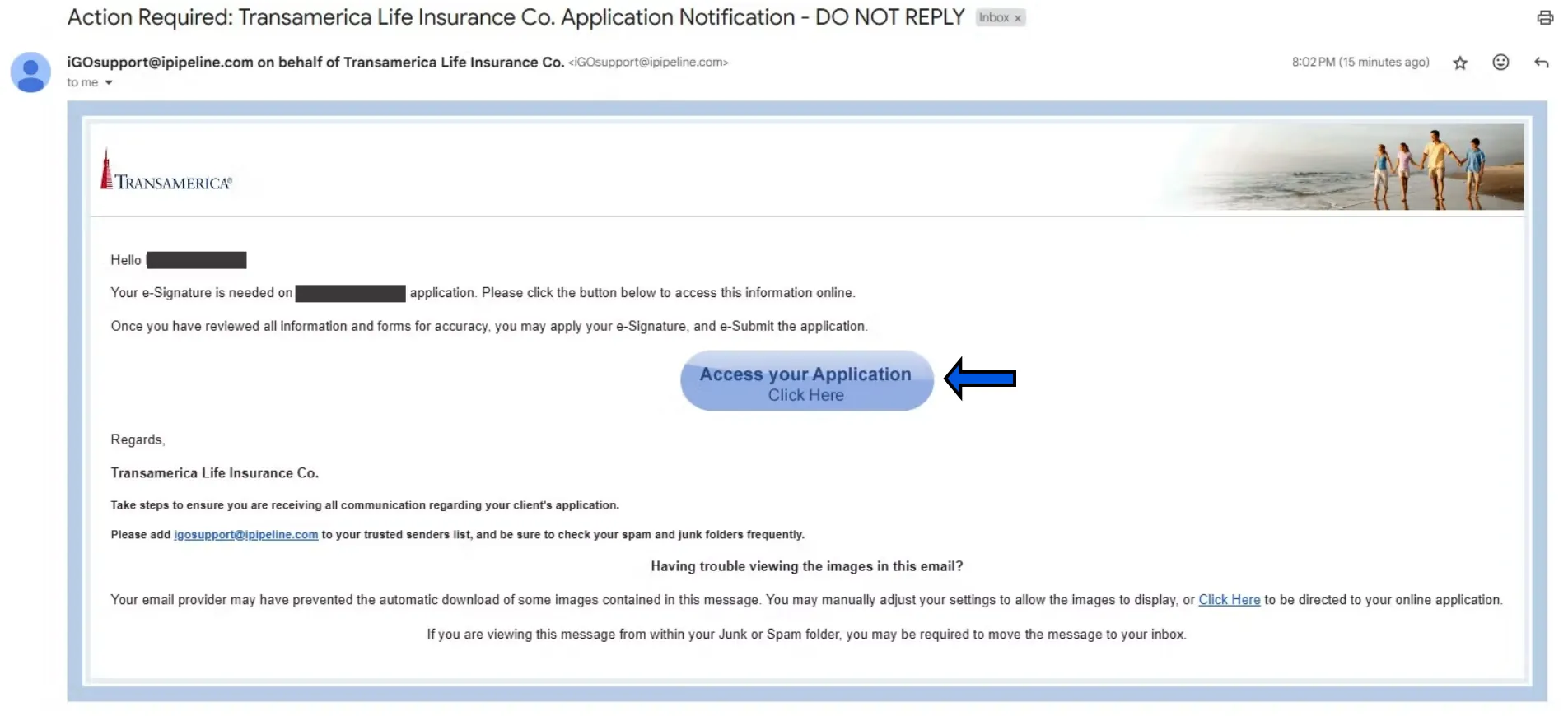
At this point, go into YOUR email, click on the message from Transamerica that says ACTION REQUIRED, and then click the blue ACCESS YOUR APPLICATION button. If you do not see it, check your spam folder.
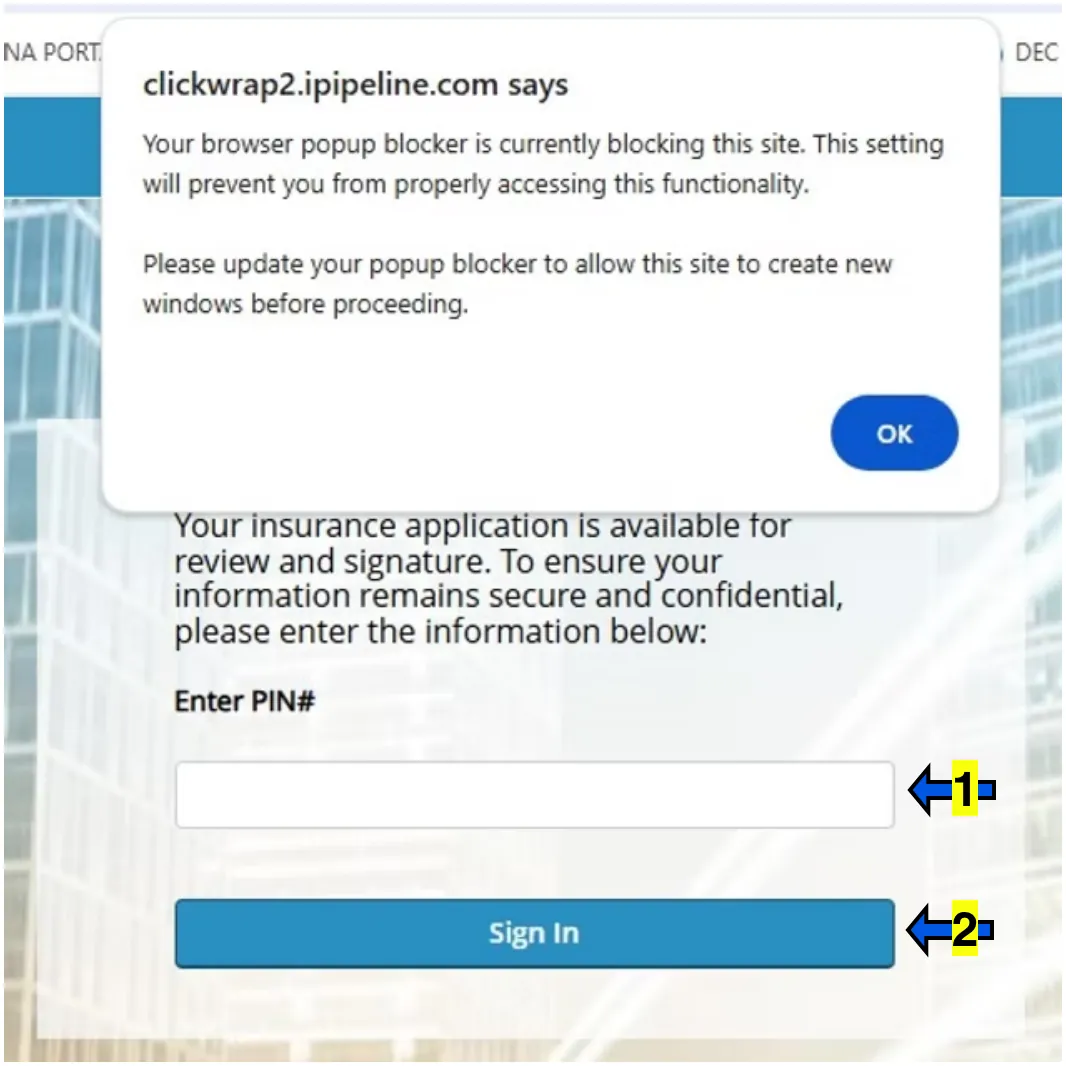
If a pop-up blocker comes up, click OK.
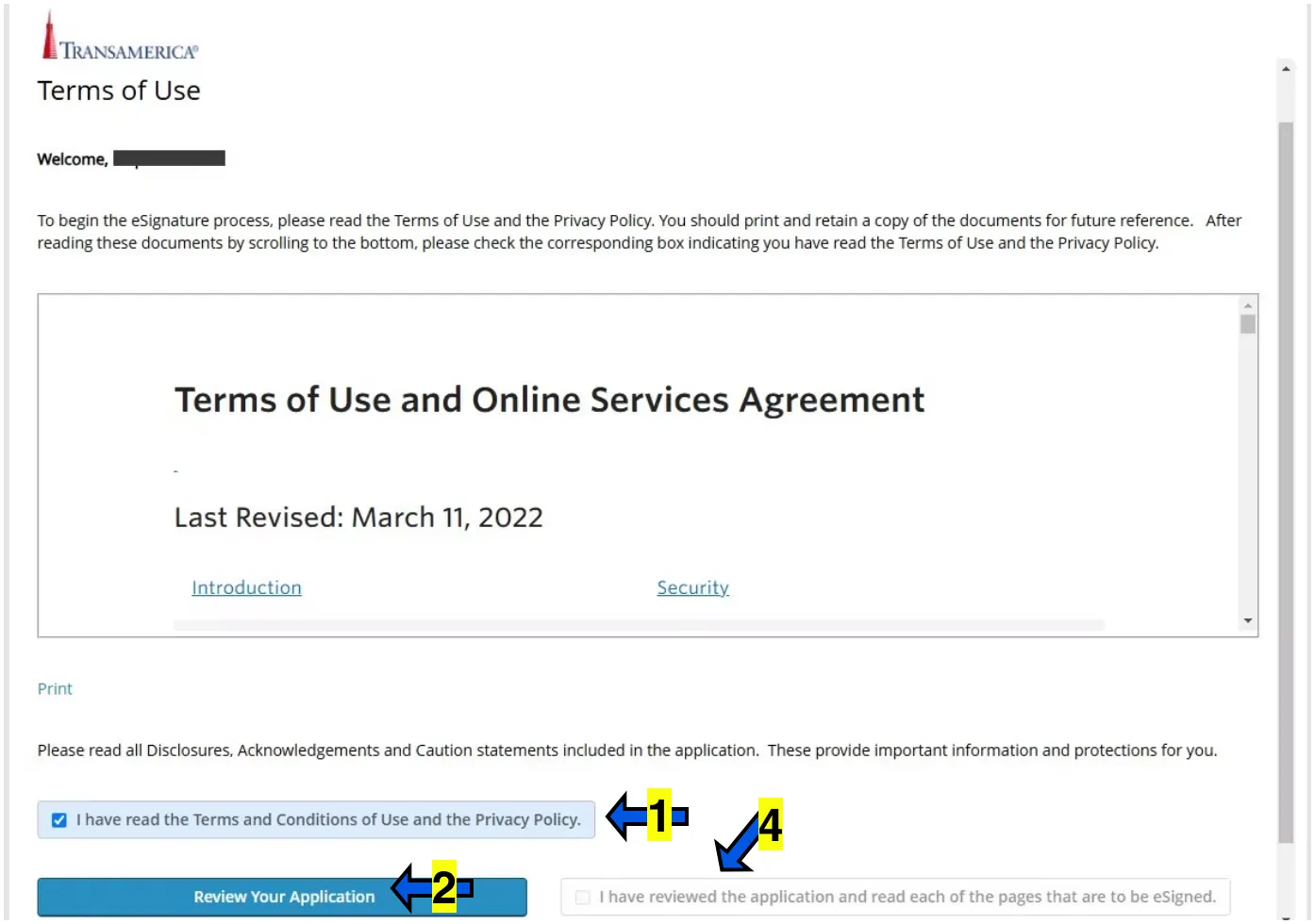

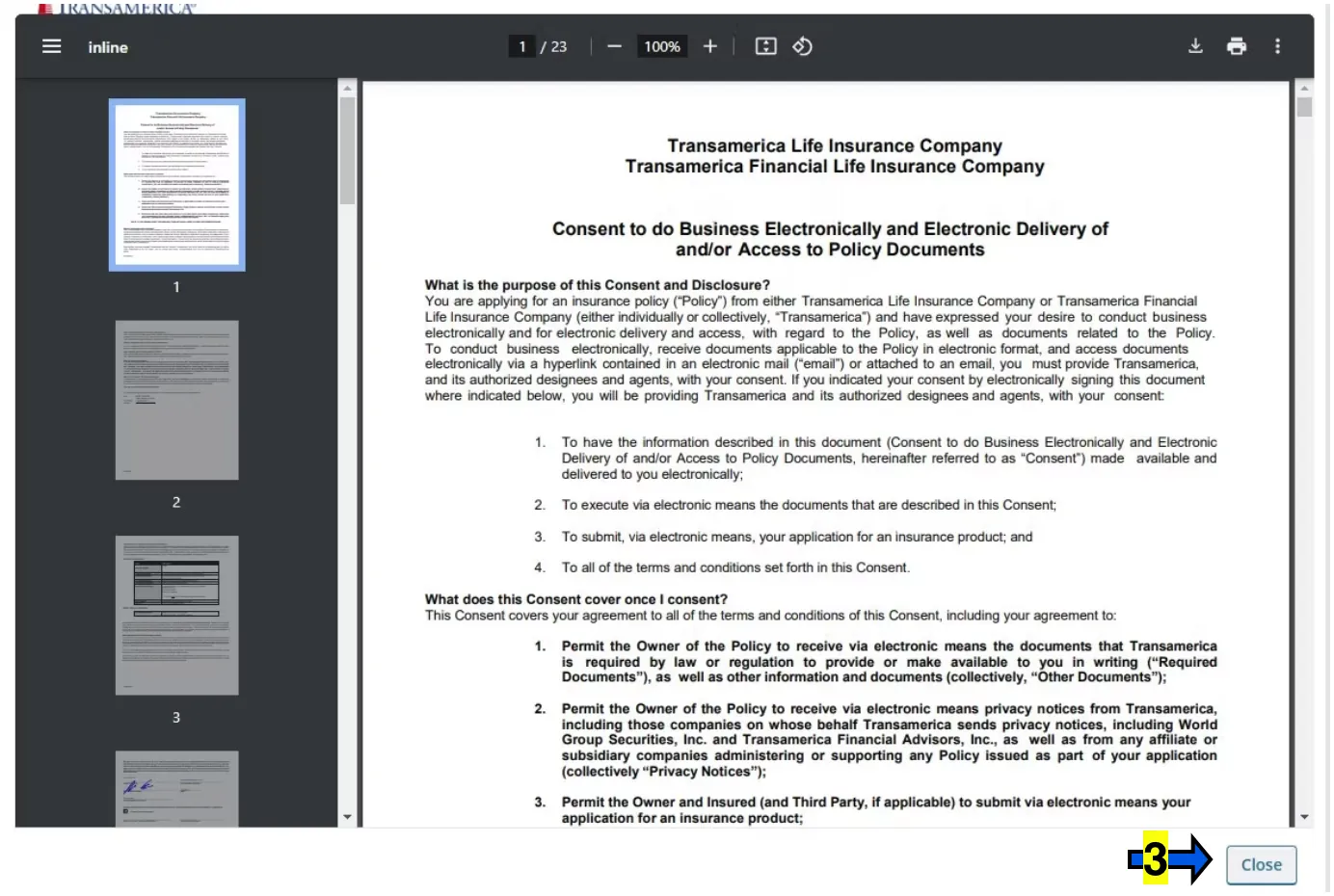
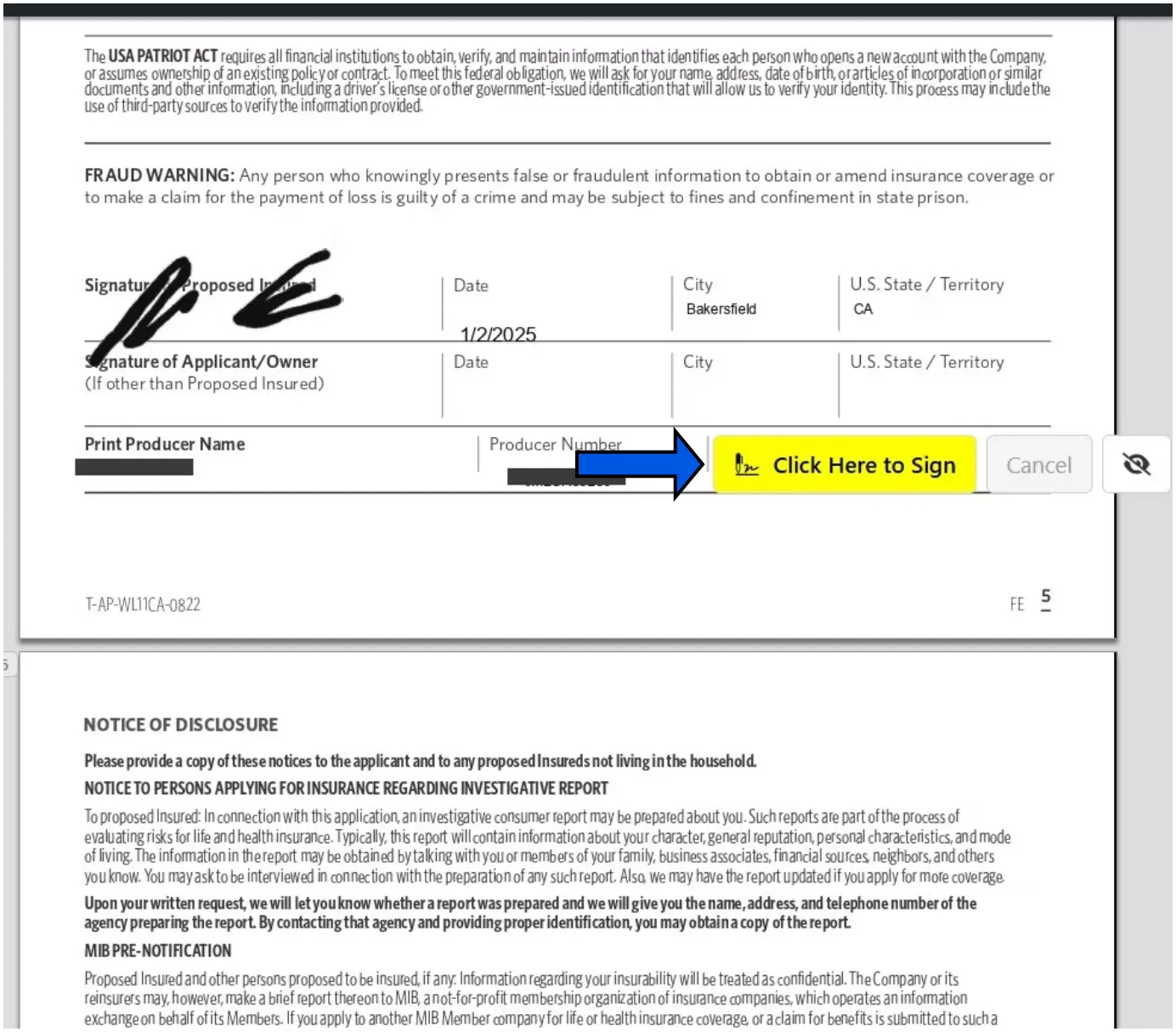
Click the yellow box that says CLICK HERE TO SIGN.
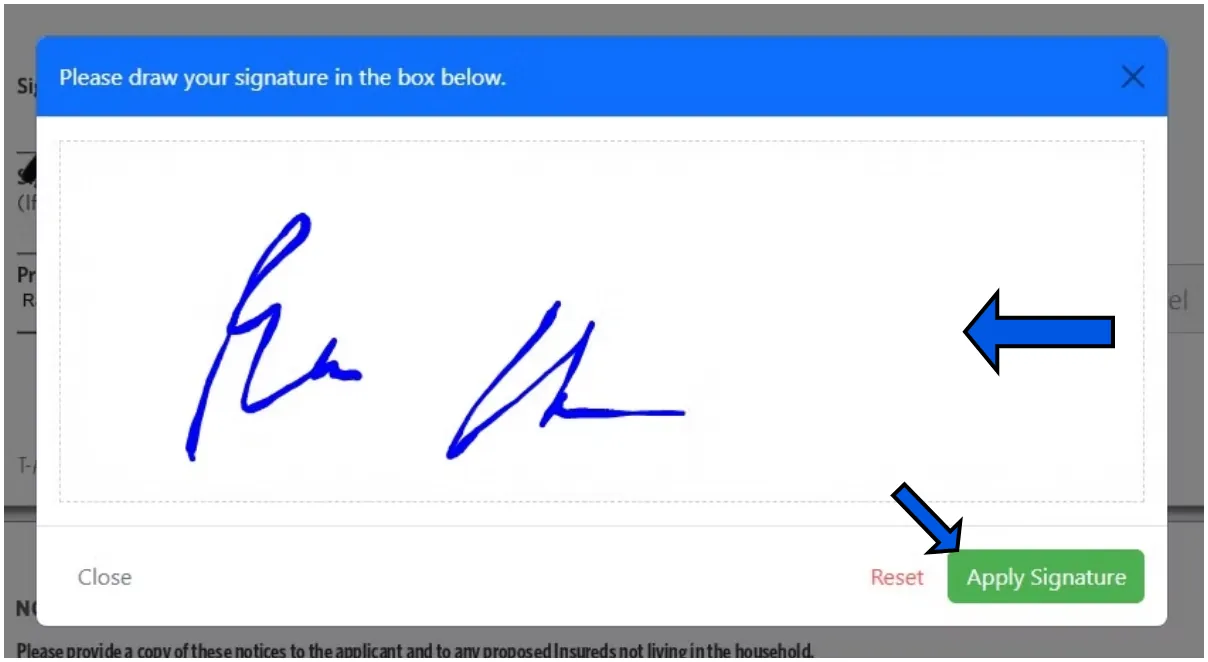
Sign inside of the white box when it populates, then click APPLY SIGNATURE.
You will be taken back to the application to sign in 2 or 3 more spots. Simply click on each yellow box to apply your signed signature.
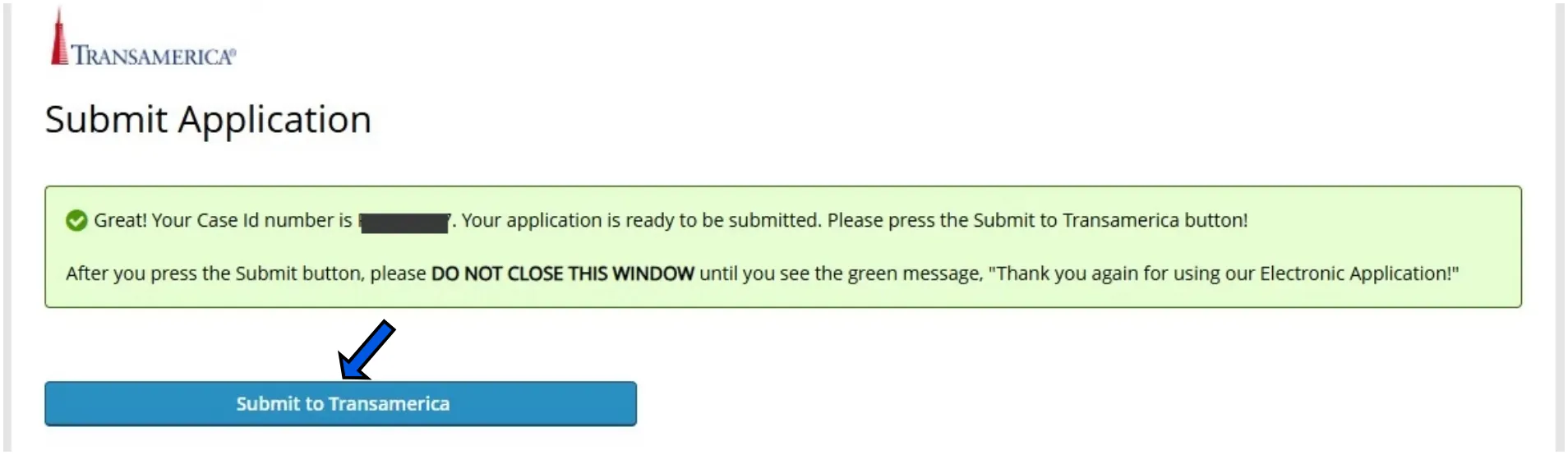
Write down the Policy / Case Id Number for future reference.
Click SUBMIT TO TRANSAMERICA.
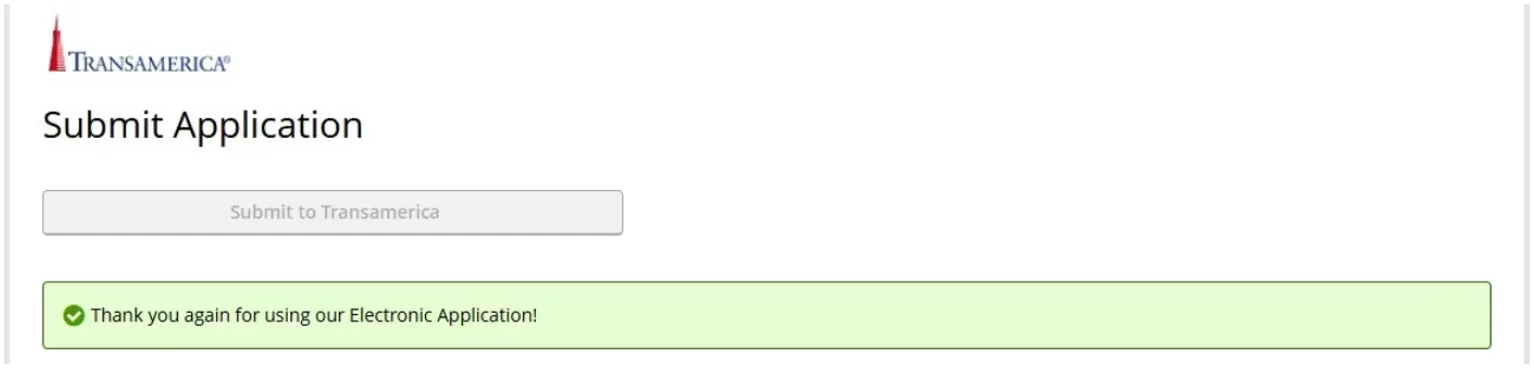
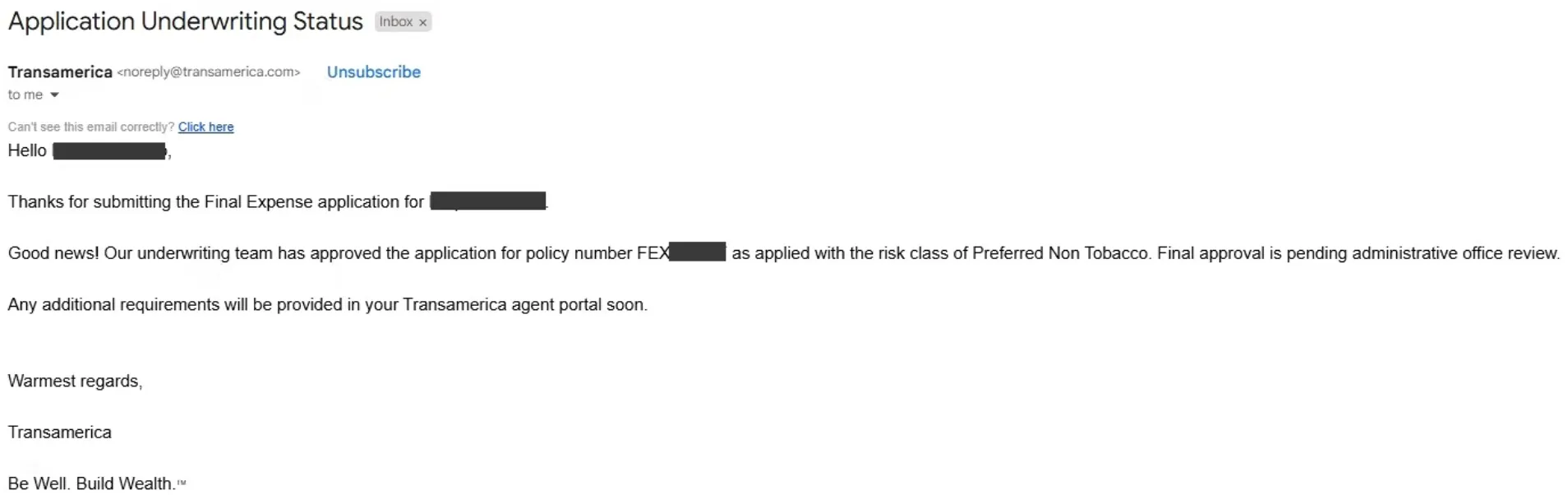
If done before 5, you'll typically get the underwriting decision through email within 15 minutes but it could come in the next morning if done later in the day after business hours.
Pay attention to the language as sometimes it will say it has been approved AS APPLIED meaning that if you applied for preferred, it was approved at preferred. HOWEVER, let's say that you applied for Preferred, but it was approved at Standard, it may say that it was not approved at the level or risk class applied for of preferred, but it was approved at Standard or Graded. In this case, you will need to contact the customer to discuss if they would accept the higher rate or if they want to lower coverage to reduce the monthly premium. Once you've spoken to the client, contact Transamerica and let them know what the client wishes to do.